The apps
Seven surfaces. One system underneath.
A waiter holding a phone, a chef watching a wall screen and a diner scanning a QR code are not using three products. They are looking at the same restaurant from three places — the same order, the same menu, the same stock, rendered for whoever is holding the device.
One login·one database·no install for diners·runs on any device
Who holds what
The whole restaurant, from a desk.
The full portal: every module the plan includes, behind one login and filtered by what the person signing in is allowed to touch. This is where the menu is built, the day is read and the month is closed.
- Today's revenue, live orders, occupancy and average order value on open
- Every module in one navigation — orders, menu, stock, staff, reports
- The live order list is pushed, so the desk sees what the floor sees
- Exports for the accountant: CSV and PDF, GST included
- Works on a laptop at the desk or a tablet on the pass
Surfaces these modules
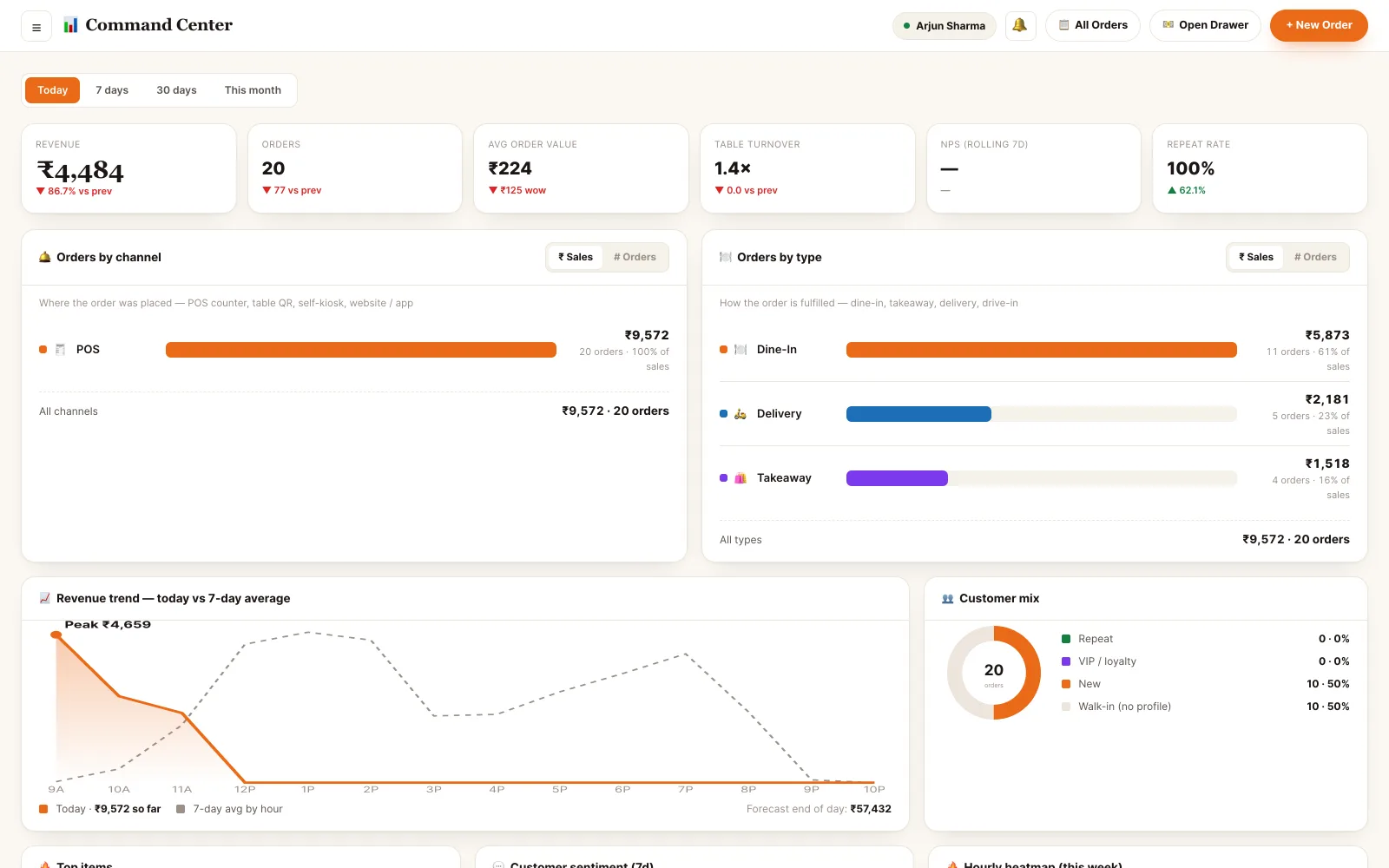
Back office · dashboard
The order is taken at the table.
A phone-shaped view of the floor. The waiter seats a table, takes the order standing beside it, fires it to the kitchen, and settles the bill without walking back to a terminal to type any of it again.
- Live floor: free, seated, order placed, bill pending — colour-coded
- Add items with variants and add-ons; item notes go through to the ticket
- Fire to the kitchen and watch the same ticket come back ready
- Settle in cash, card or UPI — the QR carries the exact amount
- Tips recorded against the waiter, visible on their own tips page
Surfaces these modules
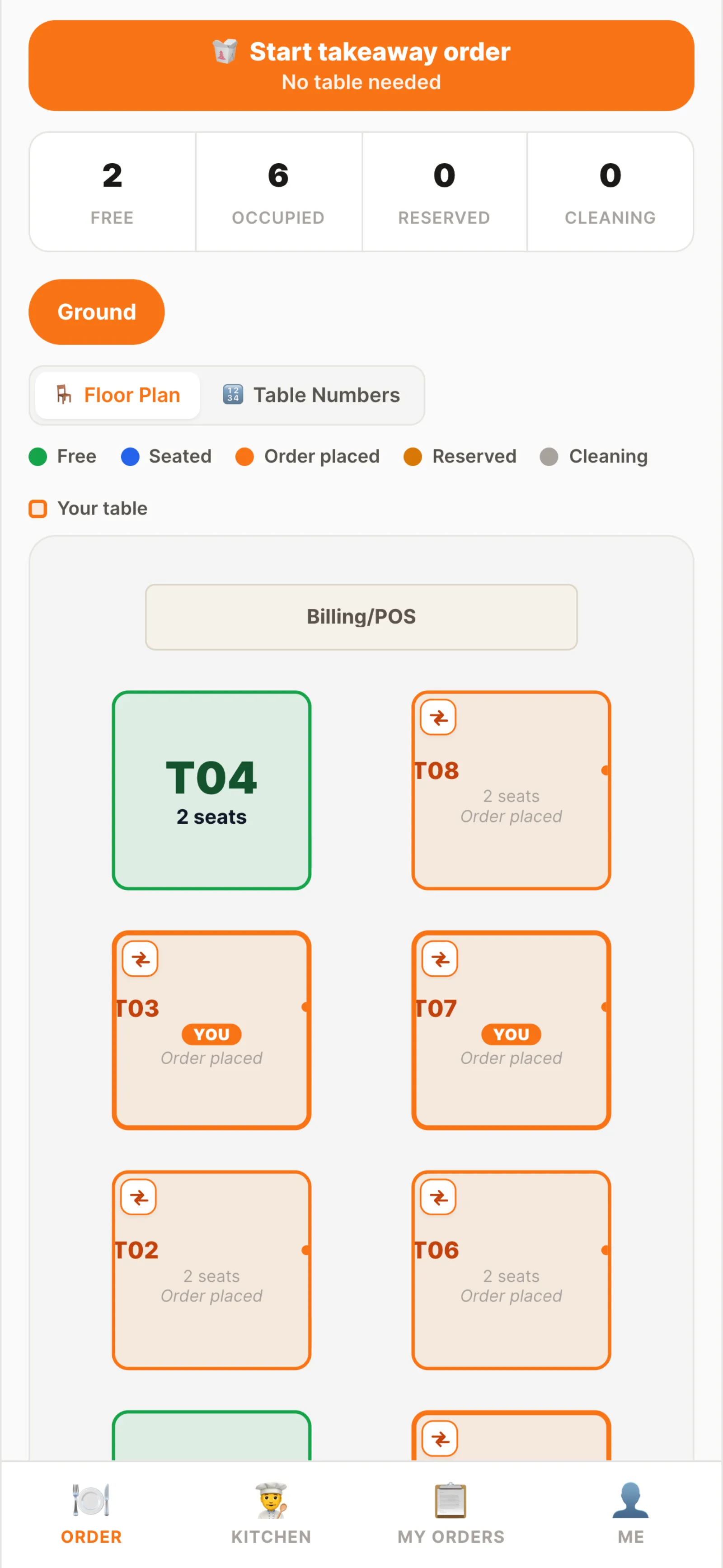
Waiter app · floor
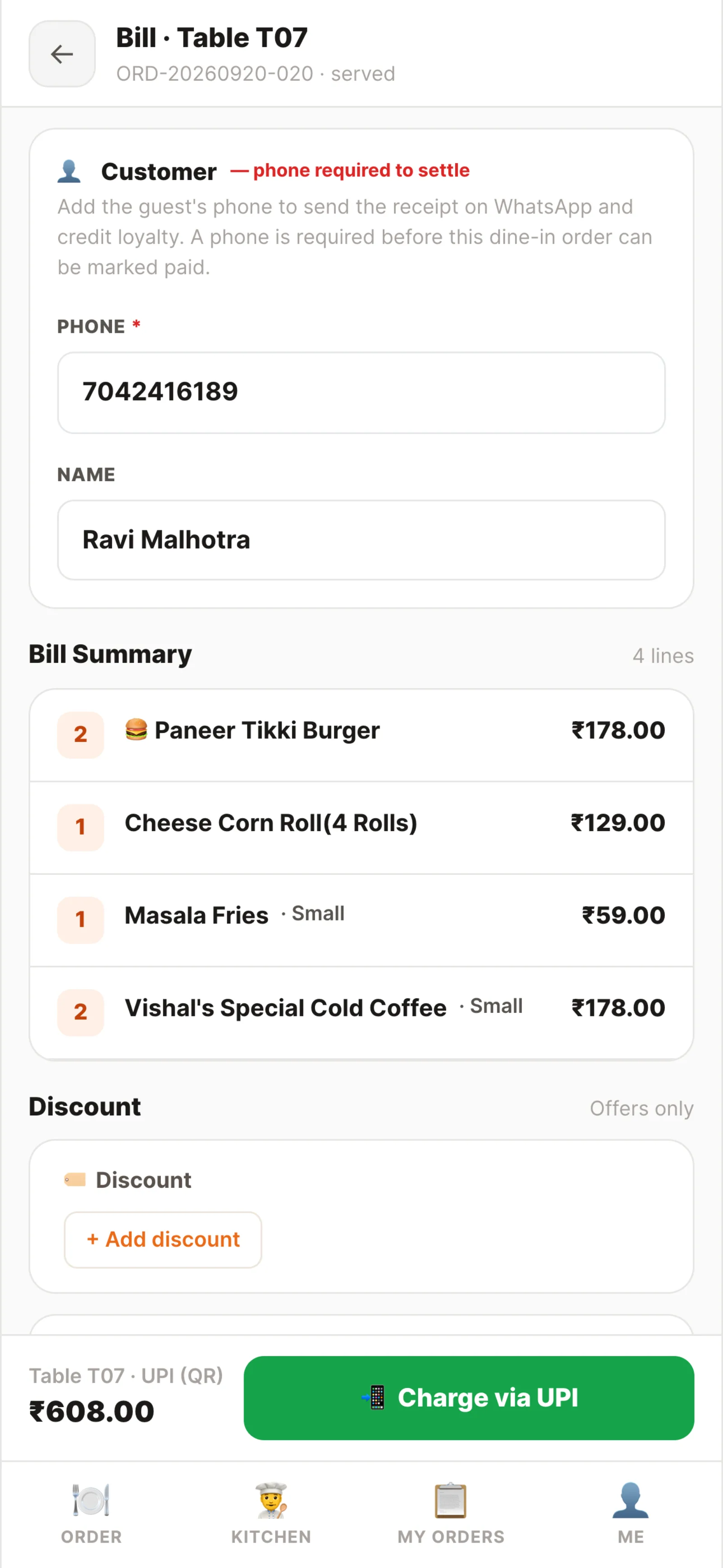
Waiter app · settle
A wall screen that never needs refreshing.
Tickets are pushed over a WebSocket the moment an order is accepted. Cards tint as the clock runs, stations filter the board to their own dishes, and one tap bumps a ticket — telling the floor and the diner in the same second.
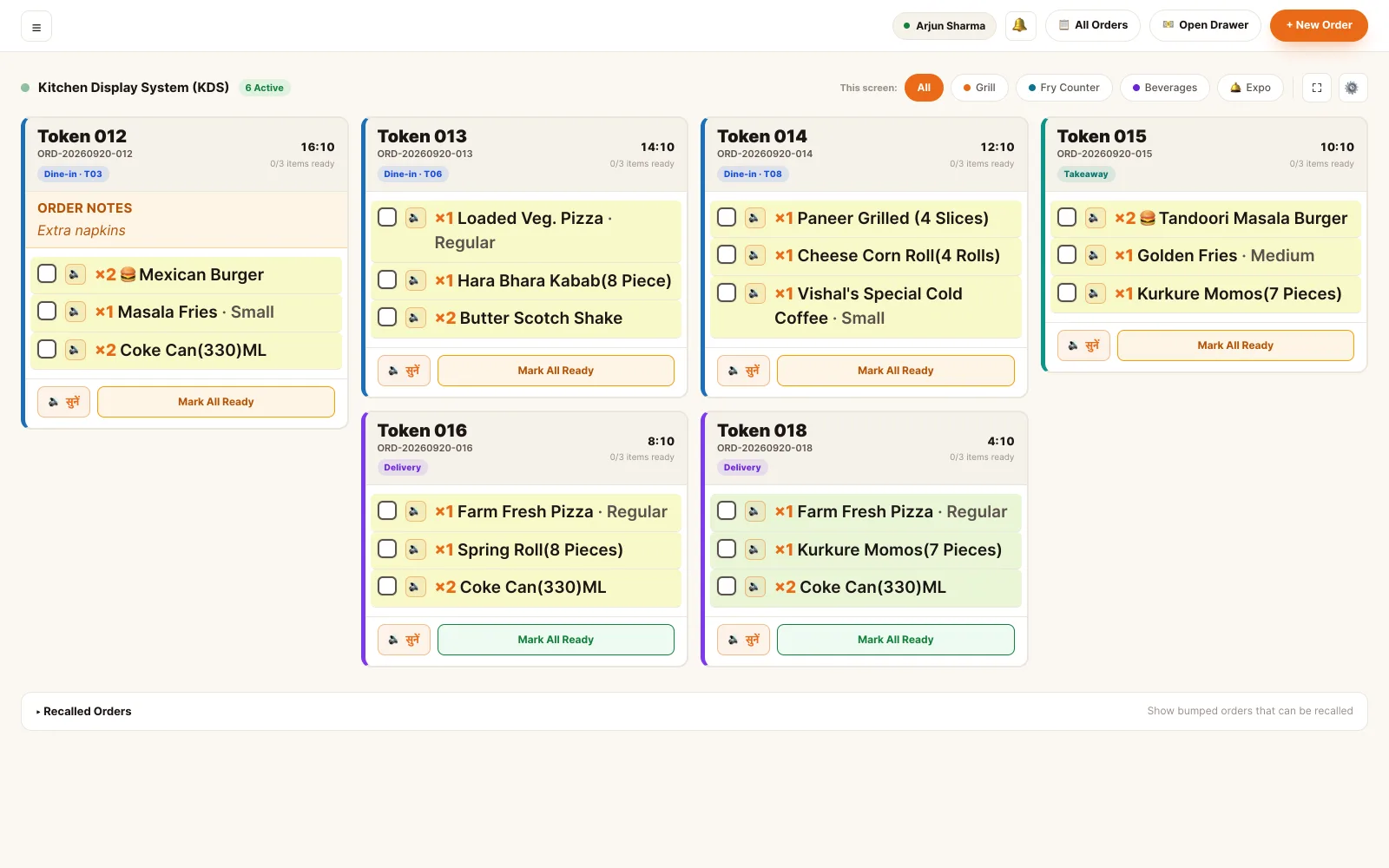
Kitchen display · live board
- Live push, not polling — there is no refresh button because there is nothing to refresh
- Green to amber to red as the ticket ages, so the late one is the loud one
- Station filters: tandoor and grill, main kitchen, bar and beverages
- Order-level and item-level notes printed on the ticket itself
- Bump once: the waiter's phone, the diner's tracking page and the floor all update
- Runs on a browser, a TV or the Android TV build — no terminal at the pass
Surfaces these modules
The counter queue, served by itself.
A touchscreen at the counter with the photo menu on it. The guest browses, customises, is offered the meal version of what they picked, and checks out — the order arrives in the same queue as everything else, tagged as a kiosk order.
- Category rail down the left, photo menu beside it — built for a fingertip
- Variants and add-on groups exactly as the kitchen expects them
- "Make it a meal" upsell with the price difference stated plainly
- Cross-sell a whole category — a drink with the curry, bread with the dal
- Self checkout, or a token to pay at the counter
Surfaces these modules
Main Course
Veg · Non-veg · Thali- Butter Chicken₹310
- Paneer Butter Masala₹280
- Dal Makhani₹240
- Veg Thali₹350
- Non-Veg Thali₹480
Make it a meal?
+₹130- 1× Butter Chicken₹310
- + Meal upgrade₹130
- 2× Tandoori Roti₹90
- 1× Masala Chai₹50
Self-order kiosk · menu and cart
The run, the cash, and the proof.
Delivery agents get their own phone view: the runs assigned to them, the address and the customer, what is prepaid and what is cash on delivery — and a settlement at the end of the week they can check themselves.
- Assigned runs only — a rider never sees the rest of the restaurant
- Prepaid or COD stated on the card, with the exact amount to collect
- Status moves with the run: picked up, on the way, delivered
- Cash collected at the door tops up the same bill the cashier sees
- Earnings by day, distance bonus and tips — with what was tipped where
Surfaces these modules
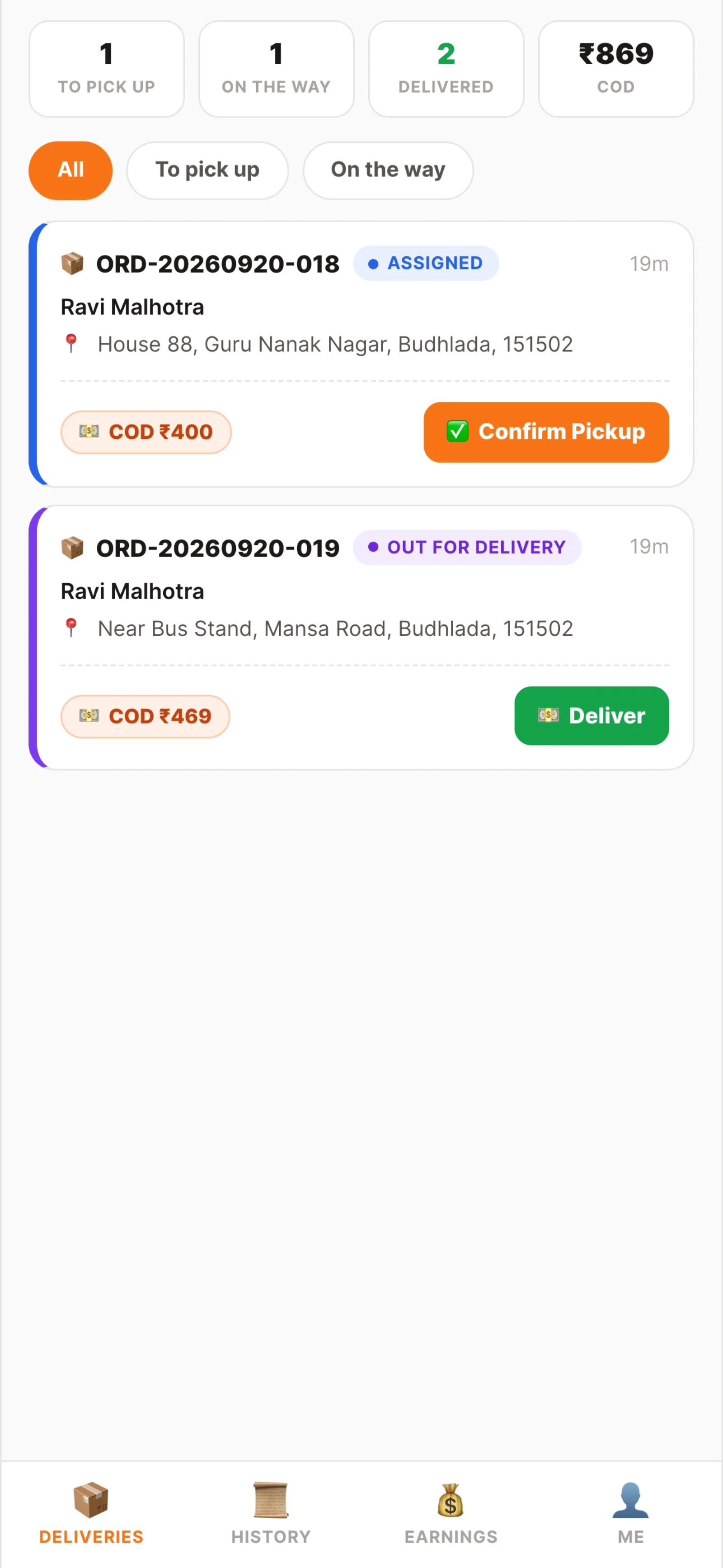
Rider app · runs
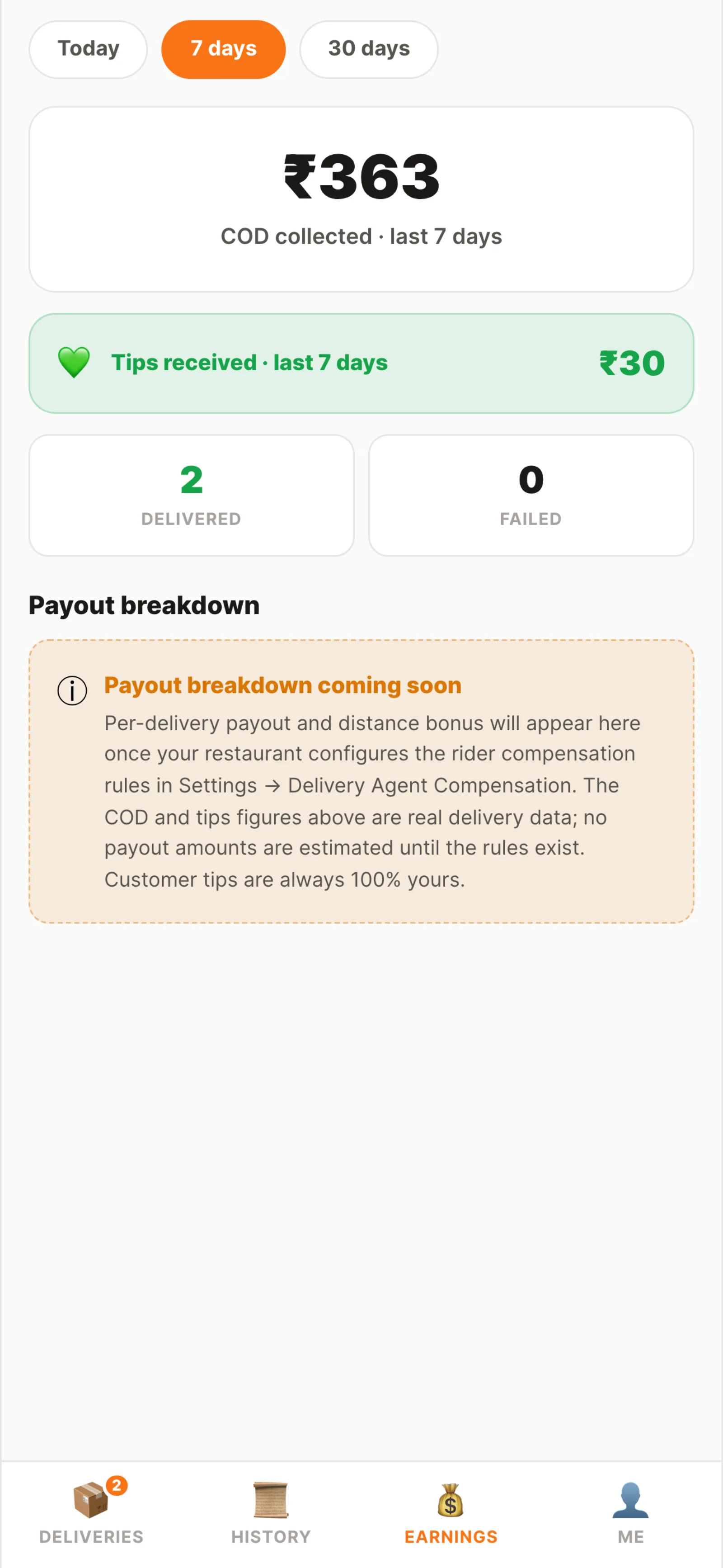
Rider app · earnings
The guest's phone, with nothing to install.
A QR code on the table opens the live menu in the phone's browser. The diner orders, watches the kitchen move it, and pays — and for takeaway and delivery the same pages run on the restaurant's own ordering website.
- The menu is the live menu — an item marked unavailable is not on the phone
- Photos, veg marks, variants and add-ons, priced as the kitchen prices them
- Order tracking: placed, accepted, preparing, ready, on the way, delivered
- Pay by UPI, or add it to the table's bill for the waiter to settle
- The same pages serve the restaurant's own ordering website and its own domain
Surfaces these modules
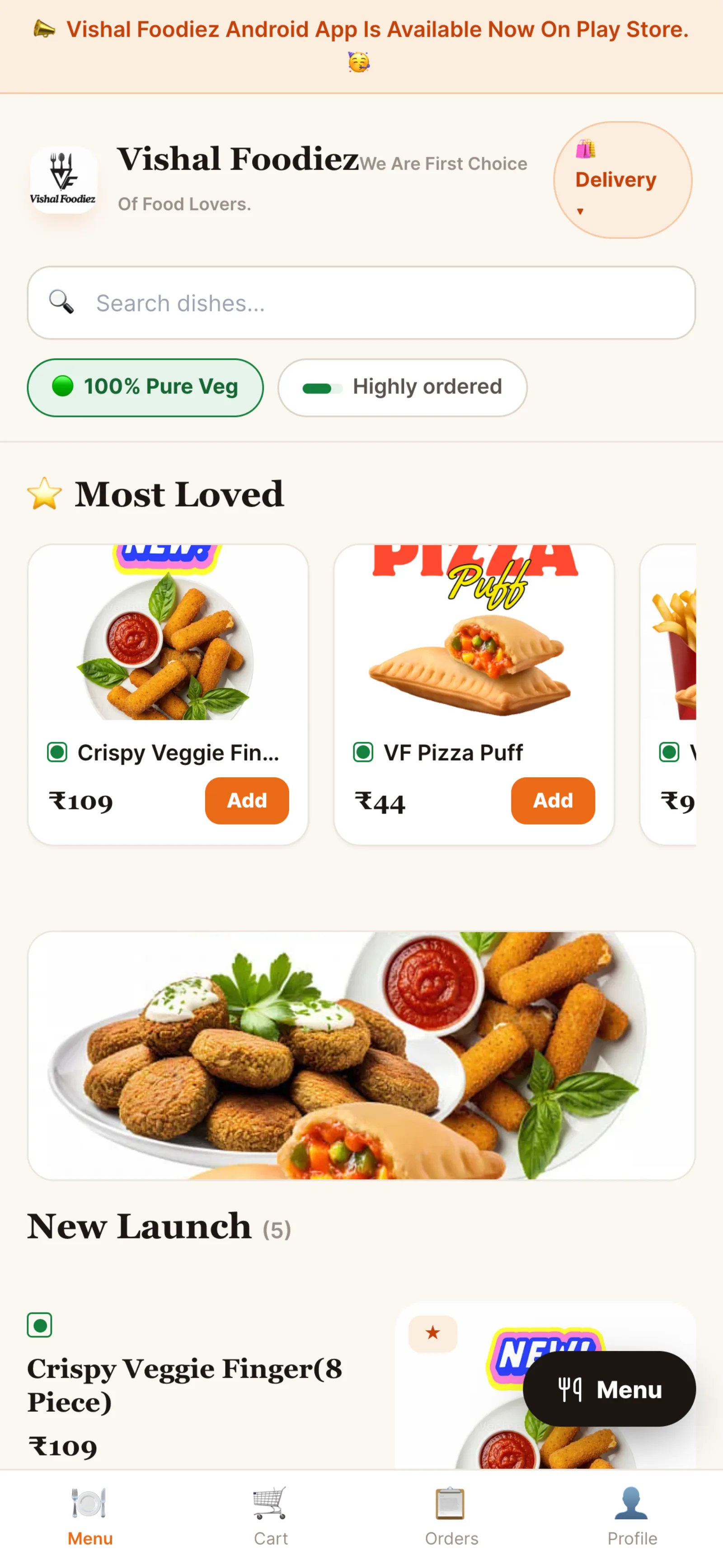
Diner · table QR menu
Progress
- PlacedDone
- AcceptedDone
- PreparingNow
- Ready—
- On the way—
- Delivered—
Diner · order tracking
The guest can read their own bill.
A second screen at the counter, turned towards the guest, showing the order as it is rung up. Nobody operates it. It is a render of the cashier's screen, pushed the same events — and when an item has to be swapped, it shows the difference rather than a new number appearing from nowhere.
- Every line appears as the cashier adds it, with the running total
- An item swap is shown as a swap: what went out, what came in
- The difference is spelled out — extra to pay, or refund due back
- A UPI QR for the difference appears once the change is confirmed
- Any spare screen will do; it is a browser page, not a device
Surfaces these modules

Customer display · item swap
Seven surfaces, one record.
This is the whole argument. A tap on a waiter's phone and a scan on a diner's phone take the same path: one API, one permission check, one schema, one order row — and the change is pushed straight back out to every other surface.
The seven
Back office Waiter app Kitchen display Self-order kiosk Rider app Diner QR / web Customer display- A surface A waiter taps, a guest scans, a chef bumps. Seven different renders, one set of actions.
- One permission check The same endpoint, the same atomic permission. A waiter's phone is not trusted more or less than the back office. StaffPlatform
- One tenant schema Your restaurant's own PostgreSQL schema. Nothing is copied into a per-app store, so there is nothing to reconcile.
- One order record The kiosk order, the QR order and the waiter's order are the same kind of row, tagged with the channel they came from. OrdersBilling
- Pushed back out The write is broadcast over the same WebSocket, so the other six surfaces show it without anyone refreshing. KDSDisplay
No export·no nightly sync·no second system to reconcile
See which module owns what- One order A diner's QR order and a waiter's order are the same record. The guest can add to the table's order from their phone while the waiter has it open; both are editing one row, and the kitchen ticket updates for both.
- One matrix The surface never decides what you may do — the permission does. A cashier signing into the back office sees the cashier's platform; the waiter app shows floor totals only to a waiter whose bundle includes the financial permission.
- One clock Everything is pushed, not polled. The bump that clears a ticket on the wall screen is the same event that lights up the waiter's phone and moves the diner's tracking page — in the same second, from the same broadcast.
- One install Nothing to distribute. Six of the seven are web surfaces on whatever device is already there; the kitchen display also has an Android TV build for a screen with no browser worth using.
See it running on your menu.
We set the restaurant up with you — menu, tables, staff and printers — rather than handing over a login and wishing you luck.