Operations
A booking is only useful if it turns into a table.
Take the booking with the party size, the slot and what the guest asked for. Seat it against the live floor in one tap and a real dine-in order opens on that table. The reminder goes out on WhatsApp without anybody remembering to send it.
Host role·day and calendar views·WhatsApp reminders·seats straight into an order
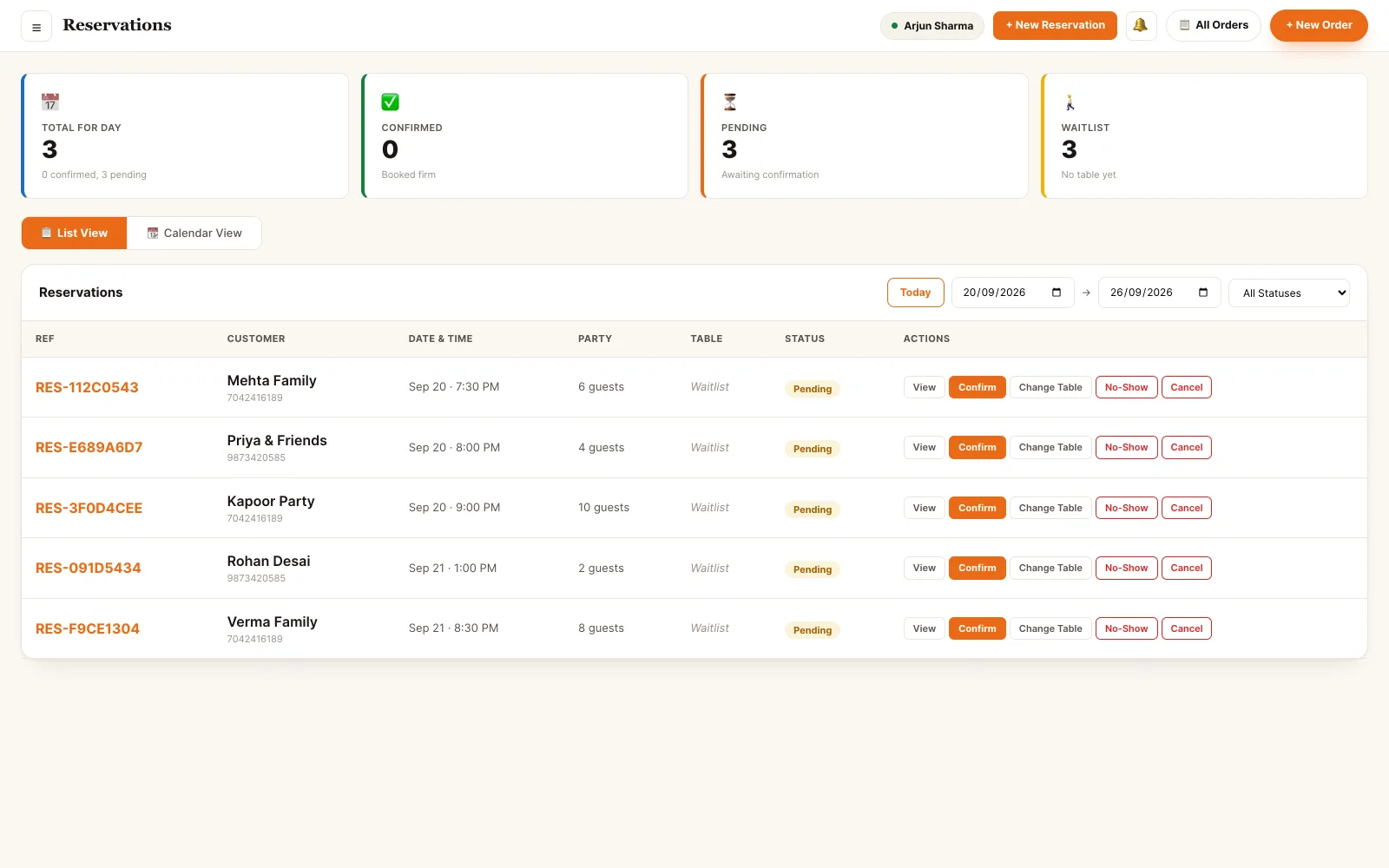
The day's bookings, beside the floor.
One page answers the only two questions a host has: who is coming, and which table is free when they arrive.
Back office · reservations
Everything a host does on one page.
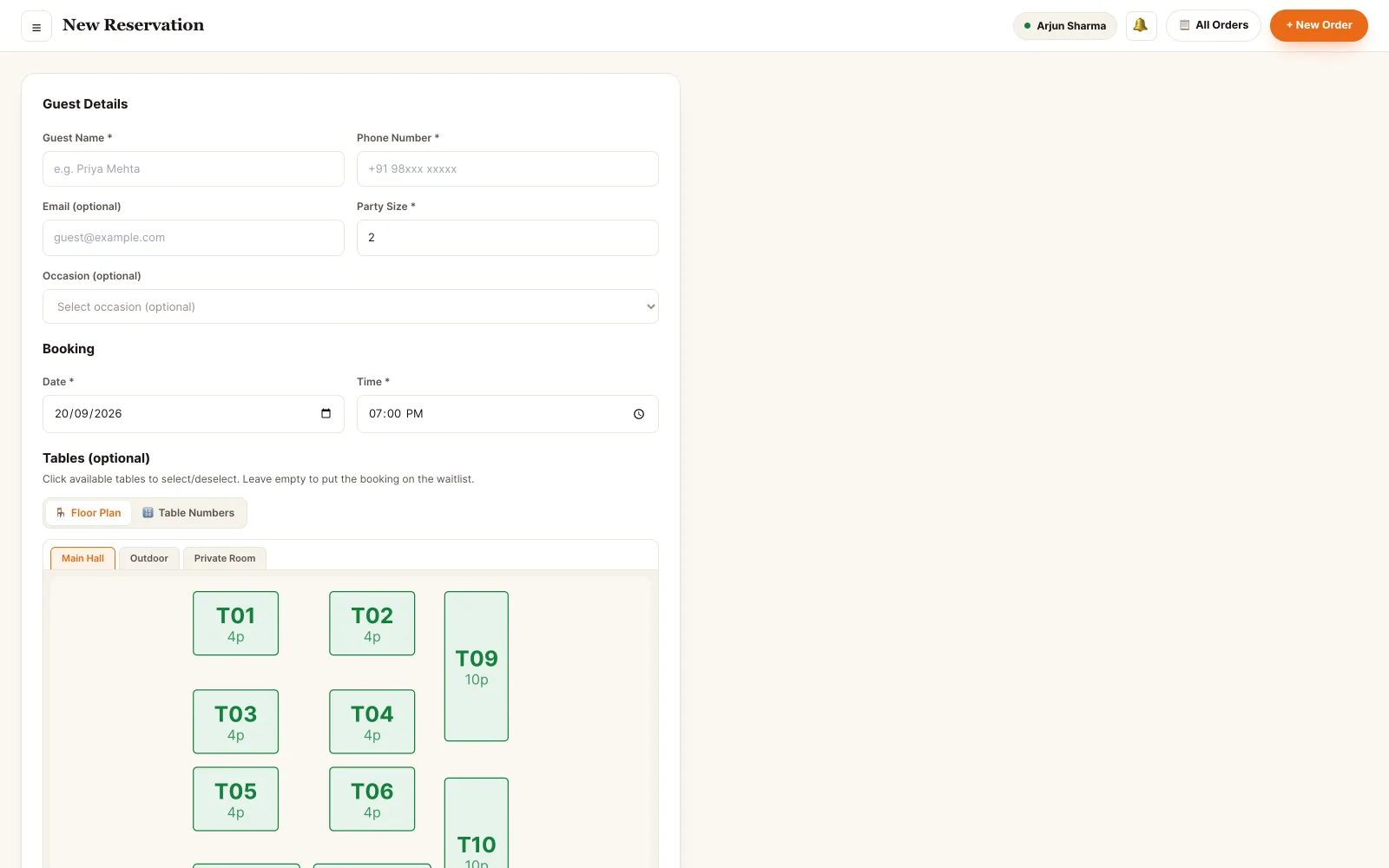
Take a booking
Guest, phone, slot, party size, occasion and the special requests the kitchen needs to know about.
Hold one table or several
A party of six takes T06 and T07 together; the picker adds up the covers as you tick tables.
Confirm and remind on WhatsApp
Confirmation on save, a reminder an hour before the slot — both from the restaurant's own number.
Recognise a regular
Type the phone number and the CRM fills in the guest, their past visits and their loyalty balance.
Work the waitlist
A booking with no table waits in the list and gets assigned the moment something frees up.
Seat it into an order
One tap marks the booking seated, occupies the table and opens the dine-in order for that party.
Nobody has to remember to call.
Confirmations and reminders are part of the booking, not a task somebody adds to a list. They go out over WhatsApp from the restaurant's own number, so the guest replies to the restaurant.
- Confirmation sent the moment the booking is saved
- Reminder an hour before the slot, scheduled automatically
- Change the table or cancel and the guest is told, with the reason
- Save without notifying when you took the booking on the phone yourself
- Incoming requests raise a bell notification in the portal with a one-tap Confirm
Back office · new reservation, notifications
Seated is not a status. It is an open order.
Seating a booking occupies the table on the floor plan and opens a dine-in order for that party — the same order the waiter adds to, the kitchen cooks and the cashier bills. There is no second place to re-enter the party.
- Seat assigns the table and opens the order with the booked cover count
- A large party can hold two tables; the combined capacity is shown as you pick
- No-show releases the table straight back to the floor
- Cancelling notifies the guest and frees the slot for someone else
- Every transition is stamped with who did it and when, on the booking's timeline
One booking, four states
What a booking touches.
Reservations does not keep its own copy of the floor, the guest or the message log. It writes to the modules that own them.
Who can touch a booking.
- Owner Everything, plus the settings behind it. Default reminder timings, which notifications are on, and who else is allowed to manage bookings.
- Manager Full control of the book. Create, confirm, move, seat, mark no-show and cancel — and change the table on a booking that is already confirmed.
- Supervisor Runs the shift's bookings. The same day-to-day actions as a manager on the floor: confirm, seat, reassign a table, clear a no-show.
- Host The desk role. A host holds reservations, the floor plan and read access to customer profiles — enough to take a booking, look up a regular and seat a party, and nothing about money, menu or staff.
Permissions are atomic and checked on every endpoint. A role is a named bundle of them, not a rank — a staff member can hold several bundles at once and their access is the union.
See it running on your menu.
We set the restaurant up with you — menu, tables, staff and printers — rather than handing over a login and wishing you luck.