Core
Six ways to place an order. One queue.
A waiter's tap, a diner's QR scan, a kiosk token, a Zomato ticket and an order from your own website all become the same row in the same list — with the same statuses, the same kitchen ticket and the same bill at the end of it.
Dine-in·takeaway·table QR·kiosk·aggregators·your website
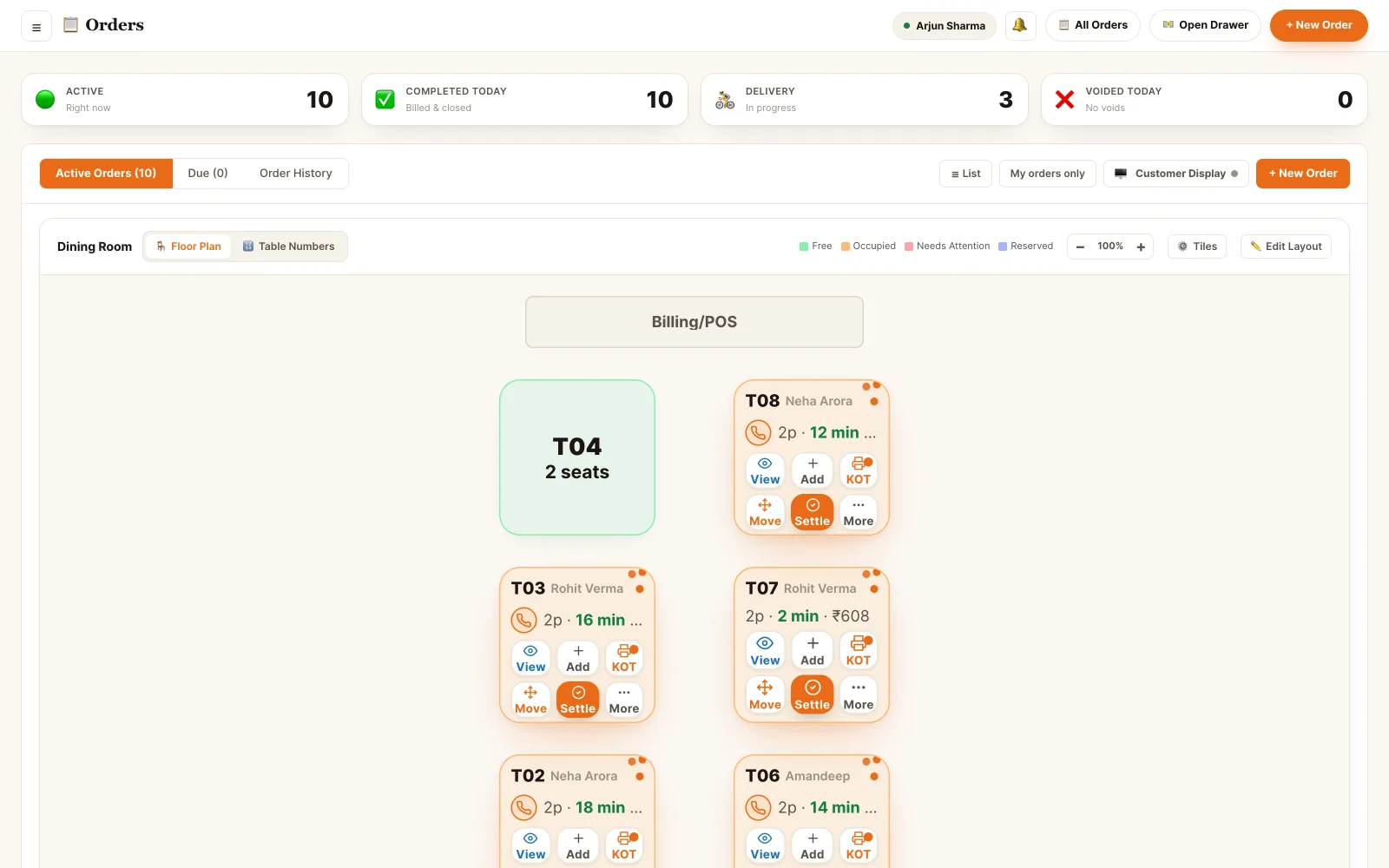
The board the counter actually watches.
Active, Due and History. Every row carries where it came from, which table it belongs to, how long it has been open and what it is worth — and orders that need a human decision sit at the top instead of hiding in the list.
Back office · all orders
The whole life of an order, in one place.
Taking it, firing it, changing it, holding it, closing it — and being able to say afterwards who did which of those, and when.
Take it anywhere
Counter, waiter app, table QR, kiosk, aggregator or your own website — all of them write the same order row.
Watch the status move
New, accepted, in progress, ready, served, billed, closed. The board is pushed over a WebSocket, not refreshed.
Notes and add-ons per line
Order-level notes act as the default; an item's own note overrides it. Add-ons and variants price the line as it is chosen.
Hold what needs a decision
Hold a whole order or a single line. A held line stays off the kitchen ticket until someone releases it.
Approve before the kitchen sees it
Customer-placed orders can be reviewed first — items, address, distance and what is to be collected — then approved or rejected.
Fire tickets to the kitchen
The first KOT prints on placement; later items go out as a numbered add-on ticket, and every ticket can be reprinted.
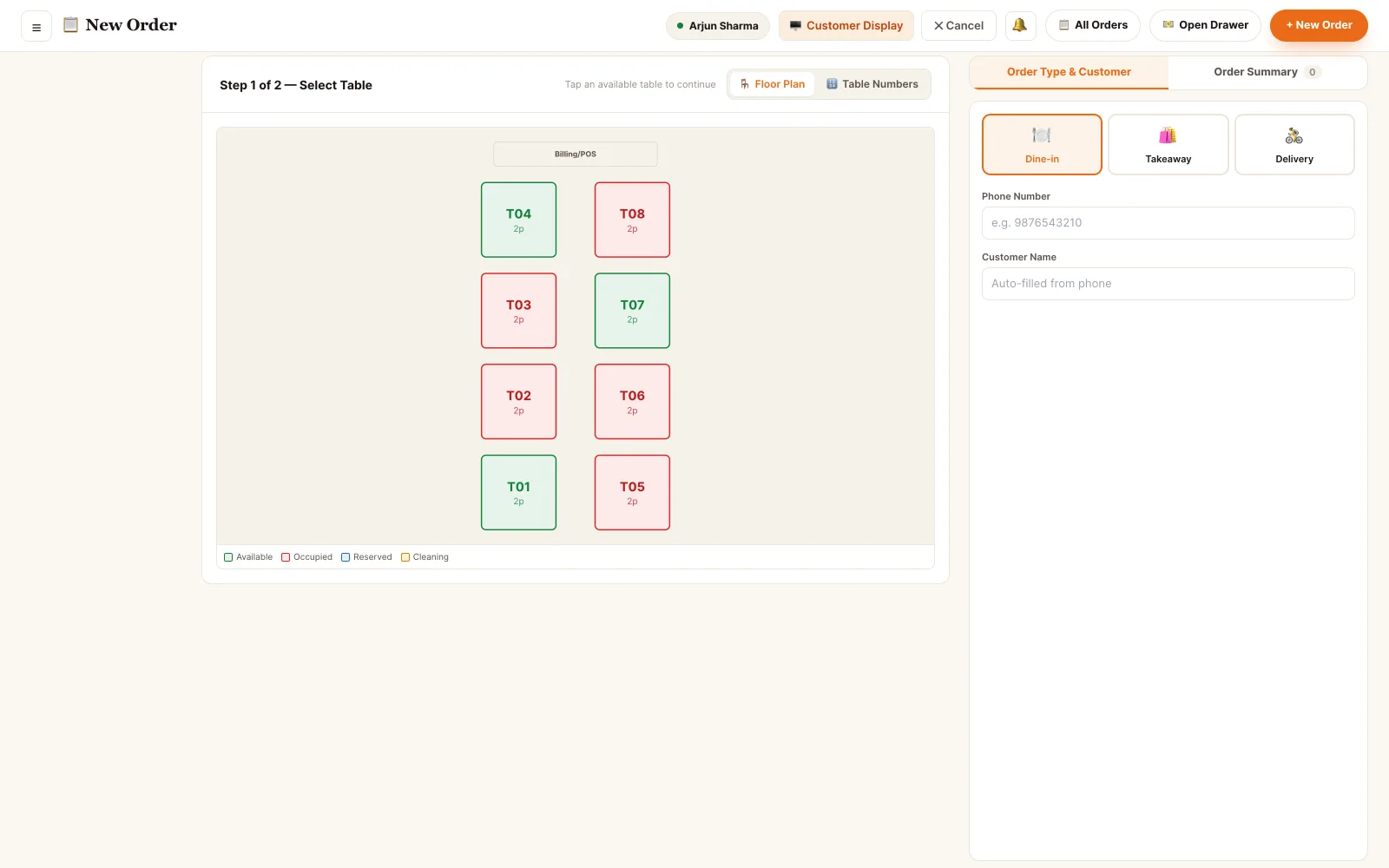
Fast at the counter, exact on the ticket.
Pick the table, filter the menu, tap items. Variants and add-ons open as a sheet so the line is priced correctly the first time, and the kitchen note is attached to the item it belongs to.
- Category rail with live counts, plus veg / non-veg / vegan and in-stock filters
- Variants and add-on groups priced on the line, including per-size add-on prices
- Order-level note chips — no onion, less spicy, Jain — that every item inherits
- Mark any line to be packed to-go, even on a dine-in order
- Complimentary lines carry a reason and show as waived, not as a silent ₹0
Back office · new order
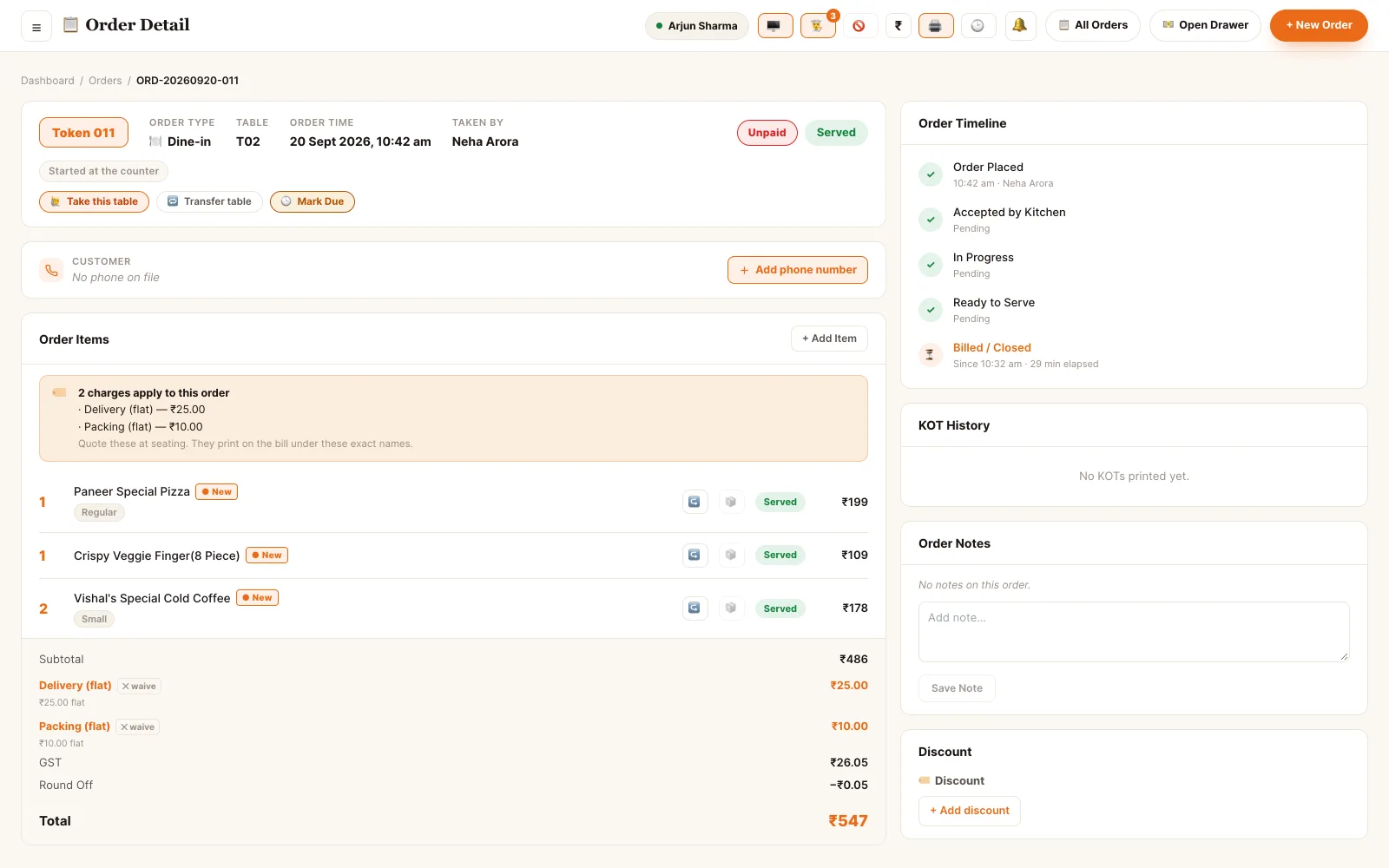
An order changes. So it keeps a record.
Items get added after the first ticket, a dish gets replaced, a discount gets approved, a line gets comped. Every one of those is a row in the order's change log with a name and a time against it — and money edits are logged as money edits, not as a note.
- Add items after firing — they go out as a numbered add-on KOT, not a reprint of the whole order
- Replace or comp a line, with a reason recorded on the bill as waived
- Hold the whole order, or hold one line, before it reaches the kitchen
- Discounts, comps and manual price edits are written to the change log with the staff member who made them
- Void or refund with a reason; the reversal shows in the day's numbers rather than deleting the sale
Back office · order detail
Orders are the thing everything else reads.
The kitchen board, the floor plan, the bill and the customer's history are all views over the same order rows.
Who can do what, to the permission.
Five of the eleven role bundles touch orders, and they do not all touch them the same way.
- Owner Everything, including the reversals. Void an order, approve a discount or a comp, refund a settled bill, and read the full change log for any order on any day.
- Manager Runs the shift. Approves customer orders, releases holds, edits a fired order, and handles the exceptions the counter escalates.
- Supervisor The floor's second pair of hands. Takes and edits orders, moves them between tables, and approves the routine holds without opening the money actions.
- Cashier Takes the order and takes the money. Creates counter and kiosk orders, collects payment at the counter, and sends the order to the kitchen in the same action.
- Waiter Their own tables. Takes orders at the table, adds items after firing and marks lines served — on the waiter app, on their own phone.
A role is a named bundle of atomic permissions, not a rank. A staff member can hold several at once and their effective access is the union; the code checks the permission on every endpoint, never the role name.
See it running on your menu.
We set the restaurant up with you — menu, tables, staff and printers — rather than handing over a login and wishing you luck.