Operations · Suppliers
Who you buy from, and at what rate.
A supplier is a contact, a set of payment terms and a price list. The price list is what a purchase order is built from and what a delivery is checked against — so "what does paneer cost this week" has an answer in the system.
Rate per ingredient·lead time·payment terms·PO history per supplier
Four suppliers, and what each one is currently costing you.
Category, contact, payment terms, this month's spend and how many purchase orders are still open against them.
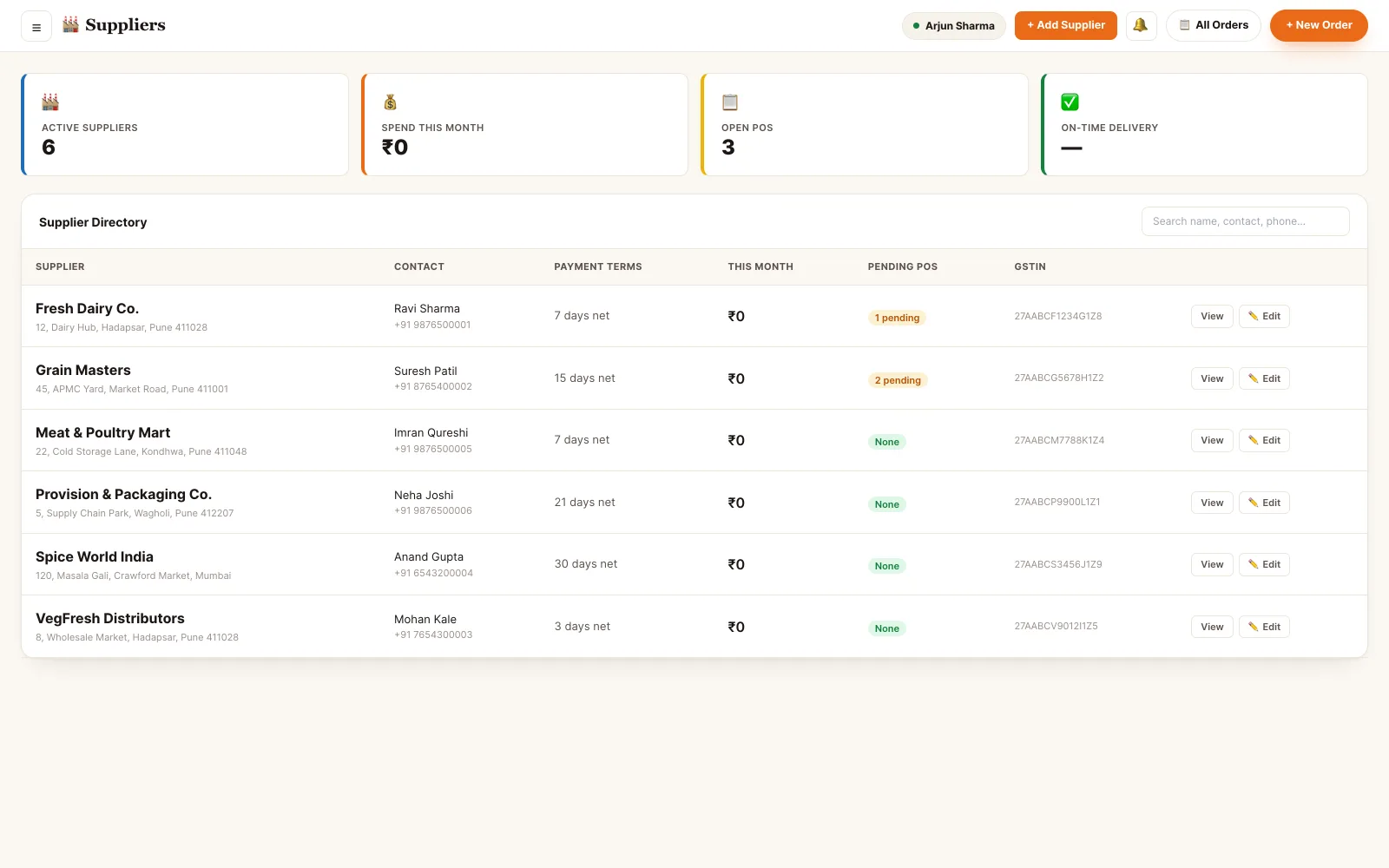
Back office · supplier directory
A small module that stops a lot of guessing.
It exists so that buying stock is a record rather than a phone call somebody remembers.
The supplier record
Company, category, contact person, phone and WhatsApp, email, GSTIN and PAN, business address and delivery notes.
A price list per supplier
Each ingredient they carry with their purchase unit, rate, pack size, lead time and minimum order quantity.
Raise a purchase order
Build a PO against one supplier; each line picks up that supplier's rate. Approve it before it is sent, not after.
Receive against that PO
The goods-received note is written against the purchase order, so a short delivery is visible as a short delivery.
Terms and spend
Payment terms from cash-on-delivery to 45 days net, preferred payment mode and bank details, with the month's spend per supplier.
More than one source
An ingredient can be carried by several suppliers. One is preferred and becomes the default reorder source; you can switch to another at the moment of ordering.
The catalog is the part that does the work.
Contact details are easy. What makes a supplier record useful is knowing that Fresh Dairy Co. sells paneer at ₹250 a kilo in 1 kg blocks, delivers next day, and will not take an order under 2 kg.
- Purchase unit, rate, pack size, lead time and minimum order quantity per ingredient
- A preferred flag that decides which supplier a reorder defaults to
- Every purchase order ever raised against them, with its value and status
- Payment terms, preferred payment mode and bank details held on the record
- Delivery notes and internal notes kept apart — one is about the delivery, one is for your own staff
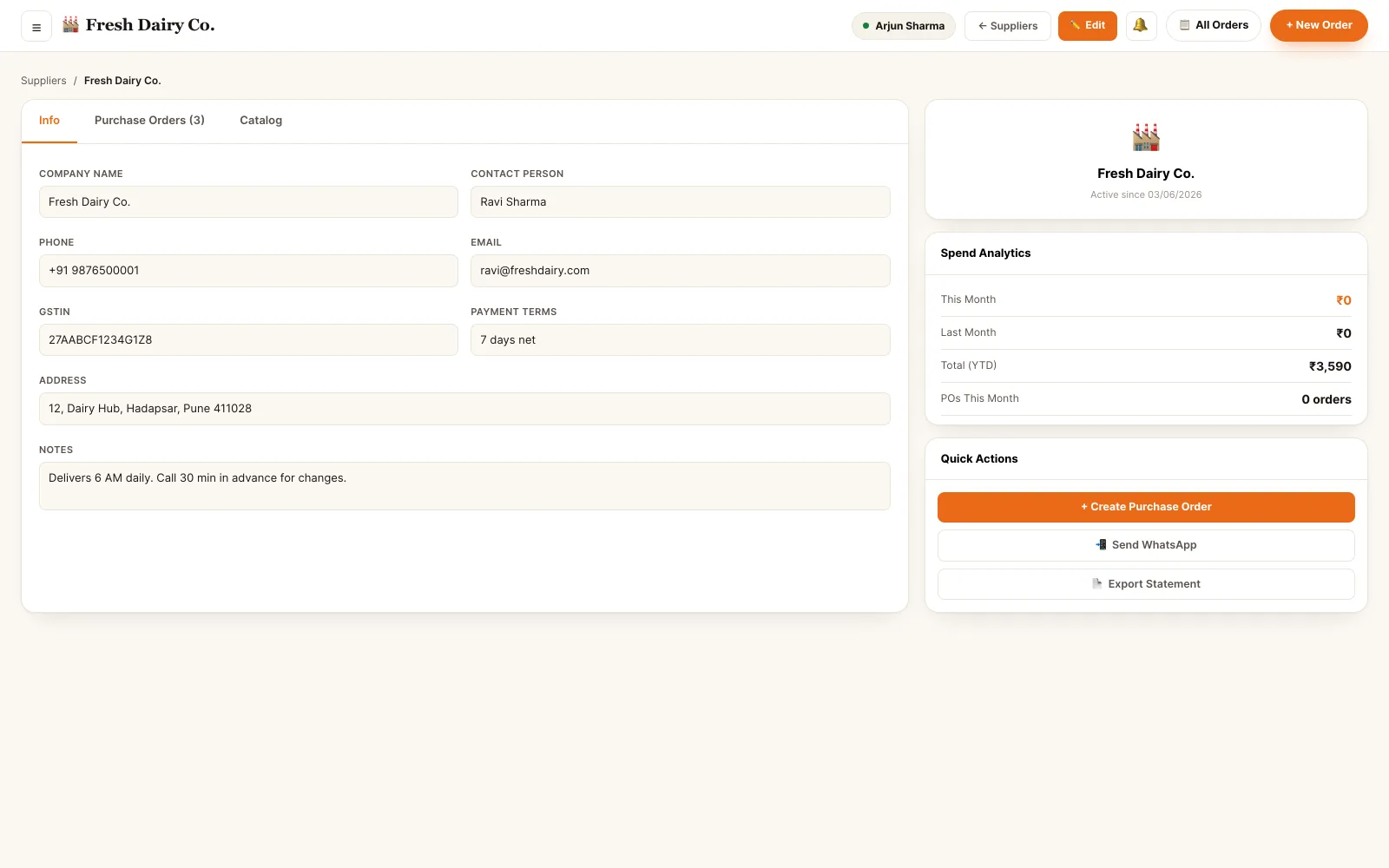
Back office · supplier detail, catalog and PO history
Low stock becomes purchase orders, grouped by who sells it.
Everything under its reorder level is collected into one screen and split by supplier — so a morning's buying is a few confirmations rather than four separate conversations.
- Every low ingredient in one place, grouped under the supplier it defaults to
- Suggested quantity from the gap between current stock and the reorder level
- Line total at that supplier's rate, and a total per purchase order before you commit
- Where an ingredient has more than one source, switch to the alternative — the cheaper rate and the longer lead time are both shown
- Confirming raises one purchase order per supplier, ready for the approval step
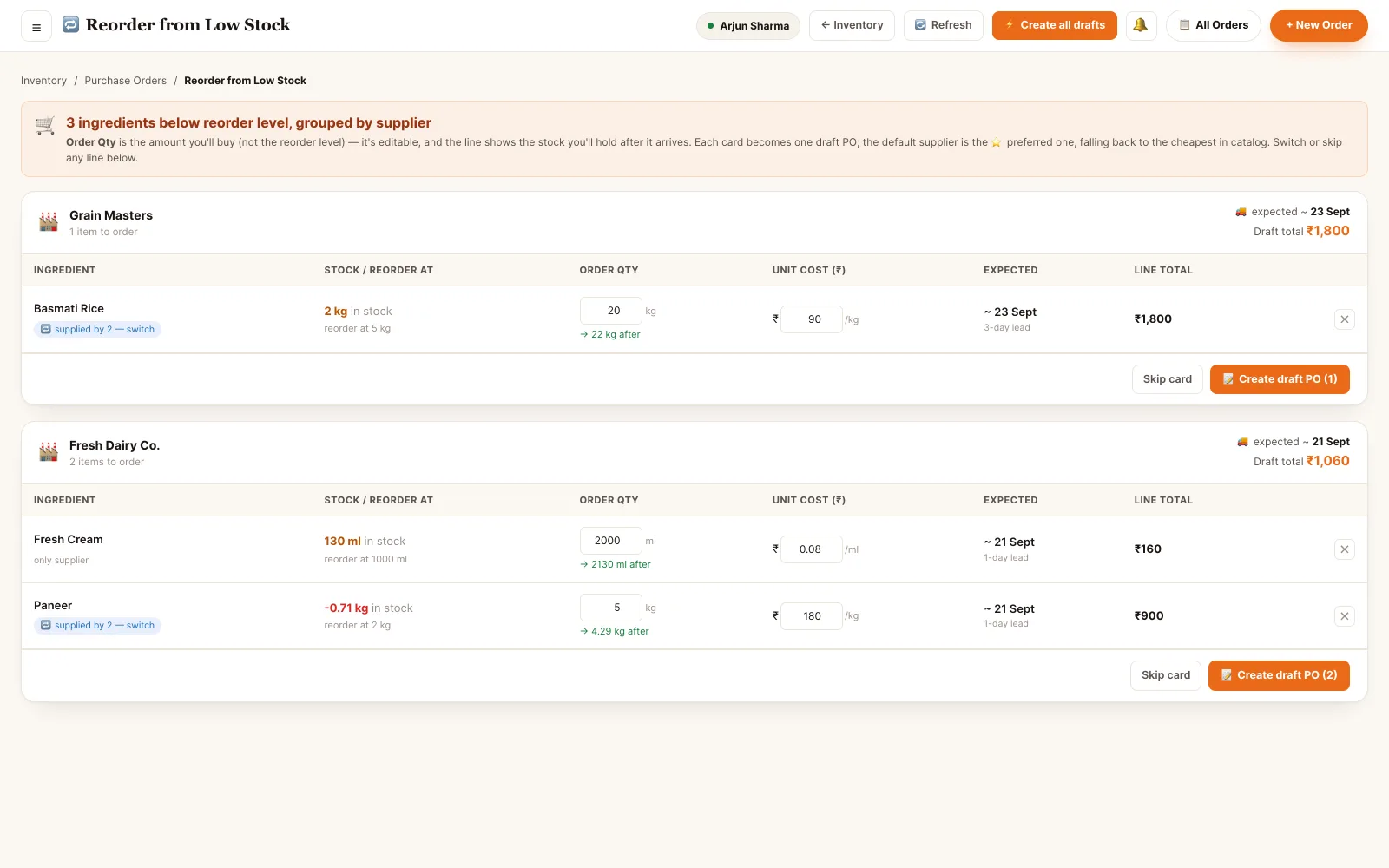
Back office · reorder from low stock, grouped by supplier
Suppliers sit between stock and money.
The purchase order is the hinge: it raises stock on one side and spend on the other.
Ordering and receiving need not be one person.
Raising a purchase order, approving it and signing for the delivery are separate abilities, held by whoever you decide should hold them.
- Owner The commercial view. Adds and edits suppliers, sets payment terms and bank details, approves purchase orders and sees spend per supplier.
- Manager Runs the buying. Maintains the catalog and rates, raises and approves POs, and switches an ingredient's default source.
- Supervisor Day-to-day. Raises a PO from low stock and receives the delivery against it; rate changes stay with the manager.
- Store keeper Receives and records. Signs the goods in, writes the GRN, flags a short or failed line — without seeing billing, staff or customer data.
Permissions are atomic and checked per endpoint. A role is a bundle of them, not a rank — staff hold several at once and their effective access is the union.
See it running on your menu.
We set the restaurant up with you — menu, tables, staff and printers — rather than handing over a login and wishing you luck.