CRM & Growth
The guest list writes itself.
A customer record is created by the order, not by data entry. Take a phone number once — at the till, on the kiosk, in the QR cart — and every visit after that attaches itself: what they ate, what they paid, what they said about it.
One profile per phone number·history from real bills·segments refresh hourly·consent held per channel
Everyone who has ever walked in.
Tier, order count, lifetime spend, points and last visit — every column is derived from settled bills, so the list can't drift from the till.
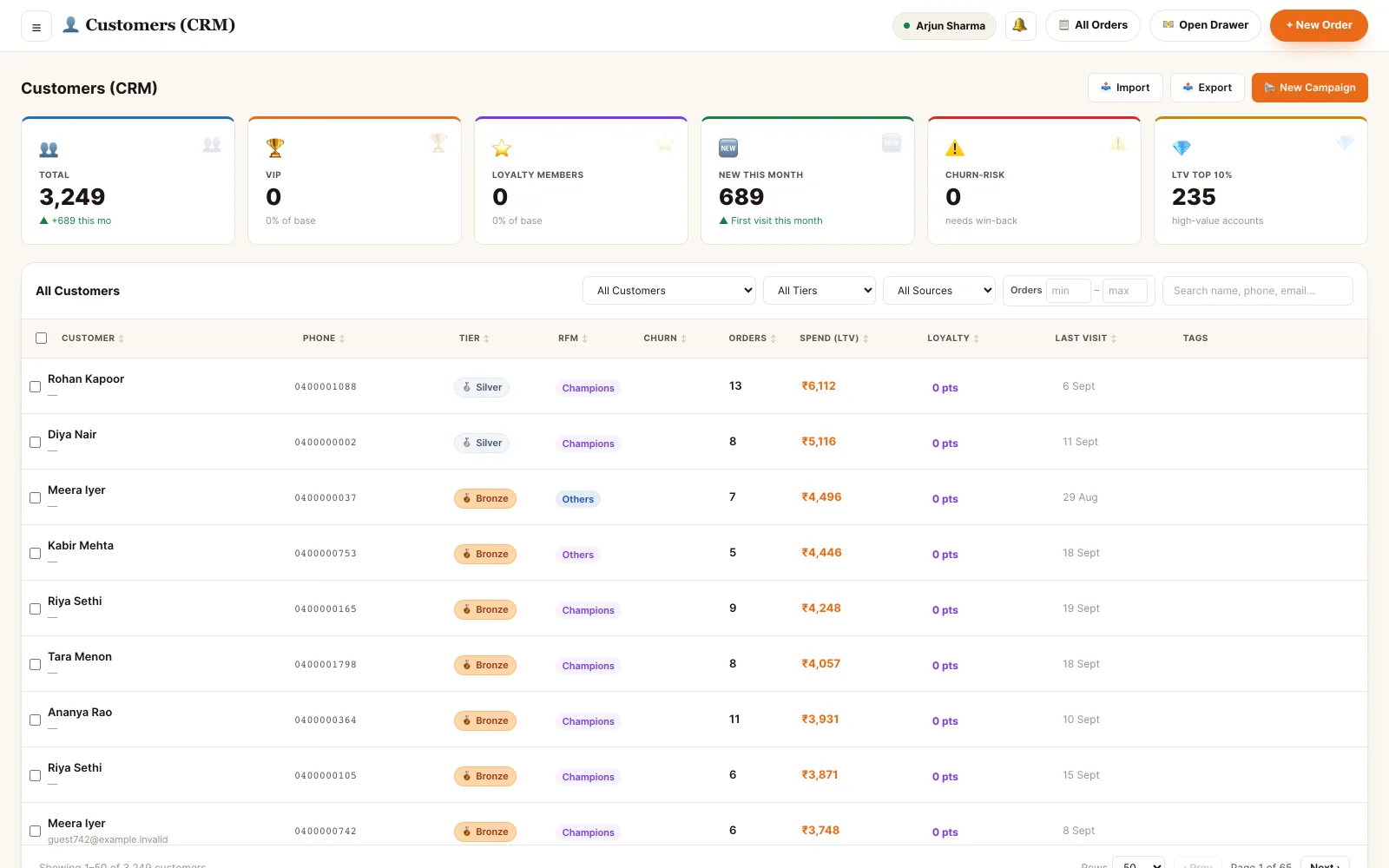
Back office · customers
Six things this module actually does.
Profiles from orders
A phone number captured at billing, on the kiosk or in the QR cart creates the record. The same number next week attaches to the same person.
Full order history
Every order the customer has placed, with items, channel, table and how it was paid — each row opening the original order.
Spend and frequency
Lifetime value, average order value, visit frequency and the five items they order most — computed from settled bills.
Segments from behaviour
Build a segment from spend, recency, tier, tags or what they ordered. Rule segments re-evaluate on their own; manual lists never move.
Feedback and complaints
Ratings and written feedback land against the customer and the order they refer to, with low scores flagged until someone closes them.
Consent held per channel
Marketing opt-in is recorded with when and where it was given. A customer who opted out is excluded from campaigns, not just skipped.
One profile, the whole relationship.
Open a customer and you get the orders, the money, the points, the feedback and every message ever sent to them — on one page, in the order it happened.
- Lifetime value, average order value and visit frequency, from settled bills
- Order history with items and payment method, each row opening the order
- Points balance with what was earned, what was redeemed and what it is worth
- Allergy and preference notes the waiter can see before taking the order
- An activity log: tier changes, tags, consent, notes — with who did it and when
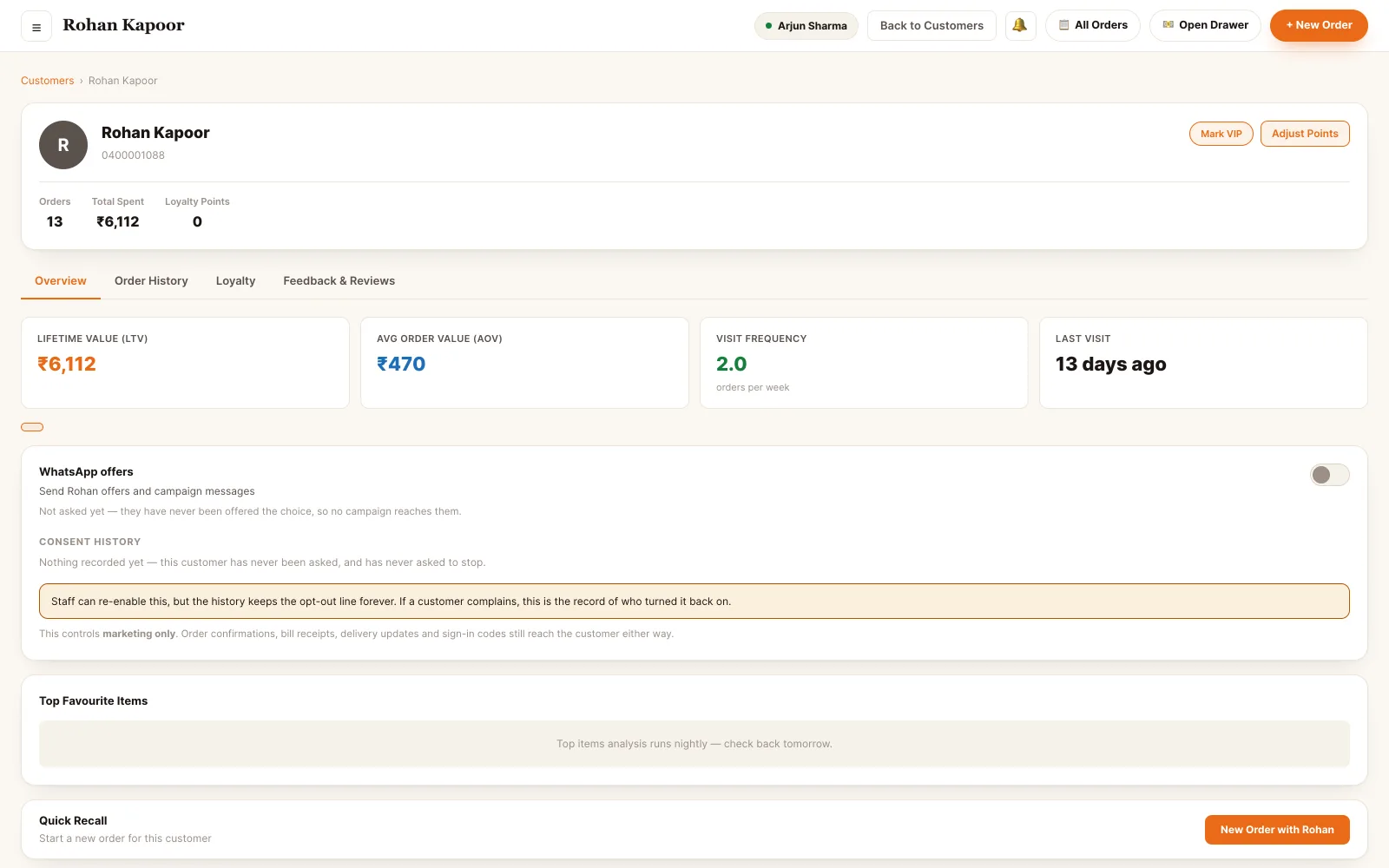
Back office · customer record
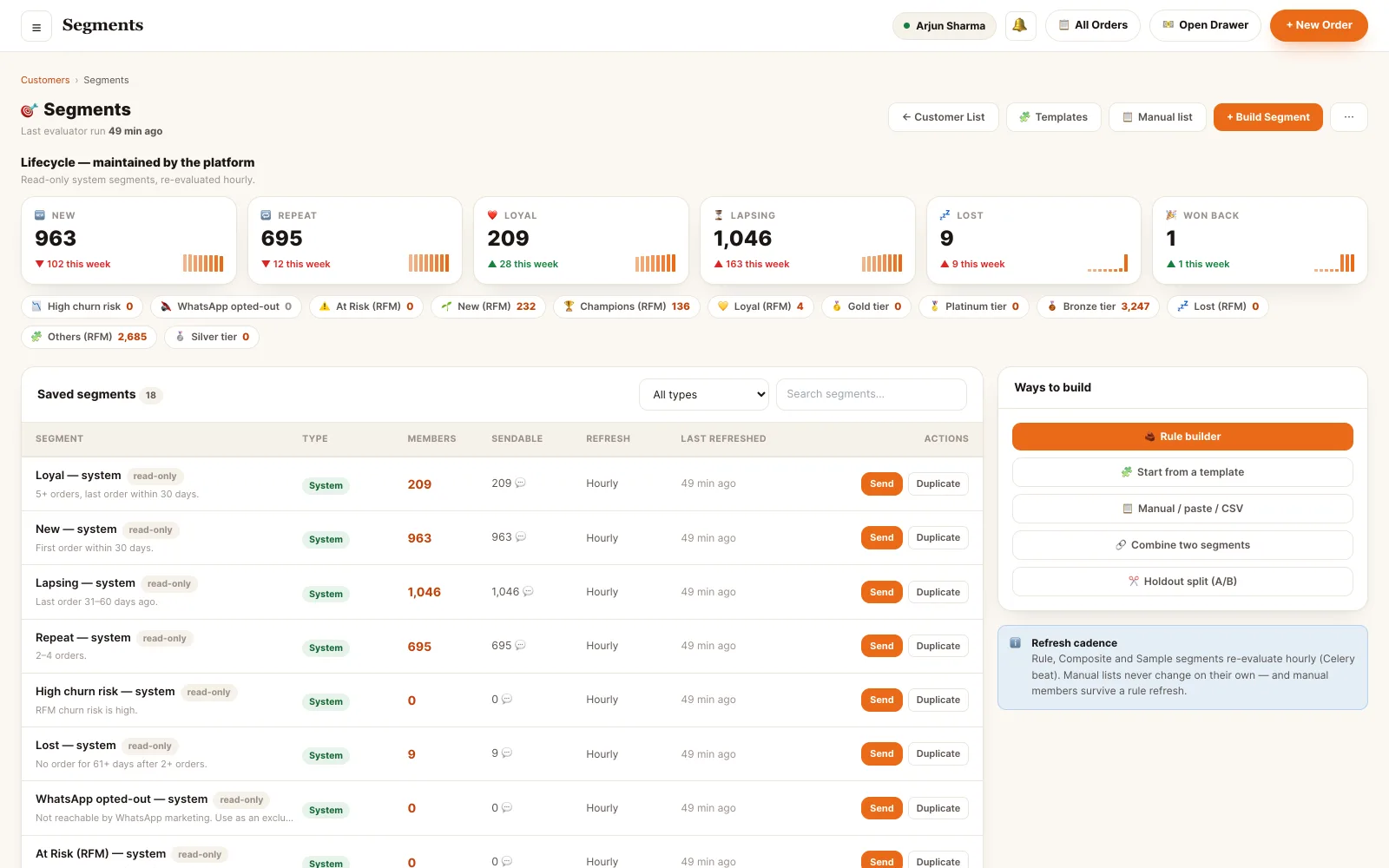
Back office · segment builder
Groups that keep themselves current.
A segment is a rule, not a list you maintain. "Has not ordered in 30 days, spent more than ₹2,000, opted in on WhatsApp" re-evaluates on a schedule — so the win-back campaign never goes to somebody who came back yesterday.
- Lifecycle segments — champions, loyal, at risk, hibernating — maintained for you
- Your own rules on spend, recency, tier, tag, item ordered or delivery area
- Manual lists for the ones no rule describes; they survive a rule refresh
- A reachable count beside the member count, because opted-out is not sendable
- Send a segment straight to a campaign, or attach an offer scoped to it
The record other modules act on.
Nothing here is a separate address book. Loyalty, messaging and reservations all read and write this one profile.
Who can see what.
- OwnerEverything, including the exit. Full customer base, segments, campaigns, consent edits and the CSV export of the whole list.
- ManagerRuns the CRM day to day. Creates segments and campaigns, edits tags and notes, adjusts points, resolves feedback.
- SupervisorReads the base, annotates it. Opens profiles, adds notes and tags, handles a complaint on the floor — without bulk export.
- CashierCaptures and looks up at the till. Finds a customer by phone while billing, attaches them to the bill, creates the profile if it is a first visit.
- WaiterSees the guest at the table. Name, tier, usual order and any allergy note — enough to serve well, not the whole book.
- HostWorks from the booking. Recognises a returning guest when the reservation is made and seats them accordingly.
- AccountantFollows the money only. Spend and payment history for reconciliation; no marketing, no messaging.
Permissions are atomic and checked on every endpoint — a role is a named bundle of them, not a rank. Staff can hold several bundles at once, and effective access is the union.
See it running on your menu.
We set the restaurant up with you — menu, tables, staff and printers — rather than handing over a login and wishing you luck.