Staff
The floor in a pocket — order, fire, settle.
A phone-first app for the people actually walking the room. The real table plan with live status, the order taken beside the guest, one tap to the kitchen, and the bill closed at the table instead of at a counter across the room.
Phone-first·table-side ordering·settle at the table·tips by method
Three taps from the door to the bill.
The whole service loop fits on a phone: see the floor, take the order where the guest is sitting, settle it there too. Same database as the back office — nothing is queued up to be typed in later.
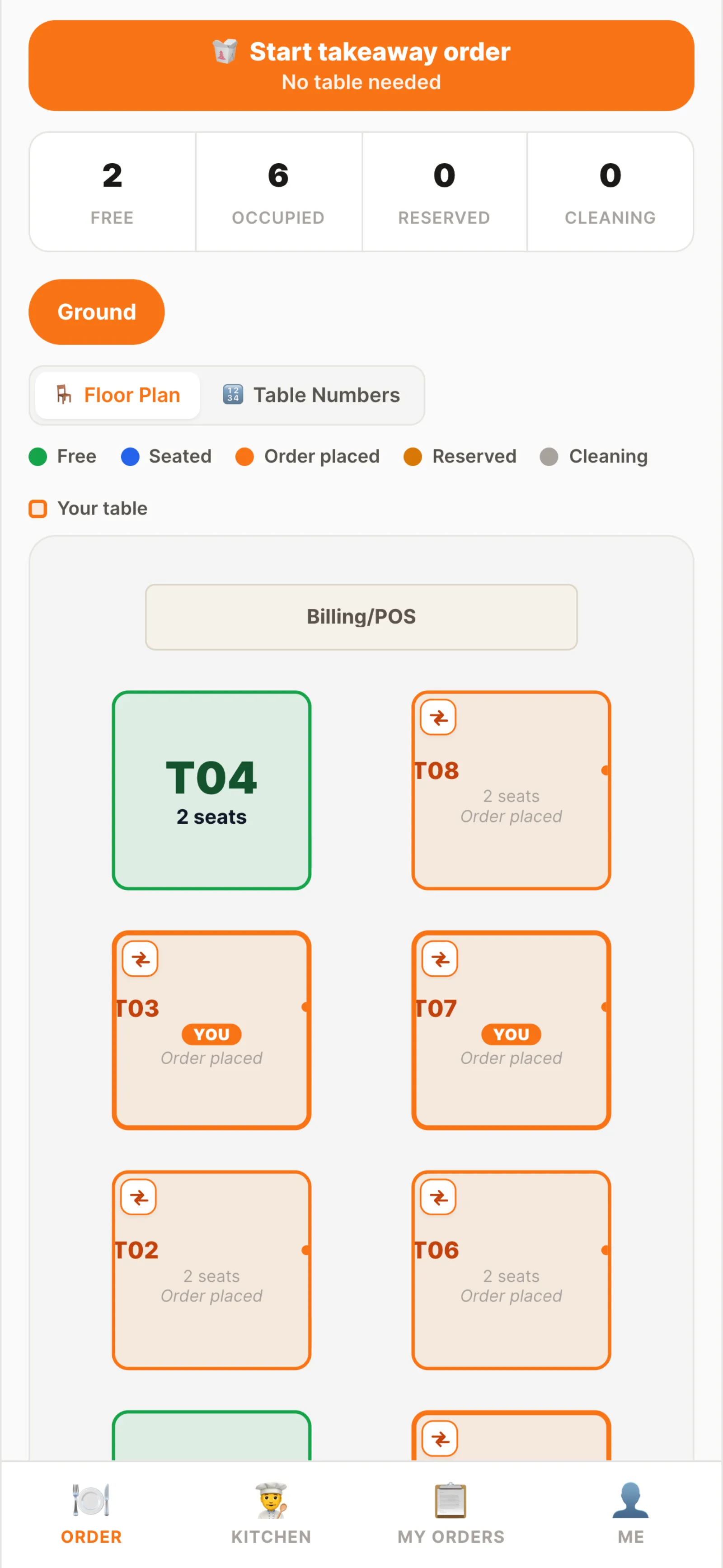
Live floor
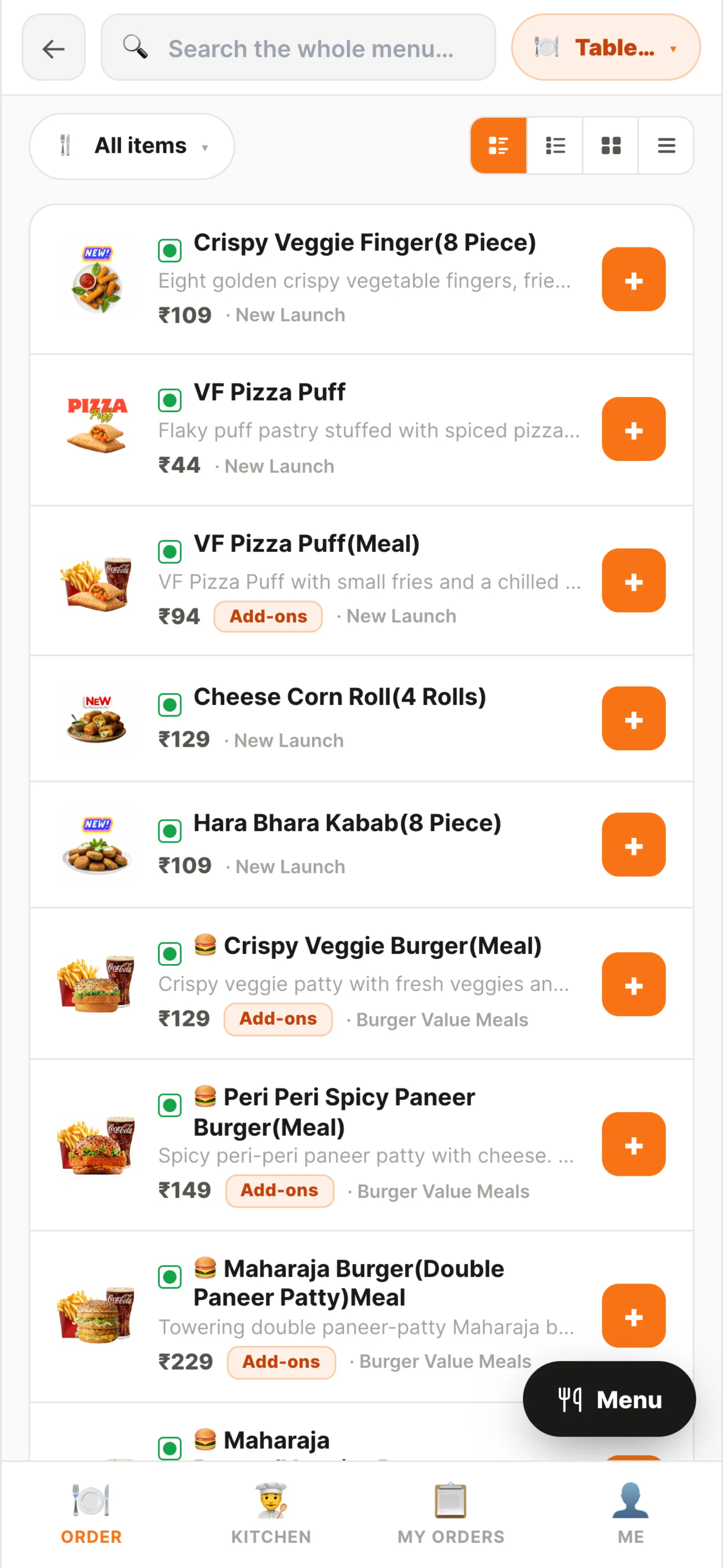
Order at the table
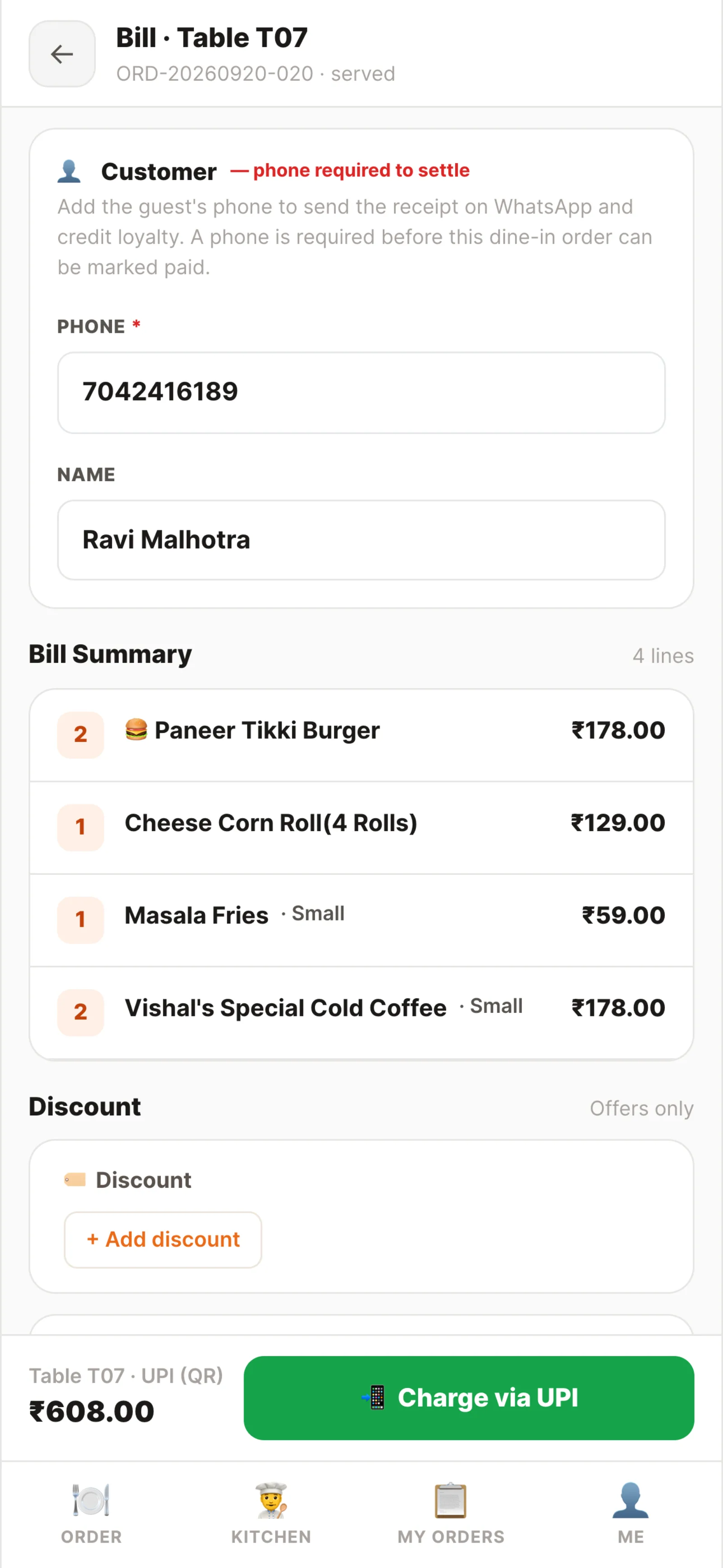
Settle at the table
Waiter app · floor, order, settle
Built for a hand carrying plates.
Large targets, four tabs, no menus inside menus. Everything a waiter does in a service is one screen away.
The real floor plan
Your actual tables and sections with live status — free, seated, cooking, bill pending — and the running amount on each.
Dine-in and takeaway
Start an order against a table or as a takeaway from the same screen. Both land in the one order queue.
Add-ons and notes
Spice level, add-ons and a free-text kitchen note per line — "no cream, guest is lactose sensitive" prints on the ticket.
Fire to the kitchen
One tap sends only the new lines. Already-fired items are never re-sent, so the kitchen doesn't cook a dish twice.
Ready comes back
When the kitchen marks an item ready the waiter's kitchen tab shows it within seconds, and "Mark served" is right there.
Settle where you stand
UPI QR with the amount already encoded, cash with a change helper, or card on the terminal — without walking to a POS.
Fire it once, then watch it come back.
The waiter's kitchen tab is a read-only view of the same board the cooks are working. They cannot change a cook status — but the moment an item is ready, it is on their phone and one tap marks it served.
- Only unfired lines are sent, so an order can be added to all through the meal
- Ticket timers make an ageing order obvious before the guest asks
- Part-ready tickets can be served item by item — naan now, curry when it lands
- Voiding an order asks for a reason and is recorded against the waiter
- Comping an item is logged under their name and needs manager approval to settle
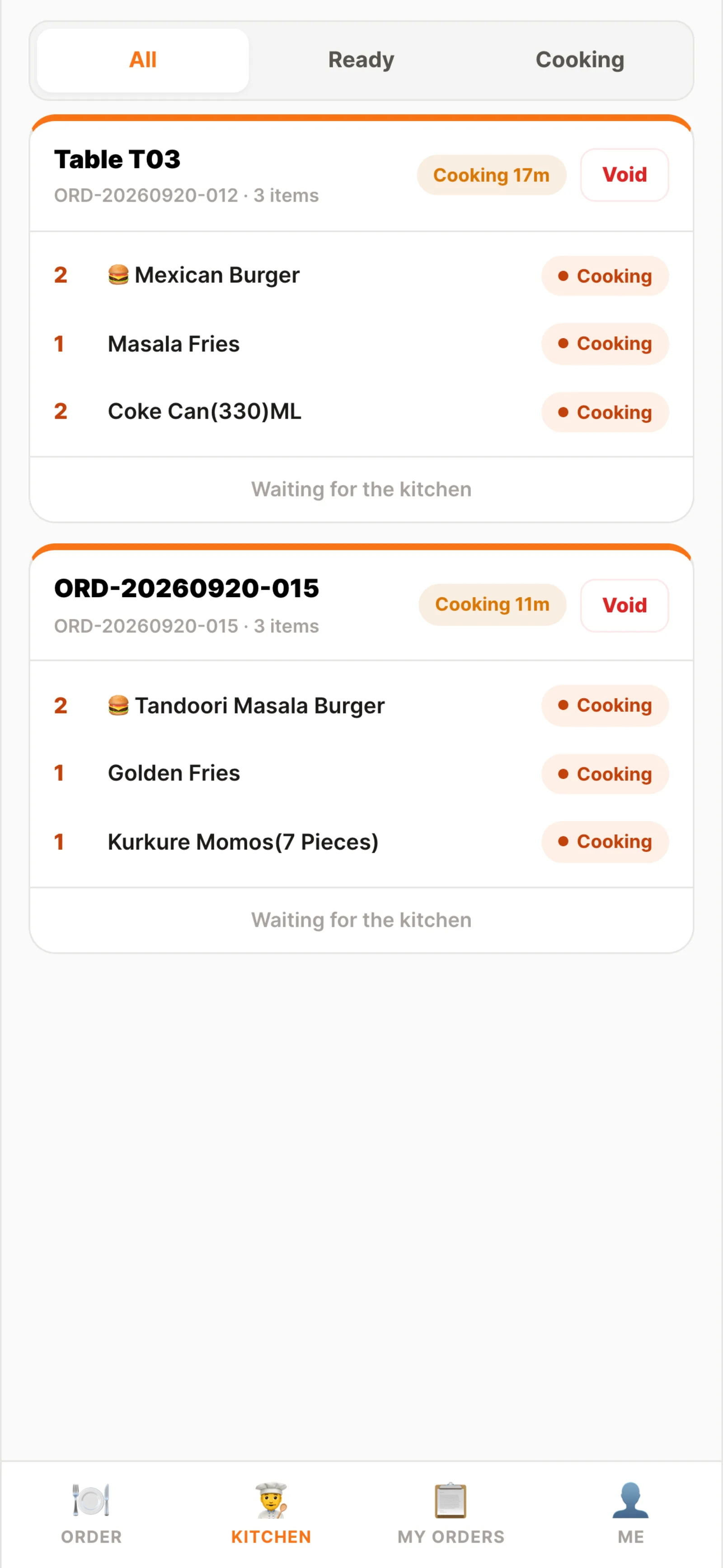
Kitchen tab
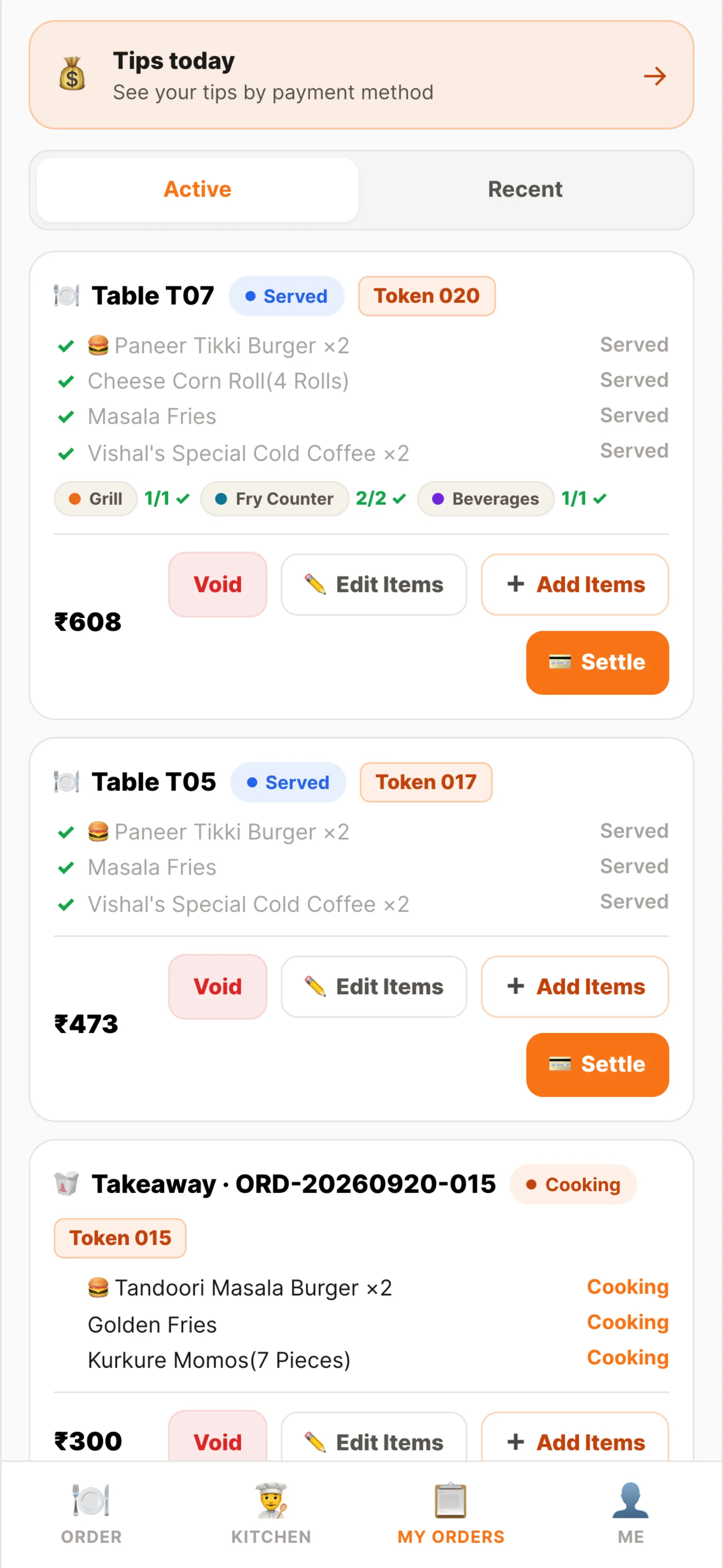
My orders
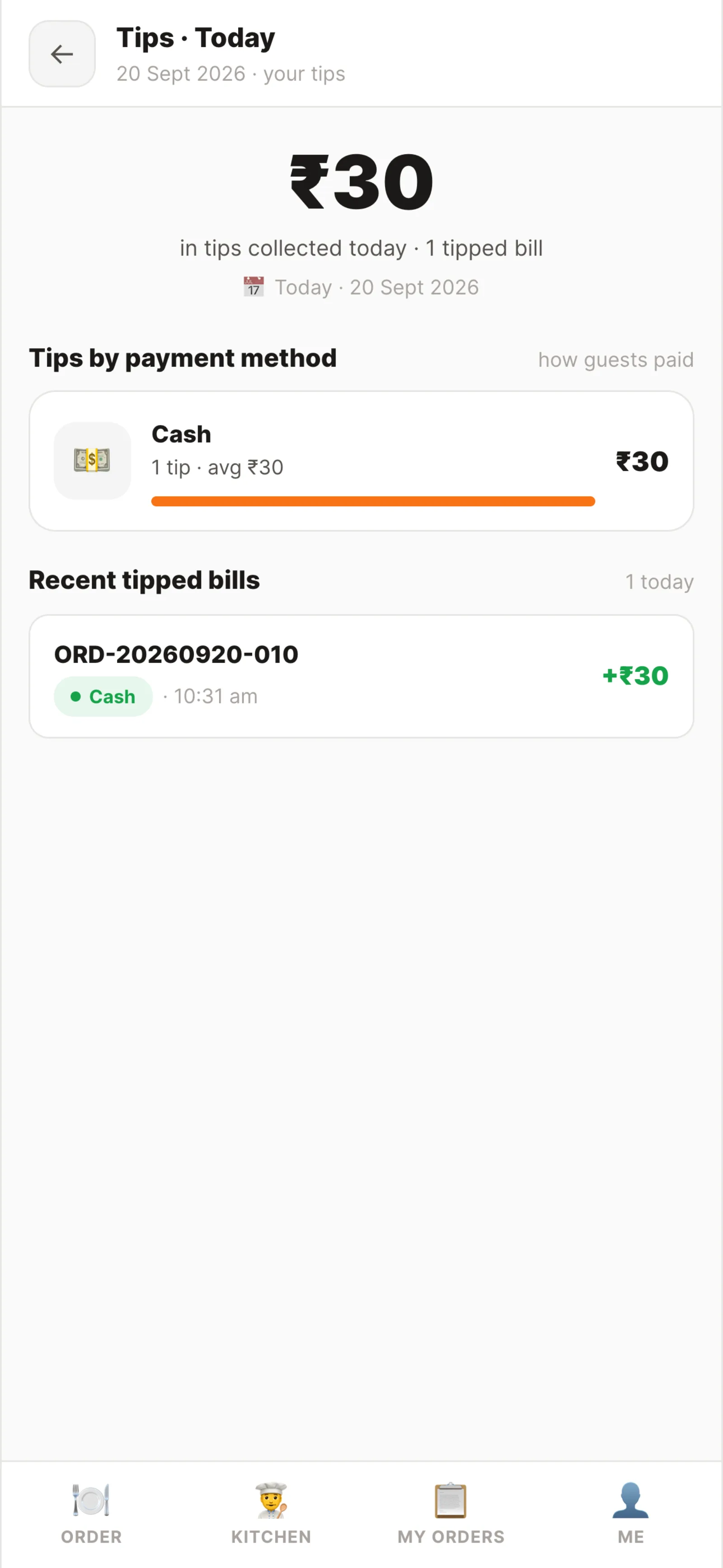
Tips by method
- Bill₹1,218
- Tip₹50
- MethodUPI
- Settled byRavi
Bill closed
Paid at the table, credited to the waiter.
The QR carries the bill amount, so the guest never types a figure and the waiter never reads one out. Whatever tip is added is attributed to whoever settled the bill, which is what makes an end-of-shift tips screen honest.
- UPI QR generated from the restaurant's own saved UPI ID, with the amount encoded
- Cash with a tendered-and-change helper; card handed to the terminal
- Tip chips or a custom amount, added before the guest scans
- Tips totalled by method at end of shift, against the waiter who settled
- Several staff signed in at once on different devices, each with their own permissions
A different screen, the same order.
The waiter app is a view of the platform, not a satellite app that syncs later. Everything it writes is immediately in the back office.
Who the app opens for.
The app is built around the waiter bundle, and a floor lead's own bundles simply add to what they can do inside it.
- Waiter The whole app. Seat a table, take dine-in and takeaway orders, fire to the kitchen, mark items served, settle the bill and see their own tips.
- Supervisor Waiter plus authority. Uses the same app while covering the floor, and holds the approval permissions a waiter's comp or void has to wait on.
- Manager · Owner Both sides. The app on the floor and the back office on a laptop, with the same account and the same live data.
- Kitchen · Head chef The other end of the ticket. They work the kitchen display; the waiter app is deliberately read-only about cook status so one board owns it.
Permissions are atomic and checked on every endpoint — taking an order, serving and settling are separate grants, so a restaurant can let a waiter order but not settle. A role is a bundle, not a rank.
See it running on your menu.
We set the restaurant up with you — menu, tables, staff and printers — rather than handing over a login and wishing you luck.