Captain app · waiter app · order at the table · tips
A captain app for waiters, so nobody stands outside the kitchen asking “ready hai?”
Tadka Tech's captain app is the waiter app for restaurants in India, on each waiter's own phone. It shows the live floor by section, takes the order at the table and fires it to the kitchen, rings a bell when the food is ready, and settles the bill at the table with the tip recorded against whoever took it.
What goes wrong on a full floor — and what the waiter’s phone does.
Before, waiters stood outside the kitchen asking whether their order was ready, nobody knew which table was whose, and the shift ended in an argument about tips.
“Ready hai? Ready hai?” Ten times a night, at the kitchen door.
TadkaThe moment the kitchen finishes the last item, the waiter's phone rings a bell with a ready strip, on any tab, until the food is marked served.
Waiter App“Is T06 yours or mine?”
TadkaTables a waiter has an order on show a U. Green is free, blue is seated with no order yet, orange has an order, and each floor is one tap away.
Waiter App“I took the order, he only brought two shakes. Why do we split it half-half?”
TadkaPick the rule once: all to the server, an even split, or by what each person added. On a ₹100 tip where one added ₹600 of food and the other ₹200, that is ₹75 and ₹25.
Staff“Red sauce, not white. It's not made yet, is it?”
TadkaIf the item hasn't been made and you allow it, the waiter taps Replace: the old pasta leaves the kitchen, the new one arrives, and the price difference is shown.
Kitchen display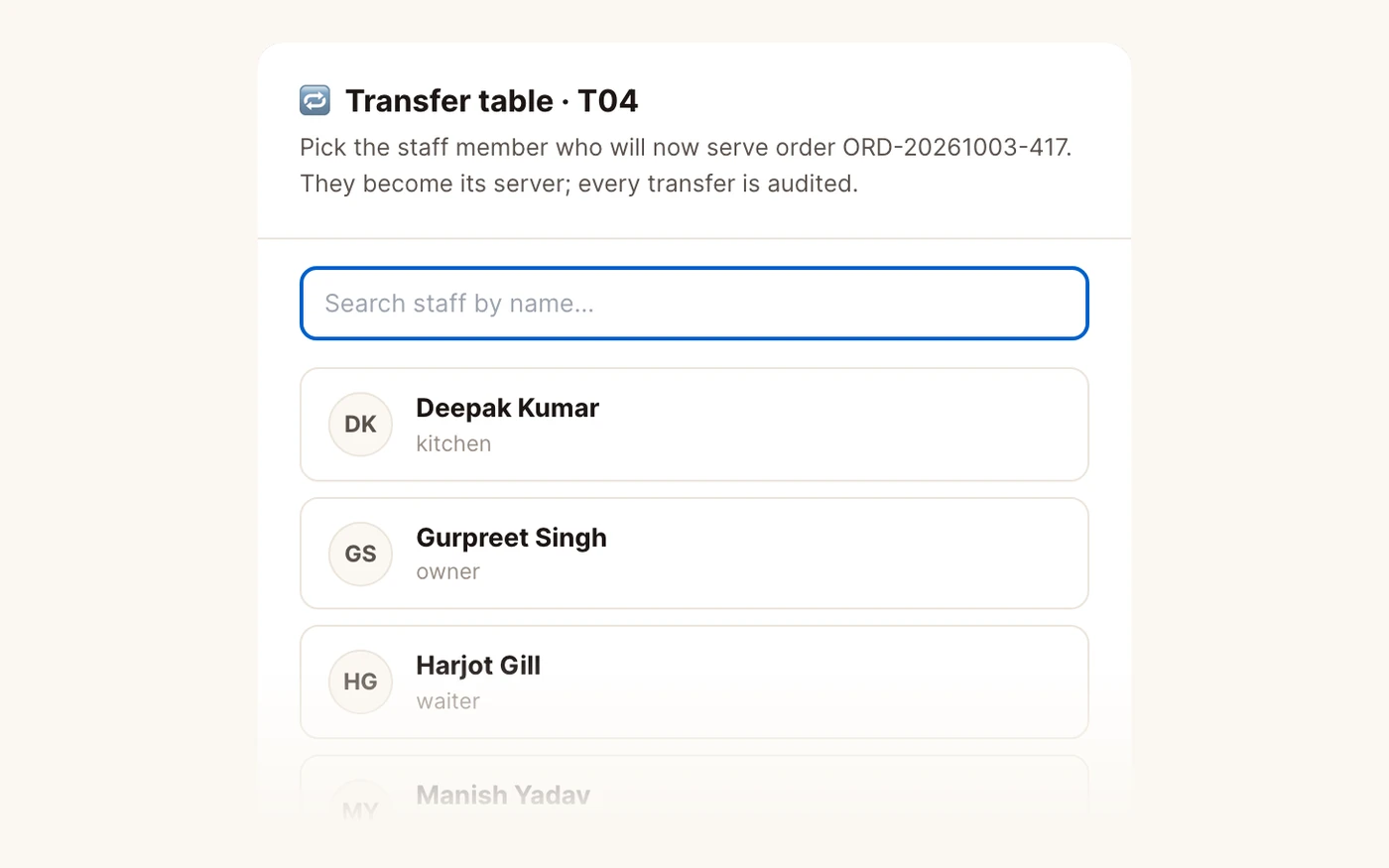
“He clocked out. His family at T10 is still on dessert.”
TadkaLive Floor Load flags clocked out but still holding open orders, and the manager hands the table over with Transfer Table.
Staff“Two more are coming. We need six chairs.”
TadkaMove on the table picks only free tables; the whole order and all its kitchen work move with the family.
Table ManagementThe whole service loop, in one hand.
Floor, order, kitchen, bill. Large buttons for a hand that is also carrying plates.
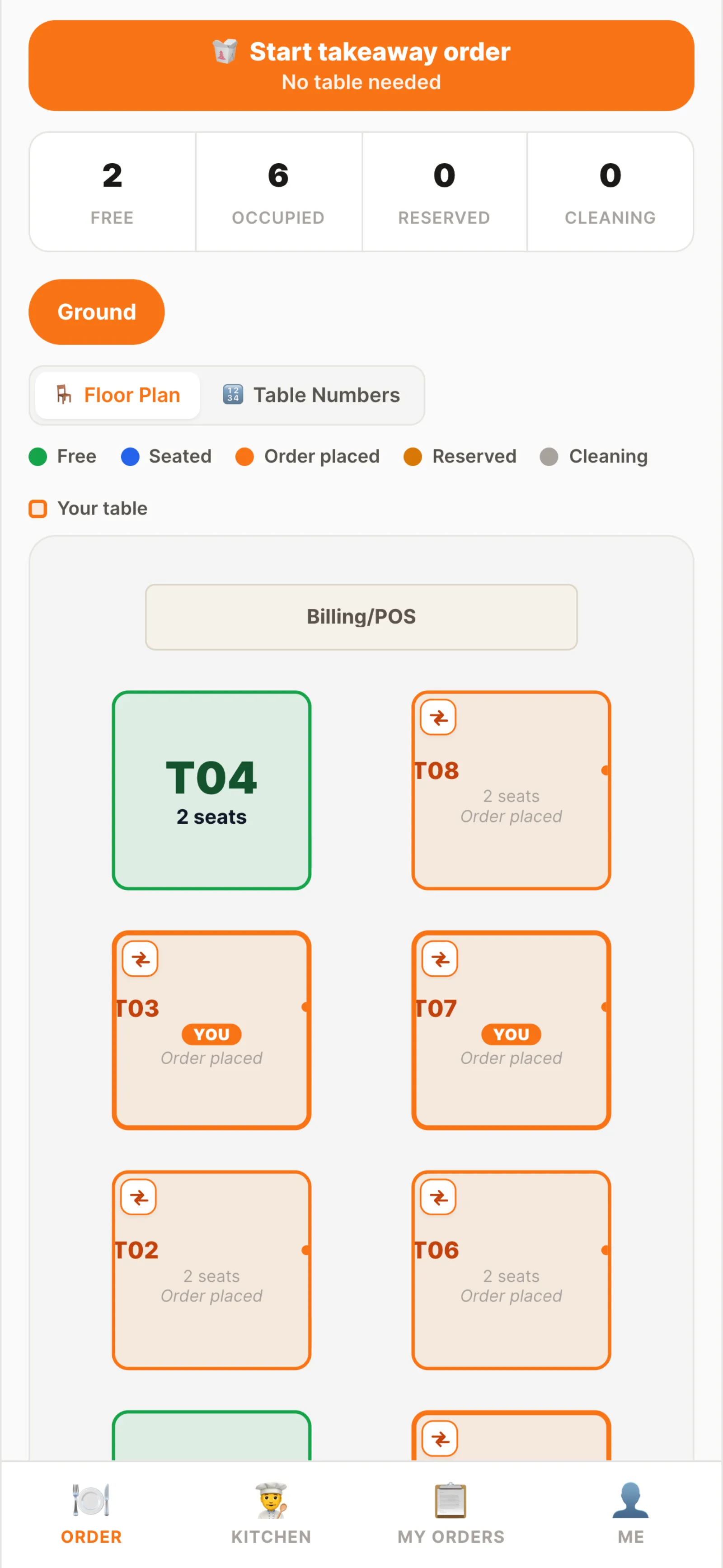
The floor
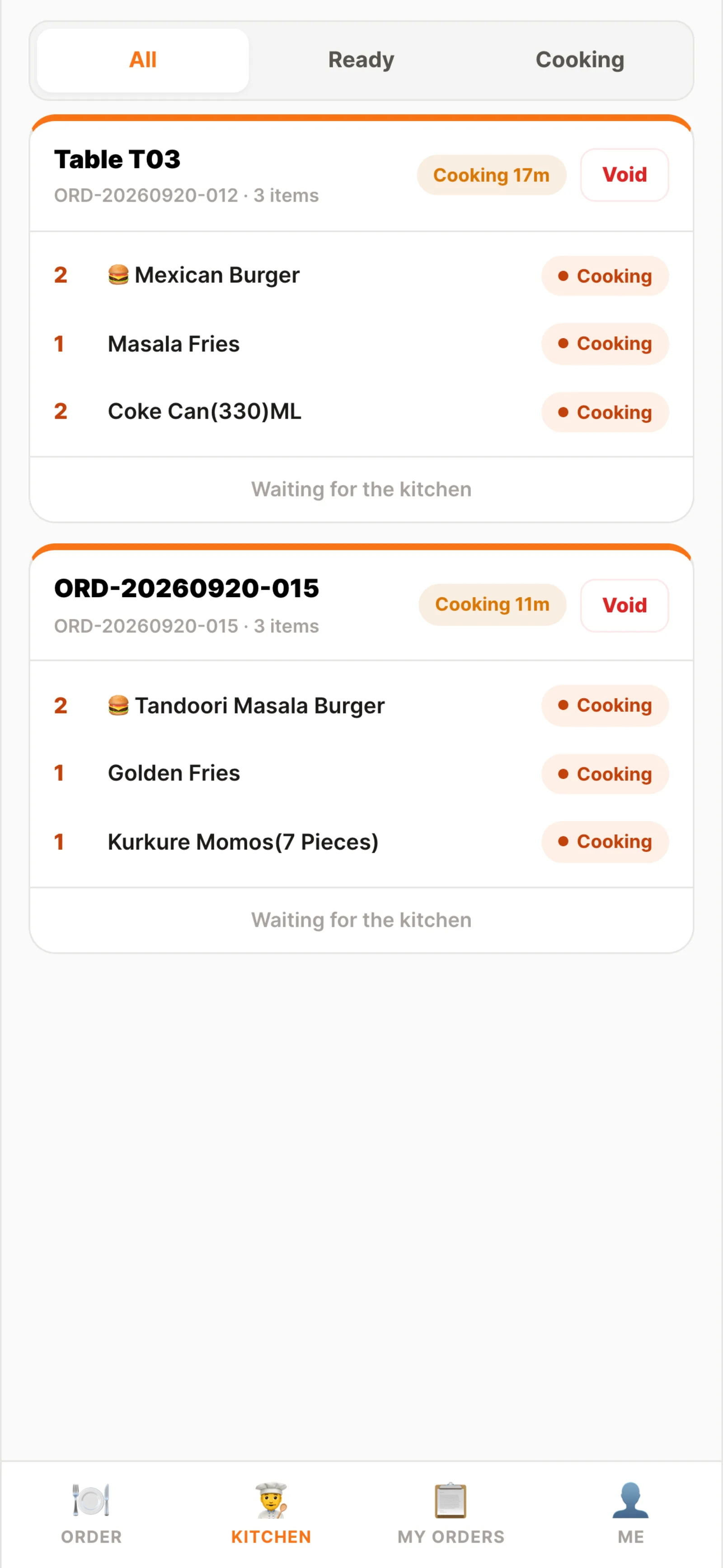
Kitchen tab
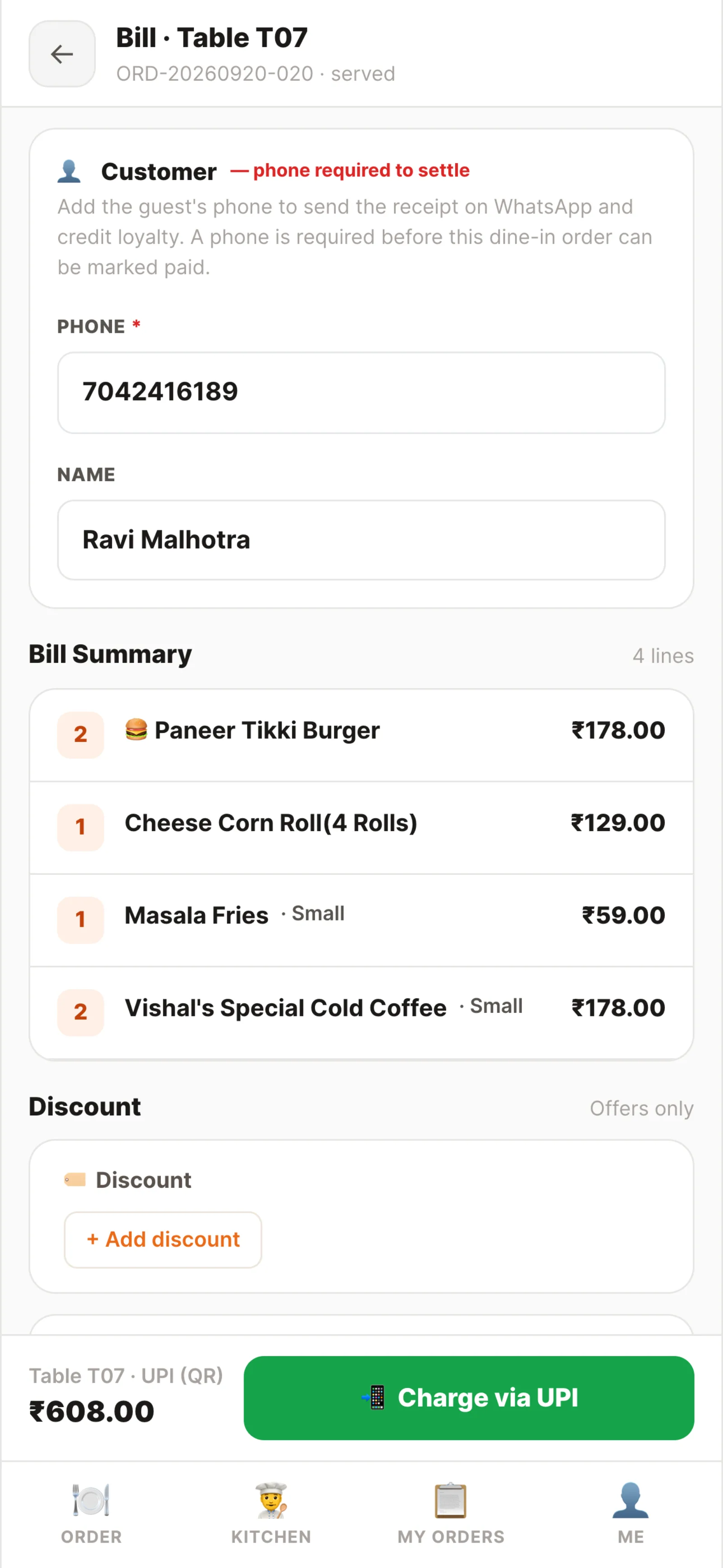
Settle at the table
Taking the order at the table.
- Tap the table and the menu opens with the table's name on top, so the order can't go to the wrong one
- Three letters find the dish; sizes and toppings are asked before it goes on the order
- The order sheet says New, not yet fired while the family is still deciding
- Note chips such as Less Spicy, Pack on one line, and Comp for the birthday dessert, with a record of who made it free
- Fire to Kitchen sends it; the kitchen card carries the notes and the packed part
- A takeaway from the phone with no table: Start Takeaway Order at the top
Helping on a teammate's table, without a mix-up.
- The Kitchen tab shows only the waiter's own orders, with All, Ready and Cooking filters and how long each has been cooking
- Two more shakes on a teammate's table join the same order and the same bill, not a new one
- The Kitchen tab marks them Added by the teammate, which matters later for the tip
- The kitchen sees a New tag on added items and “Replaced” under a swapped dish
- Part-ready tickets can be served item by item: naan now, curry when it lands
The floor from the counter’s side, during a lunch rush.
The same tables the waiters' phones work on: who is serving each one, a shared tablet that shows only your own orders, adding to a running table, moving a party, marking served and handing a table to the next shift.
Sections, covers and tips: set once, before the shift.
Open mode
A small café where two people run the whole floor
Section mode
Each waiter has a fixed area
Tip sharing
Banquet tables, shared tables, busy nights
Replace and void
How much can a waiter change on their own?
Paid at the table, credited to the waiter.
When the food has been served, the table's card in My Orders shows Settle. The full bill opens at the table: every item, the GST and the round-off, with a comped dessert at zero. Entering the customer's phone number sends the receipt on WhatsApp and adds them to loyalty.
A tip is added as a separate line from the bill, so food sales and tips never mix. Then UPI QR, cash, card or a split: the UPI QR already carries the amount, so the guest never types it. Once paid, the screen shows the bill, the tip and who settled it, and a served, paid order closes on its own.
At the end of the shift, View today's tips on the waiter's phone shows the tips that waiter took personally and how they came in. The manager's Server performance report shows the split by your rule, beside each waiter's covers, average ticket, comps and voids.
Captain app and waiter app: questions owners ask.
What is a captain app in a restaurant?
Does each waiter need to install an app?
How does the waiter know the food is ready?
Two waiters served one table. Who gets the tip?
Can waiters see the bill amount of every table?
Can a waiter take the payment at the table?
What if a waiter's shift ends while their table is still eating?
The rest of the service.
The waiter's phone
One busy dinner shift: sections, ordering at the table, the ready bell, moving and transferring tables, and tips.
Read moreKOT software
What happens to the order the waiter fires: KOTs, the kitchen screen and stations.
Read moreSwitching from another POS
What to check before you move, and how the 48-hour switch works.
Read moreWhatsApp us a photo of your menu. Live in 48 hours.
We move your menu across free, set everything up and train your staff, and you get up to 6 months free. How many months are free depends on the plan you choose; after that, you pay that plan's regular price.