KOT software · kitchen order ticket · kitchen display · stations
KOT software that stops the kitchen cooking the same order twice.
Tadka Tech is KOT software for restaurants, cafés, QSRs and cloud kitchens in India. Every order sends a kitchen order ticket to the kitchen's thermal printer, to a kitchen display screen, or to both, and anything a table adds later goes out on its own numbered add-on KOT, so the kitchen only ever makes what is new.
What is a KOT, and what should be on it?
A KOT, or kitchen order ticket, is the slip that carries an order from the person who took it to the people who cook it. In most Indian kitchens it is still the paper slip on the rail, and most kitchen mistakes start there: a slip falls, an item is forgotten, and nobody knows how long a table has been waiting.
A good KOT answers the kitchen's questions and nothing else. On Tadka Tech it shows the KOT number, the table, the time, the waiter's name and every item with its quantity, with no prices. Items to be packed sit in a separate part, and every takeaway or delivery KOT prints as PACK TO-GO.
- 1KOT #1
The first ticket: the whole order
Everything that hasn't gone out yet, together, with packed items under Pack to-go. The New marks disappear from the items.
- 2KOT #2
The add-on: only what was added
A Coke ordered midway prints alone on the next number, so the kitchen doesn't remake the burgers.
- 3FULL · REPRINT
Copies that say they are copies
The whole order again prints marked FULL ORDER for a new chef; a copy of one ticket prints marked REPRINT. Both are logged in the KOT history.
What goes wrong between the counter and the kitchen — and what happens instead.
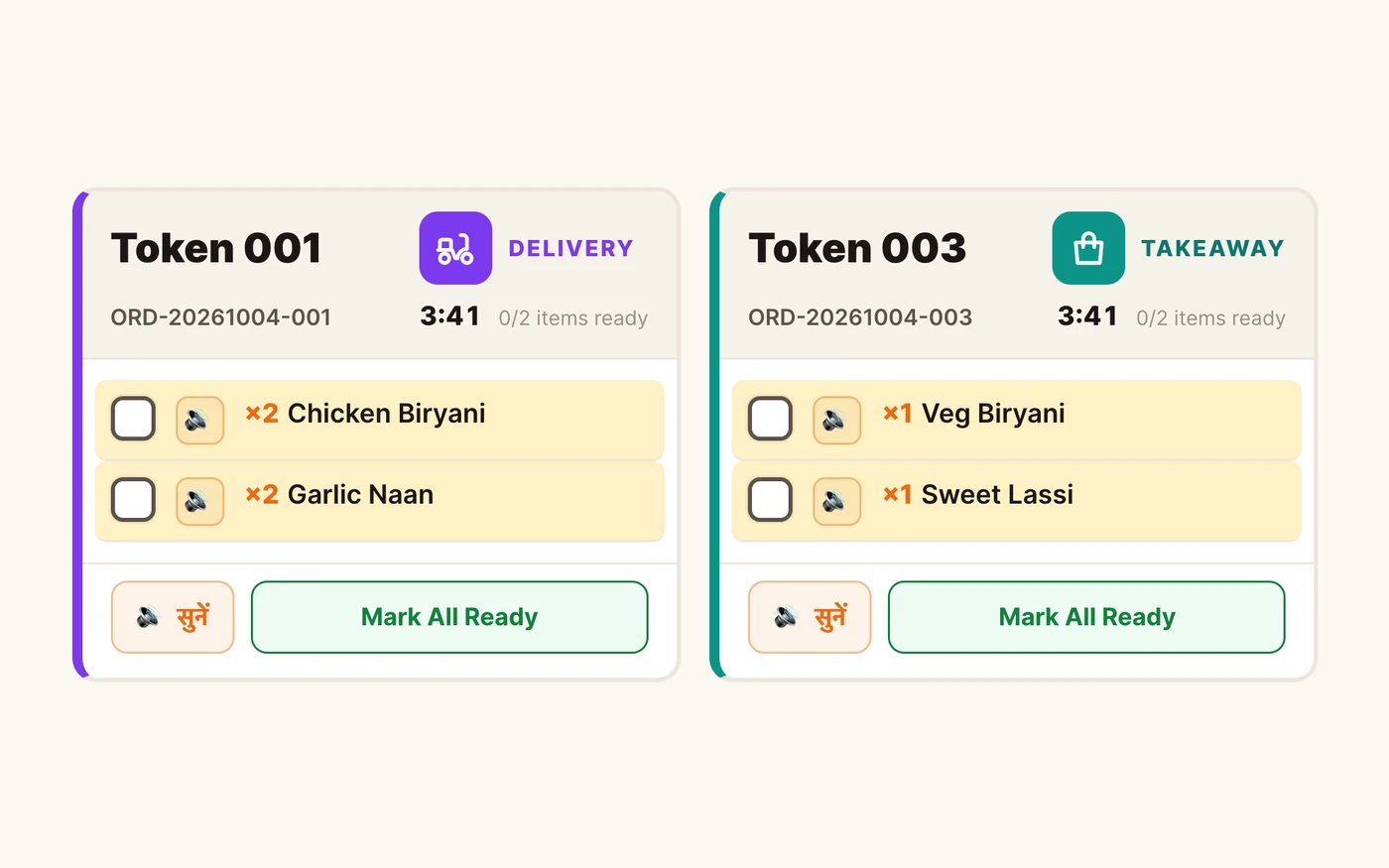
“The cook plated a delivery order for the dining room.”
TadkaEvery ticket has a big chip, dine-in, takeaway, delivery or drive-in, with the table or car number, readable from across the kitchen.
Kitchen display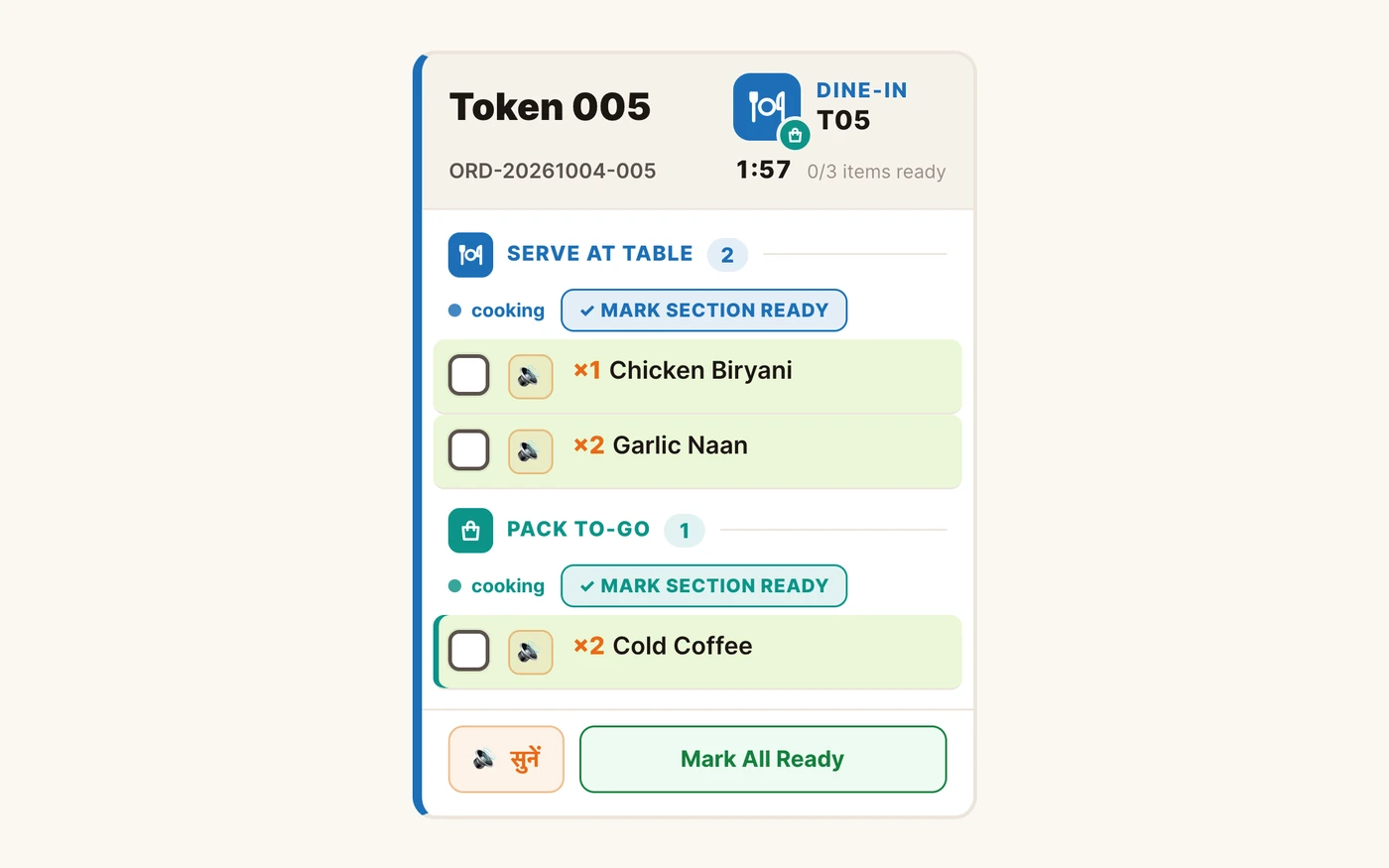
“The cold coffees went to the table. The family wanted them packed.”
TadkaOne order, two parts: Serve at table and Pack to-go, each with its own Mark section ready button. The packer only looks at the lower part.
Kitchen display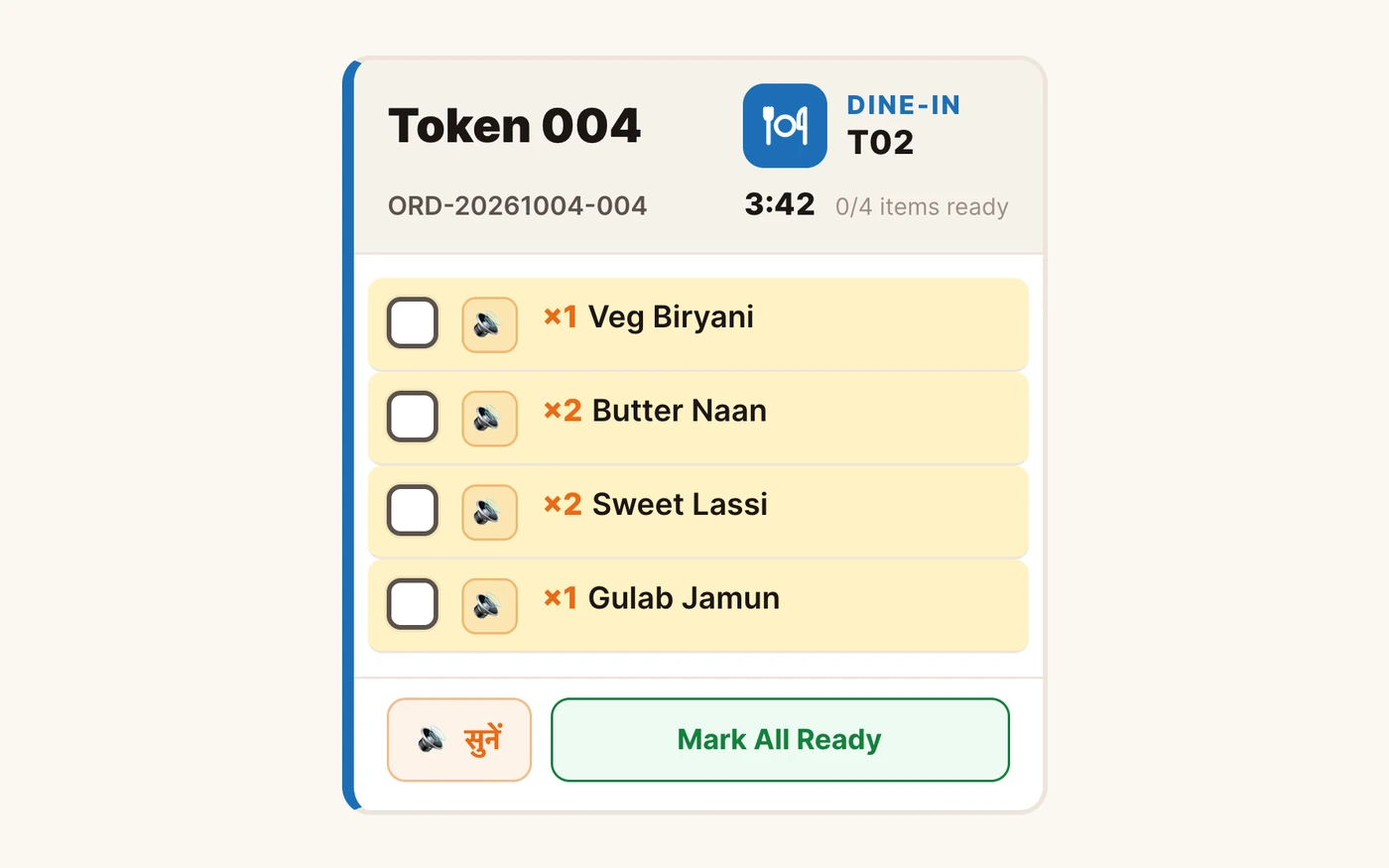
“His hands are in the dough. He can't come and read the screen.”
TadkaPress सुनें (Listen) and the card reads the order out in Hindi or English, skipping what is already cooked. Say “Oye Chotu, 18” and order 18 is marked ready, with ten seconds to cancel.
Kitchen display“That dal has been on the stove for forty minutes and nobody noticed.”
TadkaEach item line turns from green to yellow to red on minutes you choose, and every item runs on its own clock, so a dish added later stays green.
Kitchen display“Is table 4's food ready yet?”
TadkaThe table's tile on the Orders board gets a Served button the moment the kitchen marks it ready, and the waiter's phone rings a bell.
Orders“Someone cleared the order before the shakes reached the counter.”
TadkaBumped orders wait under Recalled Orders; Recall to Kitchen puts the card back on the board exactly as it was.
Kitchen displayA Friday dinner rush, through the kitchen screen.
Three people in the kitchen, one family's order at table T04. It is read aloud to the chef, the fries go first, each shake gets its own slip, a Coke is added midway, old items turn red, and an order is finished by voice without touching anything.
Printed KOT or a kitchen display? Many kitchens run both.
A paper slip is fast and familiar. A screen remembers everything. Tadka Tech does either, or both at once, from the same order.
Best when the kitchen already works off a rail
- Prints on the kitchen's thermal printer through the free print agent, with no print dialog
- An orange dot on a table shows items not yet printed on any slip
- Printed by itself on every new order, or by hand with the chef button
- If the agent is off, the slip can be saved as a PDF instead of being lost
Best when tickets get lost, late or argued over
- New orders arrive with a beep; a green dot means the screen is live, with no refresh
- A big token number, a clock that ticks every second, and how many items are ready
- Tick items one by one, mark a section ready, then bump the order off the board
- Marking ready reaches the waiter's phone and the guest's tracking page in the same second
Setting up a KOT printer, once.
Tadka Tech prints to a thermal printer that is already installed on the counter computer. One test slip shows whether the printer, the agent and the paper width are all right.
- Windows, Mac or Linux on the counter computer, the printer's own driver installed, and the portal open in Chrome or Edge
- Detect Printers lists every printer the computer knows; tick Prints KOT on the kitchen one
- Pick 80 mm or 58 mm to match the roll, press Test, then Save
- Nothing prints? The agent's health page tells you in one look whether it is running
Item slips and labels for the packer.
A kitchen screen can also have its own printer, for the slip that goes with each plate or box.
- A thermal receipt printer by USB in the kitchen Android app, or on the network by its IP address
- With item slips on, ticking an item prints a slip with the token, the table and the item, so the plate goes to the right place
- Two shakes to pack? Two slips: Unit 1 of 2 and Unit 2 of 2, marked PACK TO-GO
- A label printer can print one sticker per unit to put straight on the box or cup
Station routing for the grill, the fryer and the pass.
When one kitchen has several counters, each counter should see only its own work. In Menu Management → Kitchen Stations, create a station for each one, give it a colour, and assign menu categories to it once: burgers to the grill, fries and rolls to the fryer, shakes to the shake counter. On each screen, pick that station under This screen, and the fryer sees only the fries on a mixed order.
One station can be the expo or pass board. It shows the whole order with a strip of stations on top, green for done and grey for waiting, and any item that has no station also lands there, so it is never missed. A small kitchen needs none of this: with no stations, everything stays on one board, and stations can be added any time later.
Order timers the counter can see
The kitchen clock starts when an order is accepted and stops when it is bumped. Set the expected minutes for dine-in, takeaway and delivery in Settings → Order Timers, or press Use my numbers to take them from your own last 30 days. Every order on the Orders board then carries a strip that turns red with a late badge, and the kitchen screen's Urgent count marks anything still not done after 20 minutes.
KOT software: questions kitchens ask.
What is a KOT in a restaurant?
What is the difference between a KOT and a bill?
Can the KOT print automatically?
When a table orders one more item, does the whole KOT print again?
Can I use a kitchen screen instead of a KOT printer?
Can the tandoor and the Chinese counter see only their own items?
What is the price of a kitchen display system?
Before the ticket, and after it.
 6:42
6:42Order type at a glance on the kitchen screen
Dine-in, takeaway, delivery and drive-in chips on every ticket.
Read more 17:05
17:05Printers & the print agent
KOTs in the kitchen, bills at the counter, the cash drawer, and what to check when nothing prints.
Read moreCaptain app
The waiter fires the order from the table, and the kitchen's ready reaches the phone.
Read moreWhatsApp us a photo of your menu. Live in 48 hours.
We move your menu across free, set everything up and train your staff, and you get up to 6 months free. How many months are free depends on the plan you choose; after that, you pay that plan's regular price.