Switching your restaurant POS · live in 48 hours
Looking for a Petpooja alternative? Switch to Tadka Tech in 48 hours.
Tadka Tech is restaurant software for restaurants, cafés, QSRs and cloud kitchens in India, with the counter, waiter, kitchen, kiosk, website, rider and owner on one system. Switching from your current POS starts with one WhatsApp message: send a photo of your menu, we move it across free and train your staff, and you are live in 48 hours — with up to 6 months free.
Petpooja is a trademark of its owner. Tadka Tech is not affiliated with Petpooja. This page does not describe or compare any other product — it explains how switching to Tadka Tech works.
Switching from your current POS, in four steps.
Worried about switching? We do it for you — your menu moved across, everything set up, your staff trained — while you keep running the restaurant.
How many months are free depends on the plan you choose. After that, you pay that plan's regular price.
- 1You · 2 minutes
WhatsApp us a photo of your menu
One clear phone photo of each page is enough to start. No export from your old system needed.
- 2We build
We build your whole menu
Dish photos, table QR codes and your own website.
- 3We set up
Tables, staff logins and printers
We lay out your tables, create the staff accounts and pair the printers.
- 4You go live
We train your staff. You go live.
Counter, kitchen and waiters trained — then real orders.
One restaurant. One bad day. Lived again, with Tadka.
The paneer ran out last night. A table has waited twenty minutes. Nobody knows where the rider is. ₹45,000 is stuck in the udhaar book, and the cash drawer won't match. Watch the same day again, from the 10 AM shutter to the 11 PM day close.
Before you switch POS, write down what keeps going wrong.
Then check the new system against that list, not against a feature sheet. These are the moments Tadka Tech is built to catch.
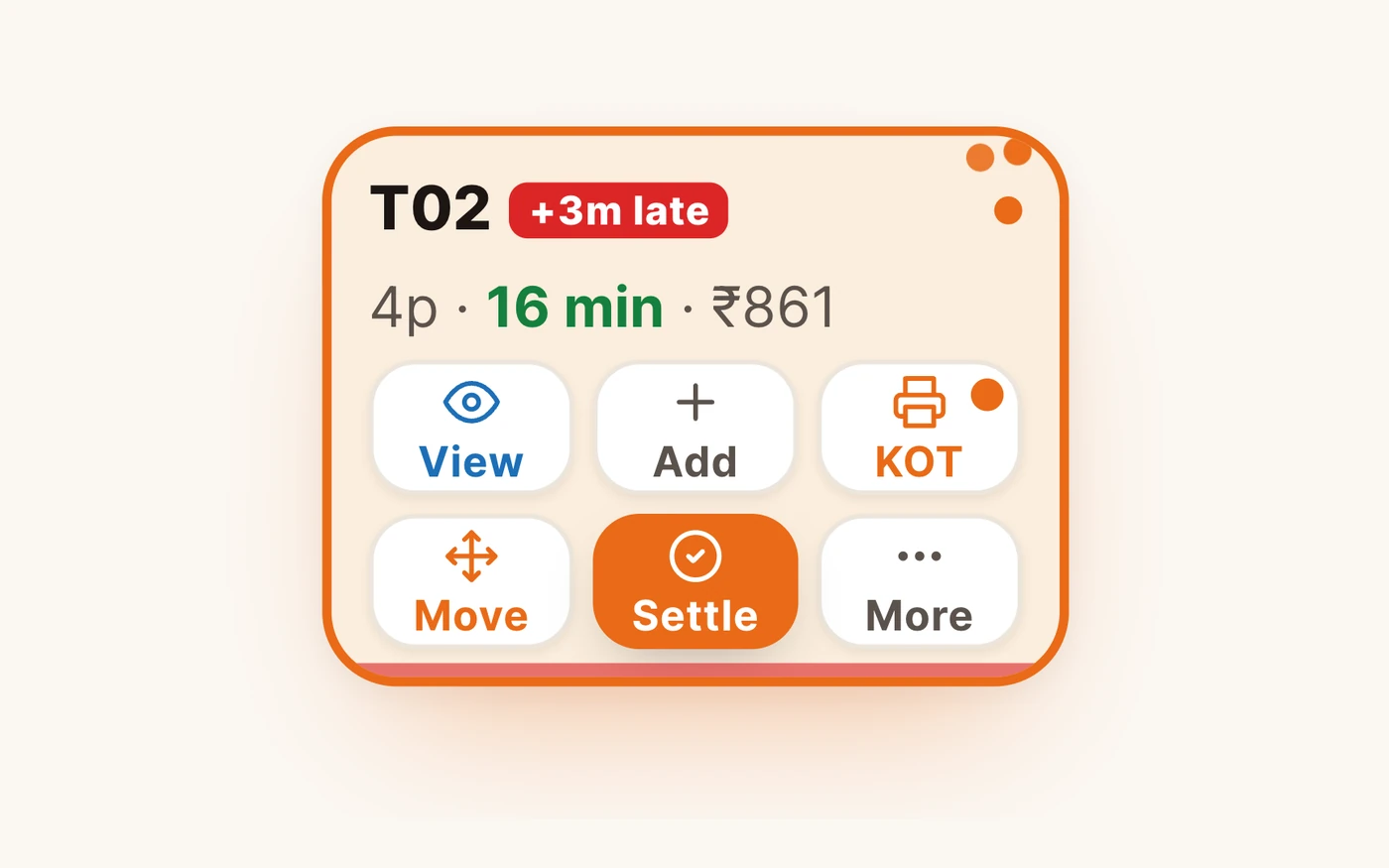
“Table 2 has been waiting 17 minutes and nobody noticed.”
TadkaEvery order carries a strip that turns red with “+3m late” once it passes your limit — and “Use my numbers” sets that limit from your own last 30 days.
Orders & timers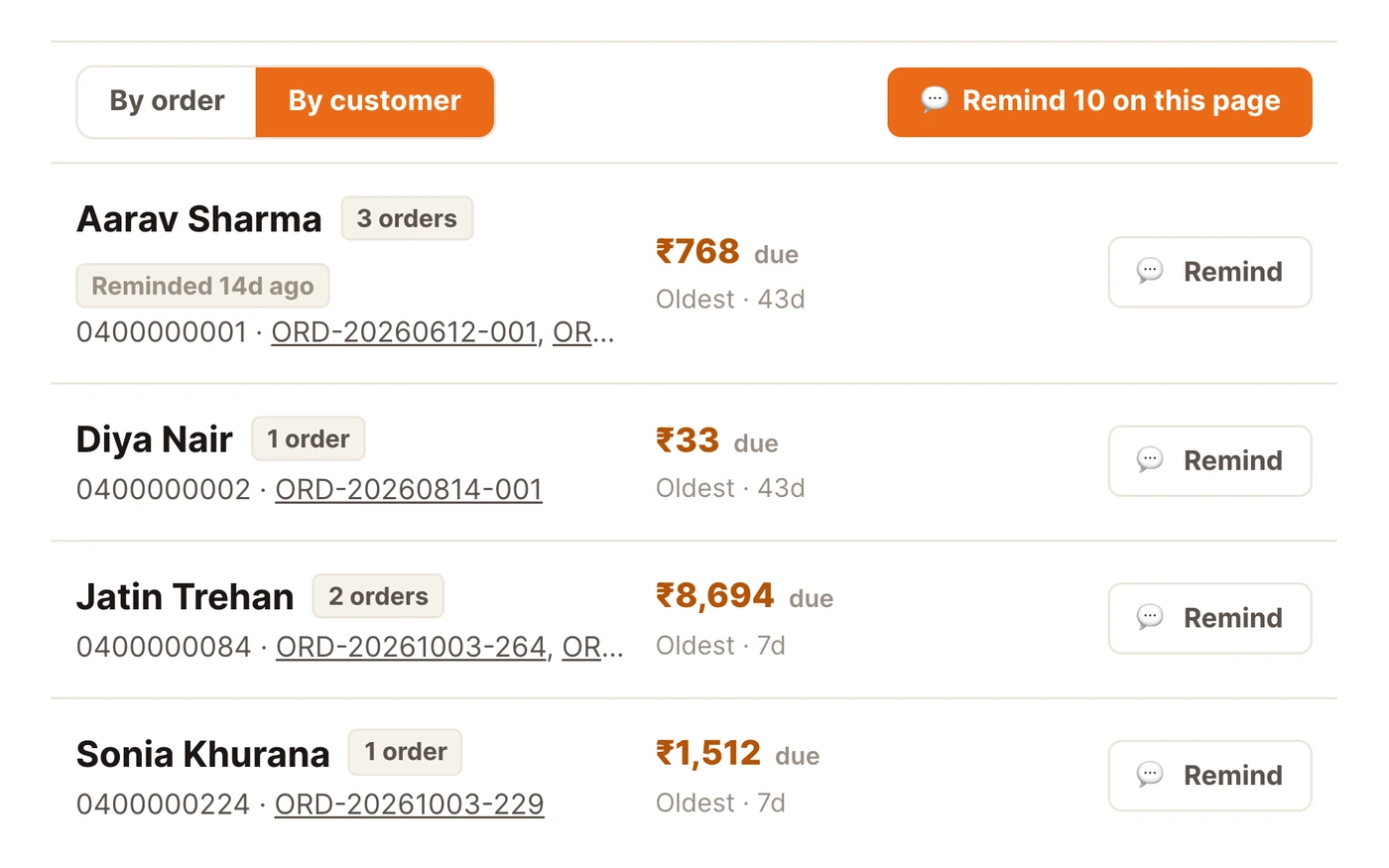
“The udhaar is in a diary, and nobody chases it.”
TadkaOrders → Due shows what each customer owes. One tap sends a polite WhatsApp reminder with a pay link.
Orders → Due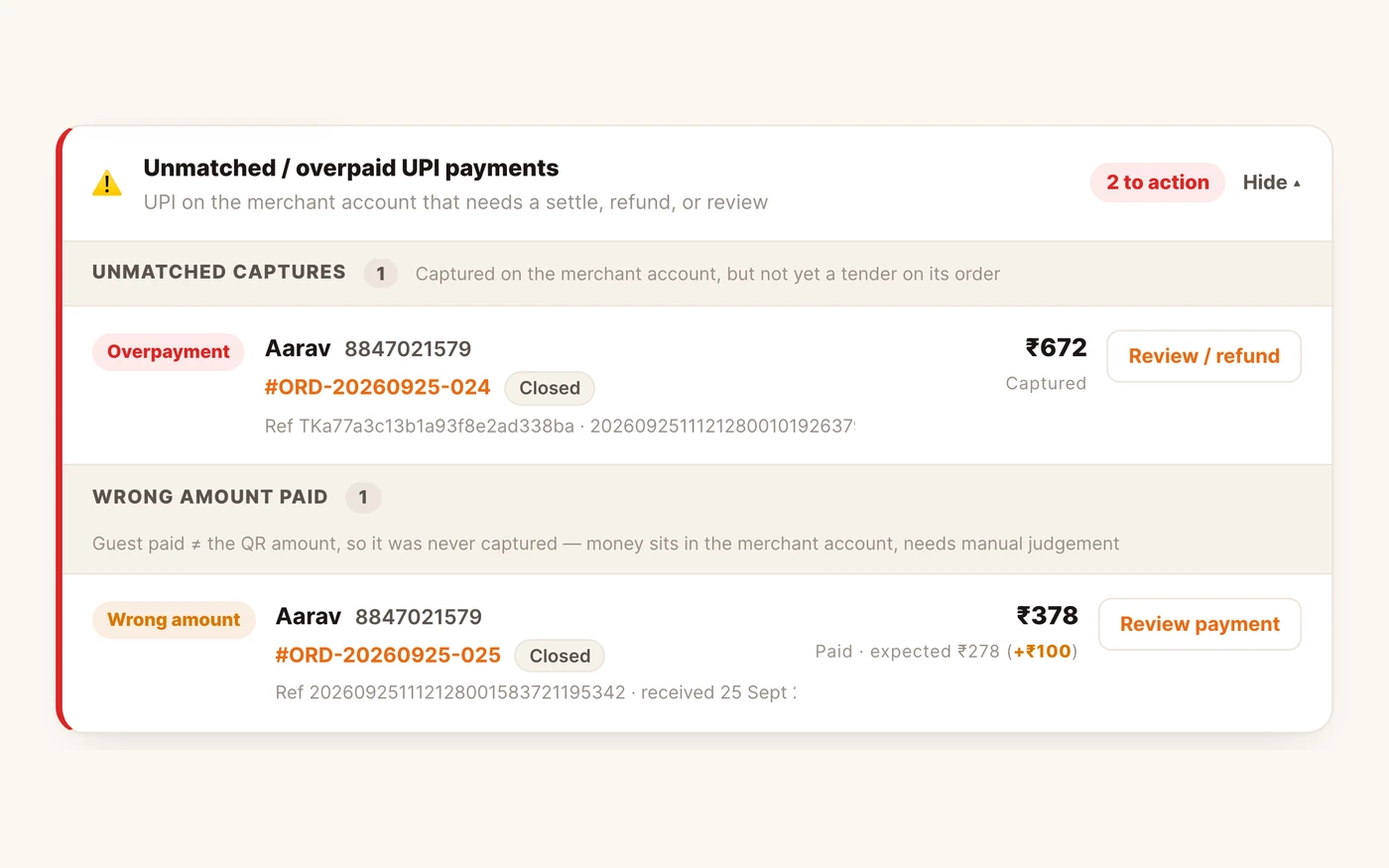
“Payment done, bhaiya.” Did the money actually come in?
TadkaUPI money that's paid twice, paid short, or not yet applied sits in a red panel on Bills until someone deals with it.
Billing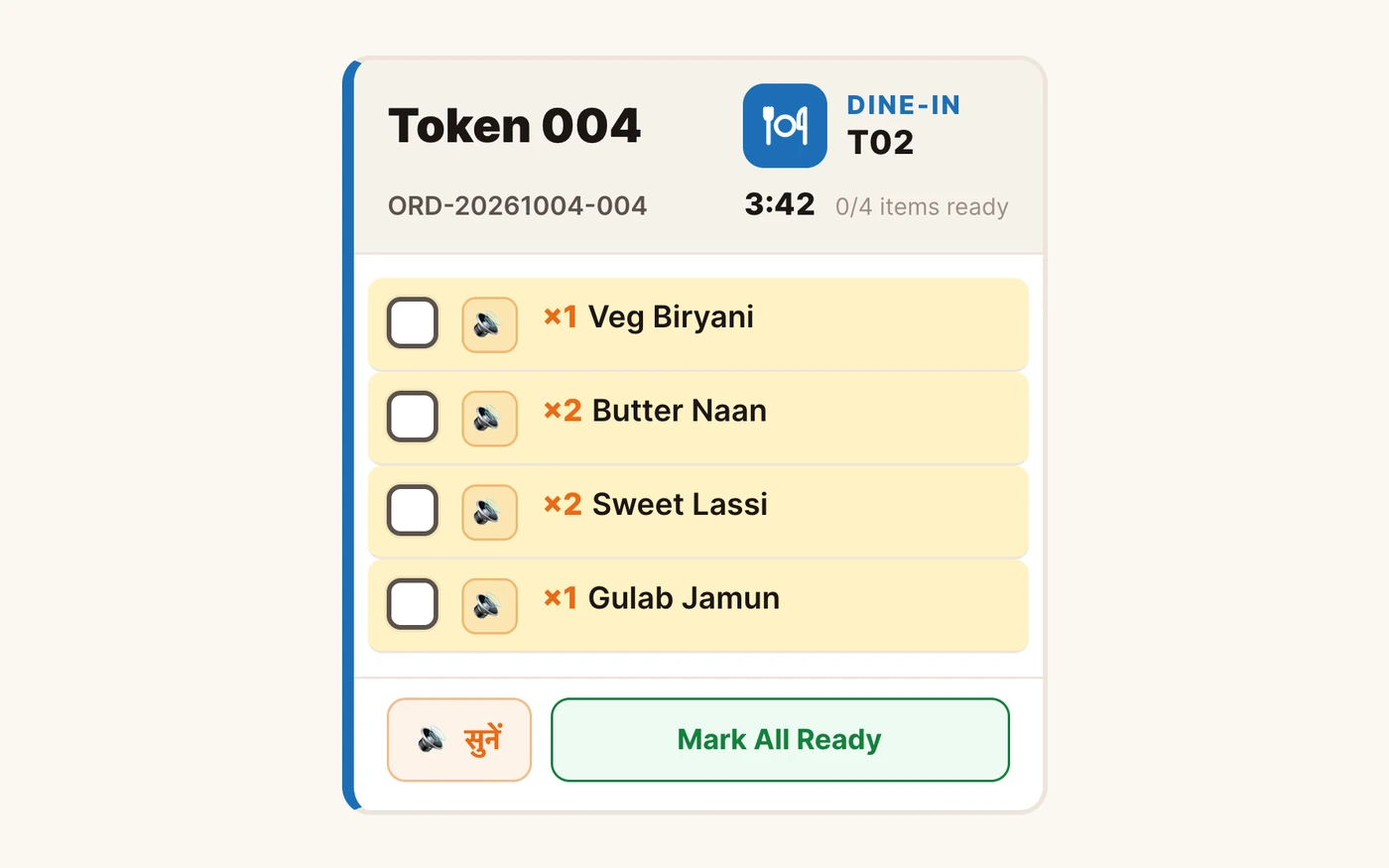
“The chef's hands are in the dough. He can't read the screen.”
TadkaTap सुनें and the kitchen screen reads the order out in Hindi or English. Say “Oye Chotu, 18” and order 18 is marked ready.
Kitchen display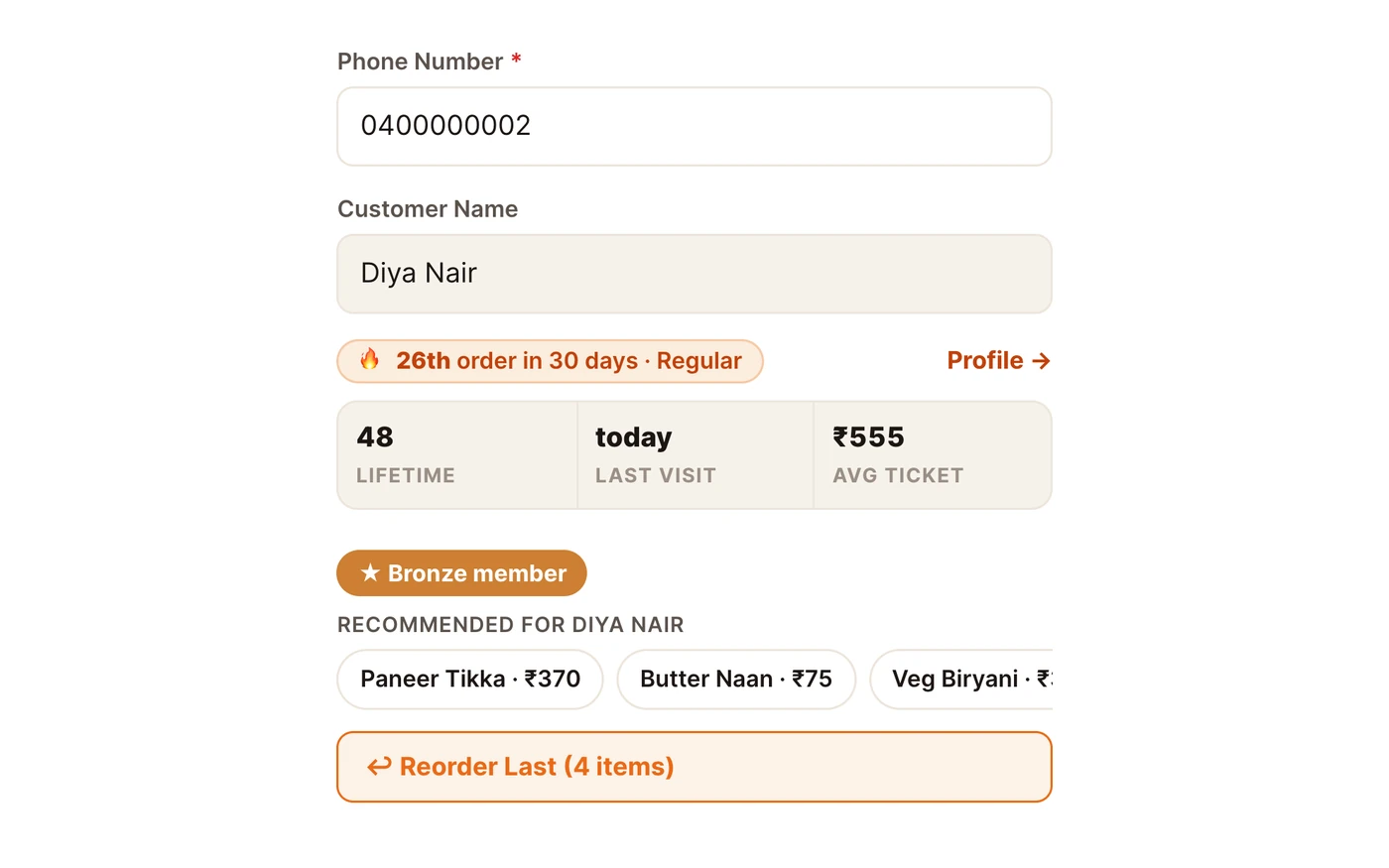
“He's been in twelve times this month. The new cashier treated him like a stranger.”
TadkaEvery order with a phone number shows “New customer”, “Regular” or “Back after 40 days”, with lifetime orders and average bill.
Customers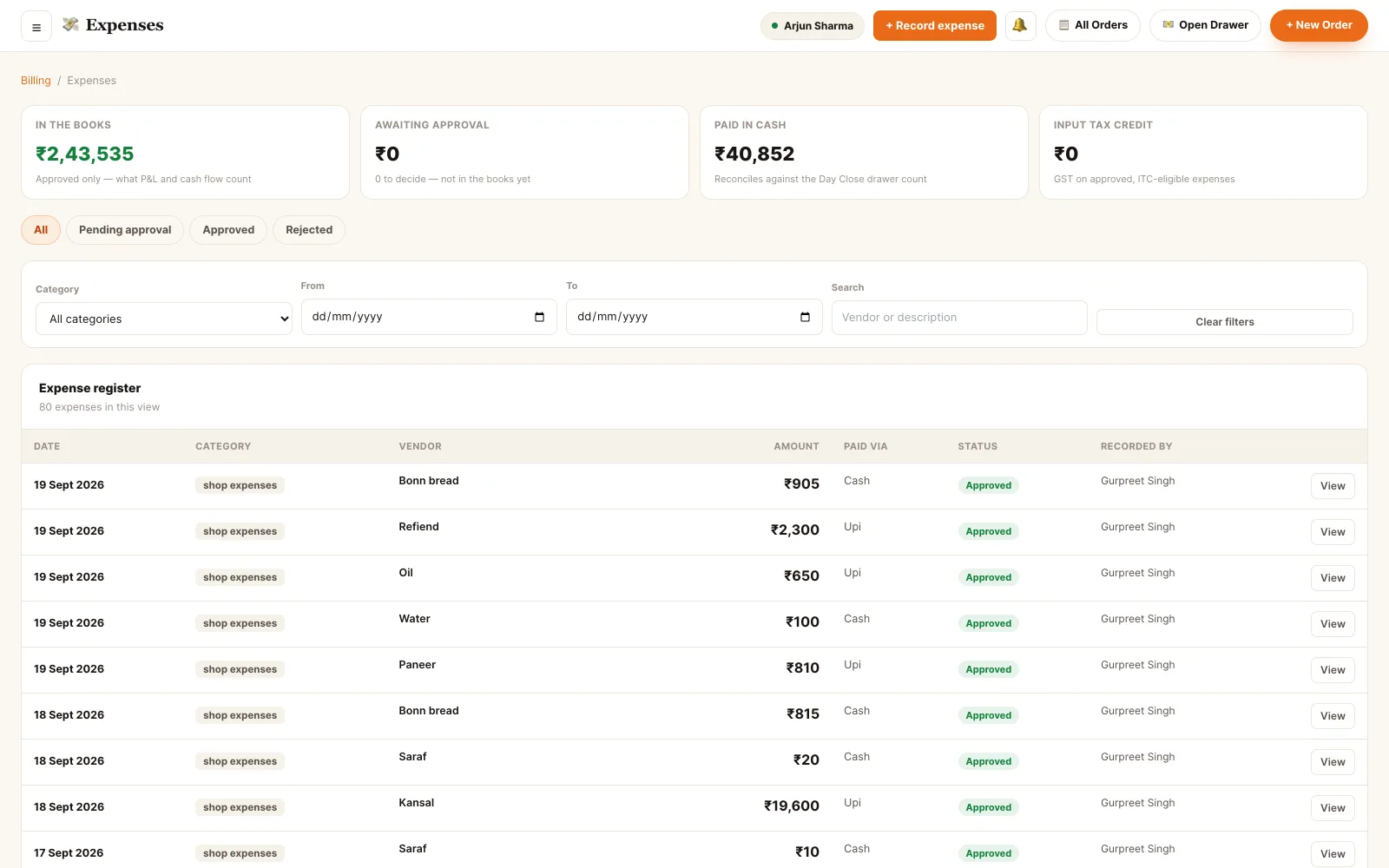
“You know today's sales. You don't know if you made money.”
TadkaLog rent, gas, repairs and petty cash under your own categories, and the profit & loss shows real costs.
ExpensesWhat to check before you switch POS — and how Tadka Tech handles it.
Ten questions worth asking of any restaurant POS before you move. The answers on the right are ours.
Your menu
Can it be moved across without retyping every dish?
Menu Management
Staff training
How long until the counter and kitchen are confident?
Tadka Academy
The printer you already own
Will my thermal printer and cash drawer still work?
Printer setup guide
Tablets, PCs and TVs
Do I have to buy new hardware?
The apps
GST invoices
Will every bill carry the right GST?
GST billing
UPI
Can the counter trust that a UPI payment really came in?
Billing
KOT and the kitchen screen
What happens when a table adds one more dish?
Kitchen Display
Can it reach customers where they already are?
Swiggy and Zomato
Will delivery-app orders land in the same place?
Setup guide
Data from your old POS
What comes across, and what stays behind?
Switching POS: questions owners ask.
How long does it take to switch from my current POS to Tadka Tech?
Will my menu be moved across?
Can I keep the thermal printer I already have?
What happens to the data in my old POS?
Do my staff need training?
What does switching cost?
Can Swiggy and Zomato orders come into Tadka Tech?
Is Tadka Tech connected to Petpooja?
Look closer before you move.
Restaurant billing software
GST bills, split and UPI payments, udhaar, thermal printing and the day close.
Read moreTadka Academy
Every screen as a Hindi video, with the steps written out in English.
Browse the guidesThe screen for each person
Counter, waiter, kitchen, kiosk, rider and guest — each sees only what they need.
See the appsSend the menu tonight. Go live in 48 hours.
One clear phone photo of each page is enough. We'll take it from there.