Restaurant management software · stock · staff · expenses · reports
Restaurant management software for the owner who can't be at the pass every night.
Tadka Tech is restaurant management software for owners of restaurants, cafés, QSRs and cloud kitchens in India. It shows what sold, what it cost, what came off the shelf, who worked and what they are owed, and whether the cash drawer matched, all read from the same orders and bills the counter made during the day.
Six questions owners ask the morning after — and where the answer is.
Running the restaurant is the staff's job during service. Knowing whether it went well is yours. Each card is a question, then the screen that answers it.
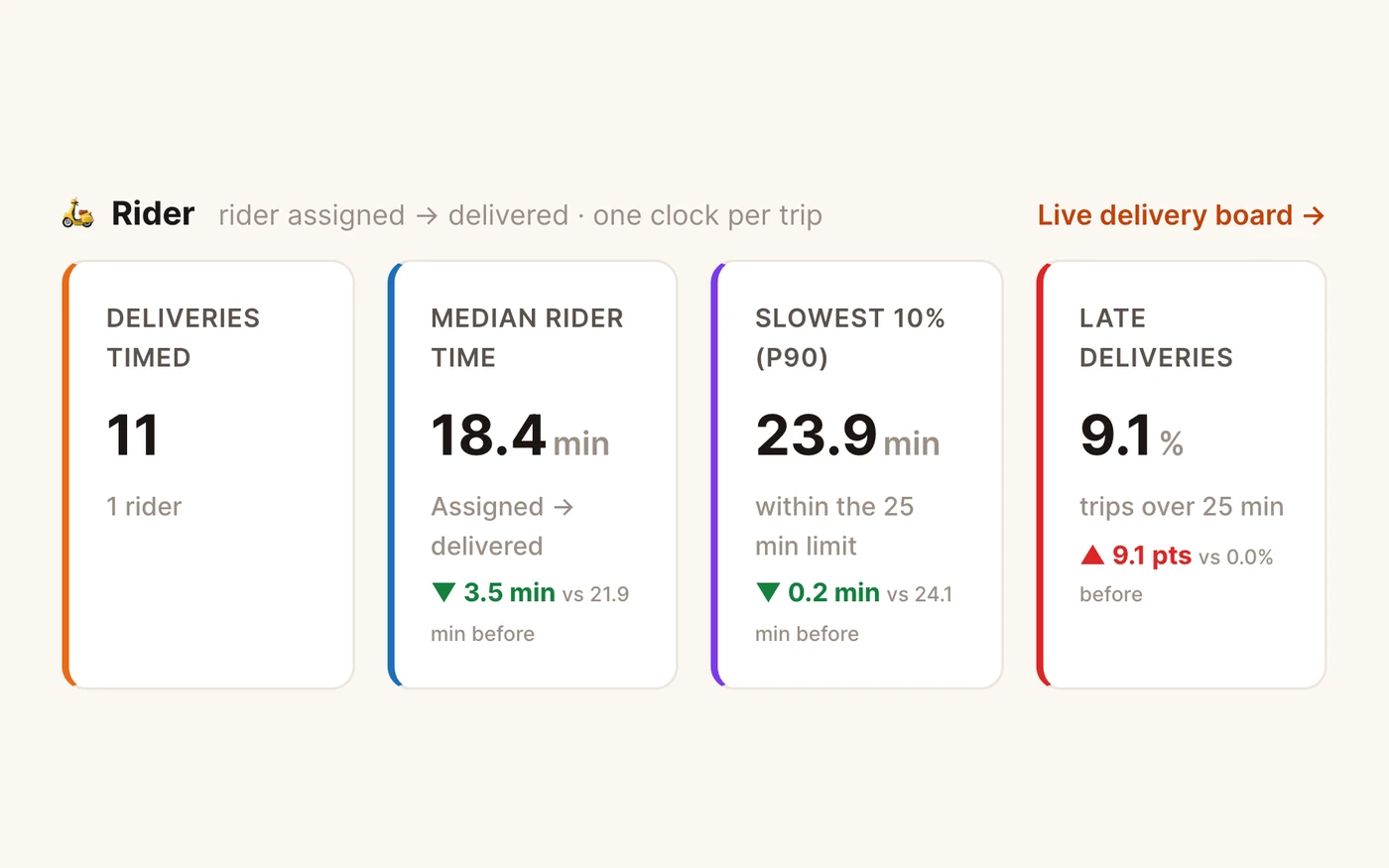
“Was the kitchen slow last night, or did it just feel that way?”
TadkaKitchen and rider speed for any period: the usual time, the slowest 1 in 10, how many ran late, and the hour of the day it slows down.
Analytics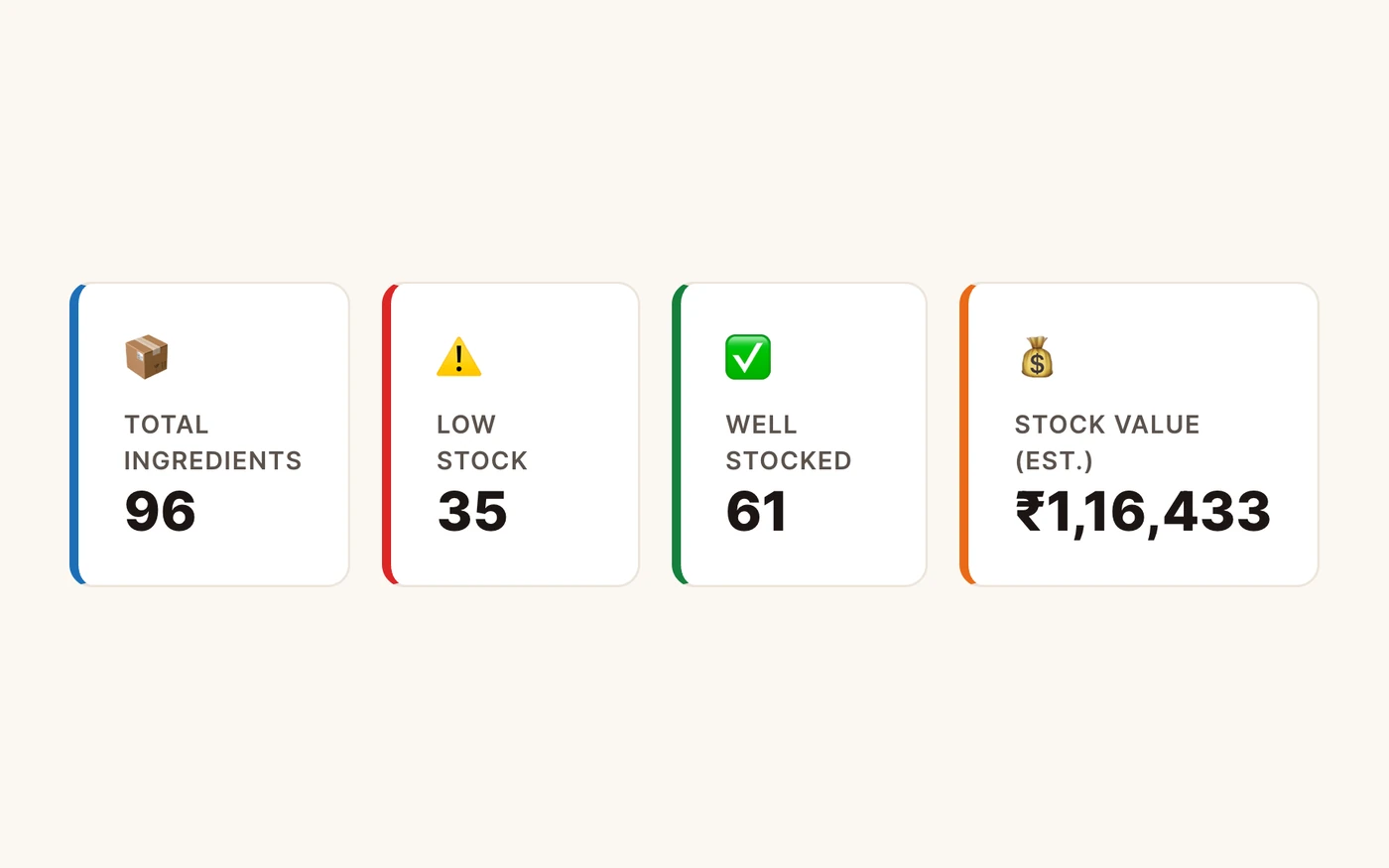
“Paneer ran out at 9 pm. Nobody knew until a guest ordered it.”
TadkaEach dish sold takes its ingredients off stock by recipe. The stock page shows what is low and builds the reorder from it.
Inventory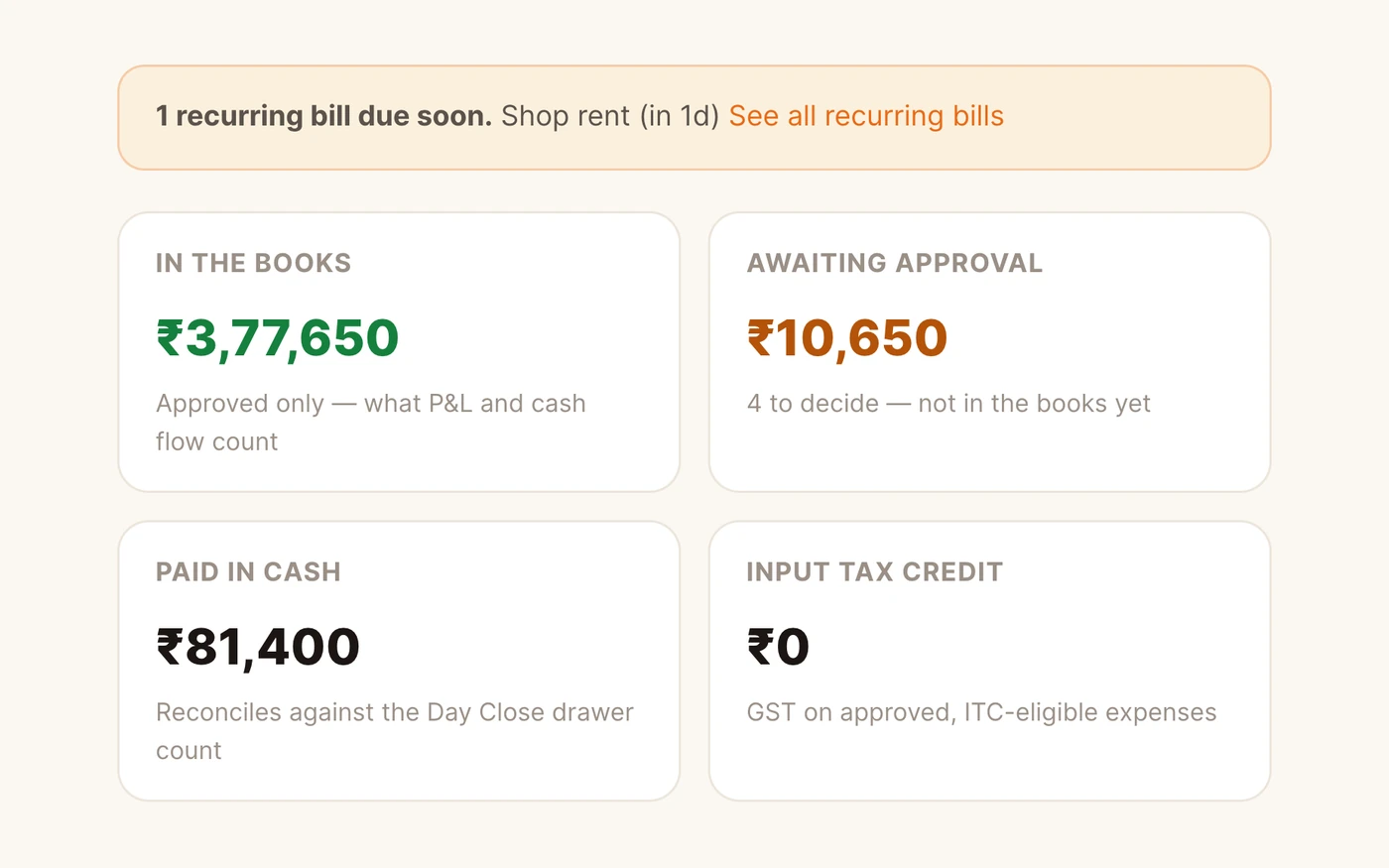
“Sales were good. So why is there no money?”
TadkaRent, gas, repairs and petty cash go in under your own categories, staff record and a manager approves, and the profit and loss shows the real costs.
Expenses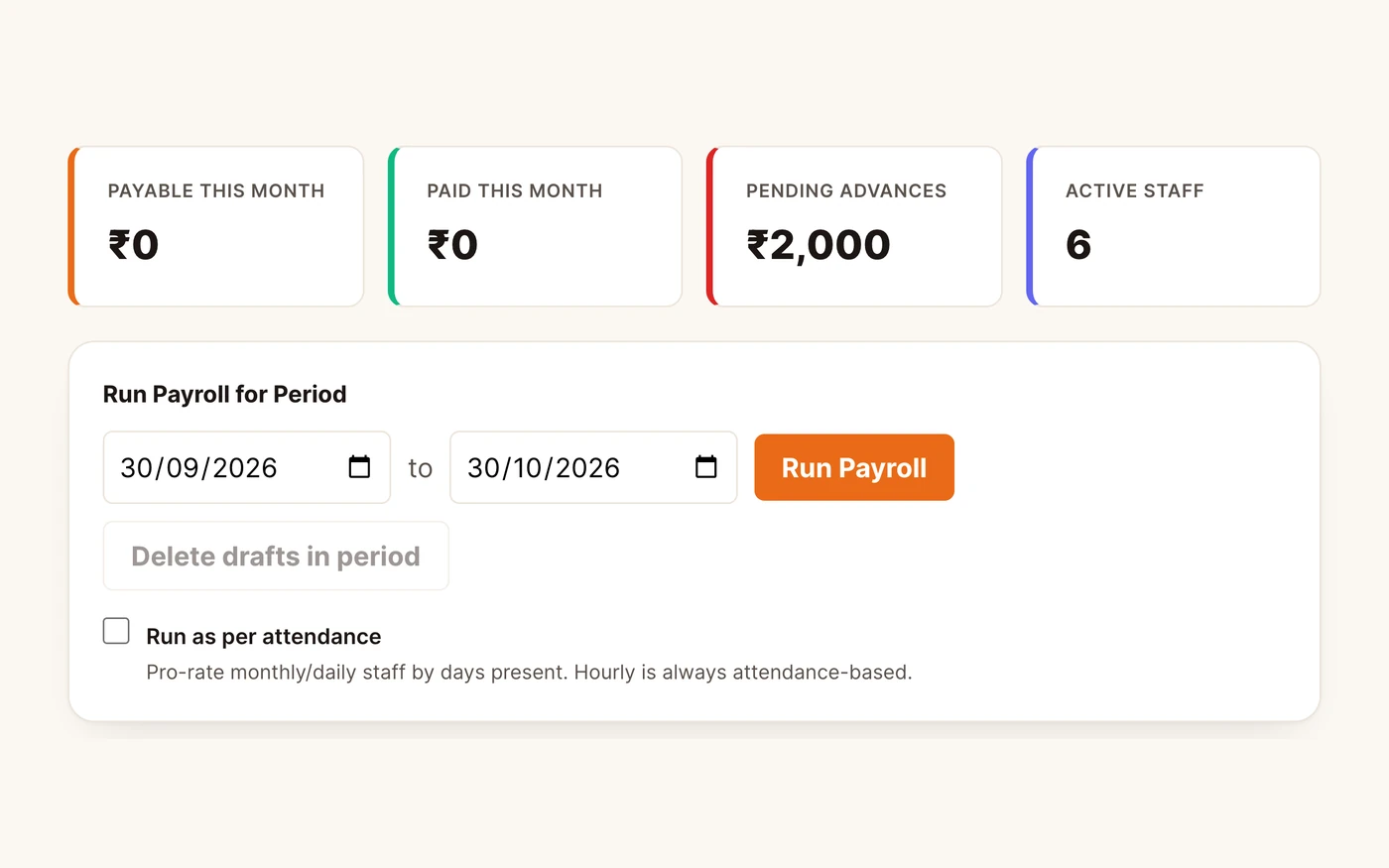
“He says he never took that ₹2,000 advance.”
TadkaThe advance is a row with the amount, the date, the reason and the manager who approved it. The payroll run deducts it once, and the payslip shows it.
Payroll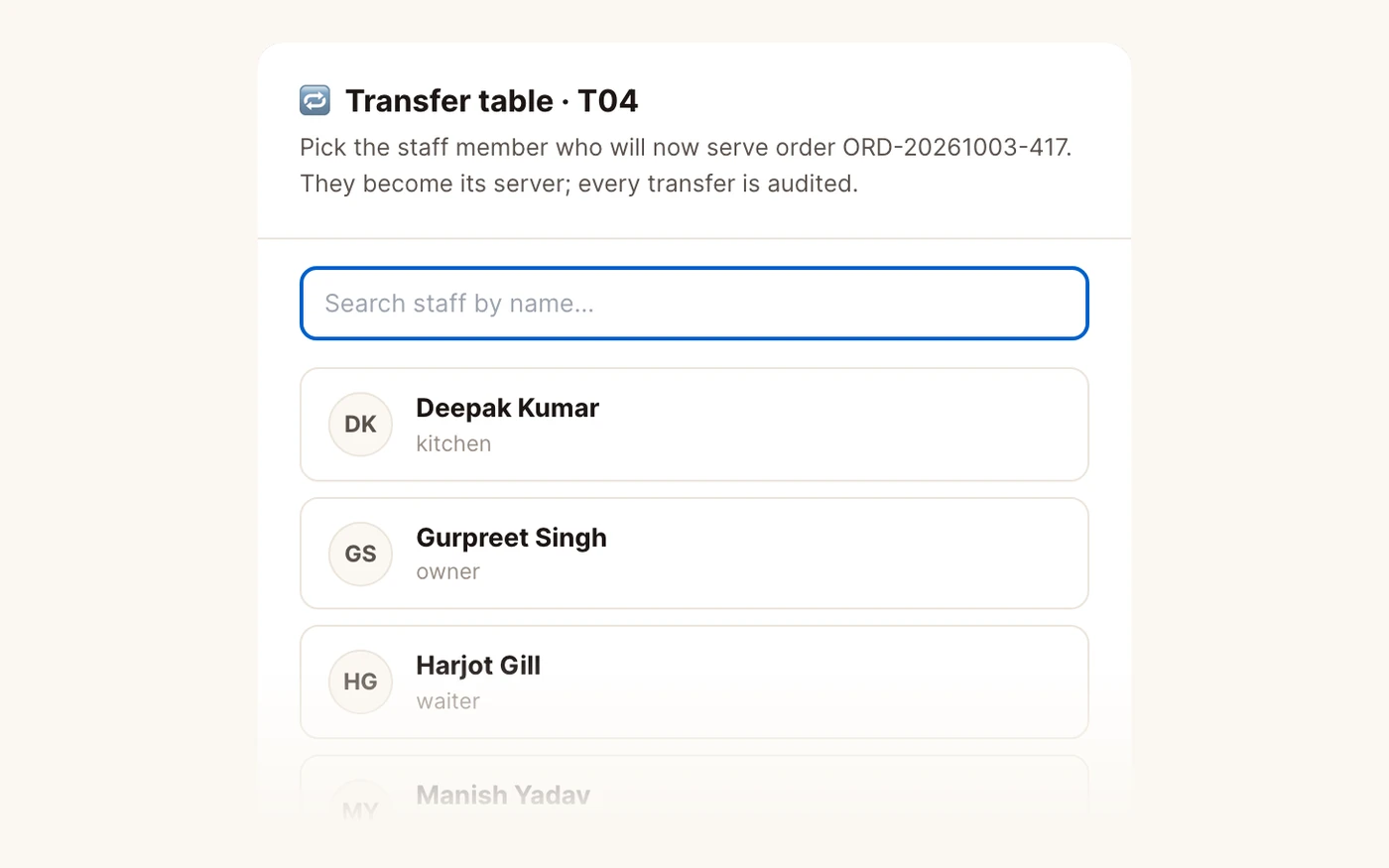
“The waiter went home. His three tables didn't.”
TadkaLive Floor Load shows who is on shift, who is free, and who has clocked out while still holding open tables, so a manager hands them over with Transfer Table.
Staff“Who took ₹500 out of the drawer for the gas man?”
TadkaCash paid out for an approved expense is deducted on the day close, beside the opening float, sales in and tips out, so the drawer count makes sense.
Day closeFrom the 10 AM shutter to the 11 PM day close.
The film follows one owner's bad day twice: the morning stock check, a table left waiting, a rider nobody can find, money stuck in udhaar and a drawer that won't match. Then the same day again, caught on the screens below.
Stock that follows the orders, not a register.
Buying, receiving, cooking, wasting and counting are the five things that move stock. Each one leaves its own record.
- A purchase order per supplier at that supplier's own rate, with an approval step before it is sent
- The goods-received note records what actually came: a short delivery stays visible as short, and only the accepted quantity goes into stock
- Wastage with a reason code, the quantity, who recorded it and what it cost
- A stock take puts the counted figure beside the expected one, with the variance and its cost on every line
- Set a minimum per ingredient; marked items raise a draft purchase order when they fall under it
Hours typed once, wages traced to a day worked.
The roster is the plan; attendance is what happened; payroll reads attendance instead of asking you again.
- A weekly roster grid, then staff mark themselves present from a prompt when they sign in on any device
- Late, absent, half-day and early checkouts flagged against the shift they were rostered for
- Leave as casual, sick, unpaid, privilege, maternity or paternity, pending until a manager decides
- Monthly, daily or hourly wages; a payroll run from attendance or a fixed wage; draft, approved, paid
- Server performance: tips split by your rule, covers, average ticket, and how many items each waiter comped or voided
Revenue is only half the day.
A restaurant's sales are always recorded, because the till records them. Its costs usually live in a drawer of paper bills. Tadka Tech puts both in the same place. Each expense is logged against a category you named, with the vendor and a photo of the paper bill or the PDF from the utility kept with the entry.
Recording and approving are separate permissions. A chef who bought a gas cylinder can log it without being able to sign it off, and nothing touches the profit and loss until an owner or manager approves it. Every entry keeps both names and the time.
Bills that come every month, such as rent, electricity and broadband, become recurring reminders with the vendor, category and last amount filled in. A reminder never pays anything by itself: you confirm the real figure from the real bill.
The reports your accountant already asks for.
A library of ready reports, downloadable now or sent on a schedule. Each one is read from the restaurant's own bills, so a voided bill, a refund or a free item shows up as what it was.
- Daily sales summary, item sales, Z-report and mid-shift X-report
- GSTR-1, GSTR-3B, the HSN summary and the tax invoice register
- Closing stock, wastage, supplier ledger, refunds and discounts
- Daily, weekly or monthly to an email address or a WhatsApp number, as CSV, Excel or PDF
Day close
The last ten minutes of the day, stated twice:
- Gross item sales worked down to net sales, through GST, discounts, refunds, free items and round-off
- Collections by method, with tips taken out and attributed to whoever collected the payment
- The drawer: opening float, sales in, tips and petty cash out, expected against counted
- A Z-report on the thermal printer, plus PDF and CSV for the accountant
Give each person the screen, not the keys to everything.
- RolesA role is a bundle of permissions, not a rank. One person can hold several, a cashier at lunch and the host at night, and their access is the sum of them.
- KitchenThe kitchen account sees the board and nothing else: no prices, no customer details, no way into billing.
- FloorBill amounts and average spend show only to people you give the financial view, such as a manager or cashier.
- LeaversDeactivate, don't delete. Switching an account off ends its access at once and keeps every bill, order and payroll row it touched.
Restaurant management software: questions owners ask.
What does restaurant management software do?
Does stock go down by itself when a dish is sold?
Can it work out salaries from attendance?
Does the profit and loss include rent and other expenses?
Can my accountant get GST reports?
Can I check how the restaurant is doing when I'm not there?
Which is the best restaurant management software?
The rest of the restaurant, one page each.
Restaurant POS software
How one order travels from the counter and the floor to the kitchen and the bill.
Read moreCloud kitchen software
Riders, timers, packing slips and partner orders on one board.
Read moreTrack expenses and see your real profit
The expense register, approvals, recurring reminders and the profit and loss.
Read moreWhatsApp us a photo of your menu. Live in 48 hours.
We move your menu across free, set everything up and train your staff, and you get up to 6 months free. How many months are free depends on the plan you choose; after that, you pay that plan's regular price.