QR code menu · table ordering · no app
A QR code menu for your restaurant, so table 6 doesn't wave three times.
Tadka Tech's QR code menu puts a code on every table. A guest scans it with the phone camera, sees the live menu your counter is running and orders to that table, with no app to install. The order reaches your kitchen screen, and whether the kitchen waits for the money first is a setting you choose.
How to get a QR code for every table.
You don't have the codes made anywhere. They exist the moment a table exists, and each one already knows which table it belongs to.
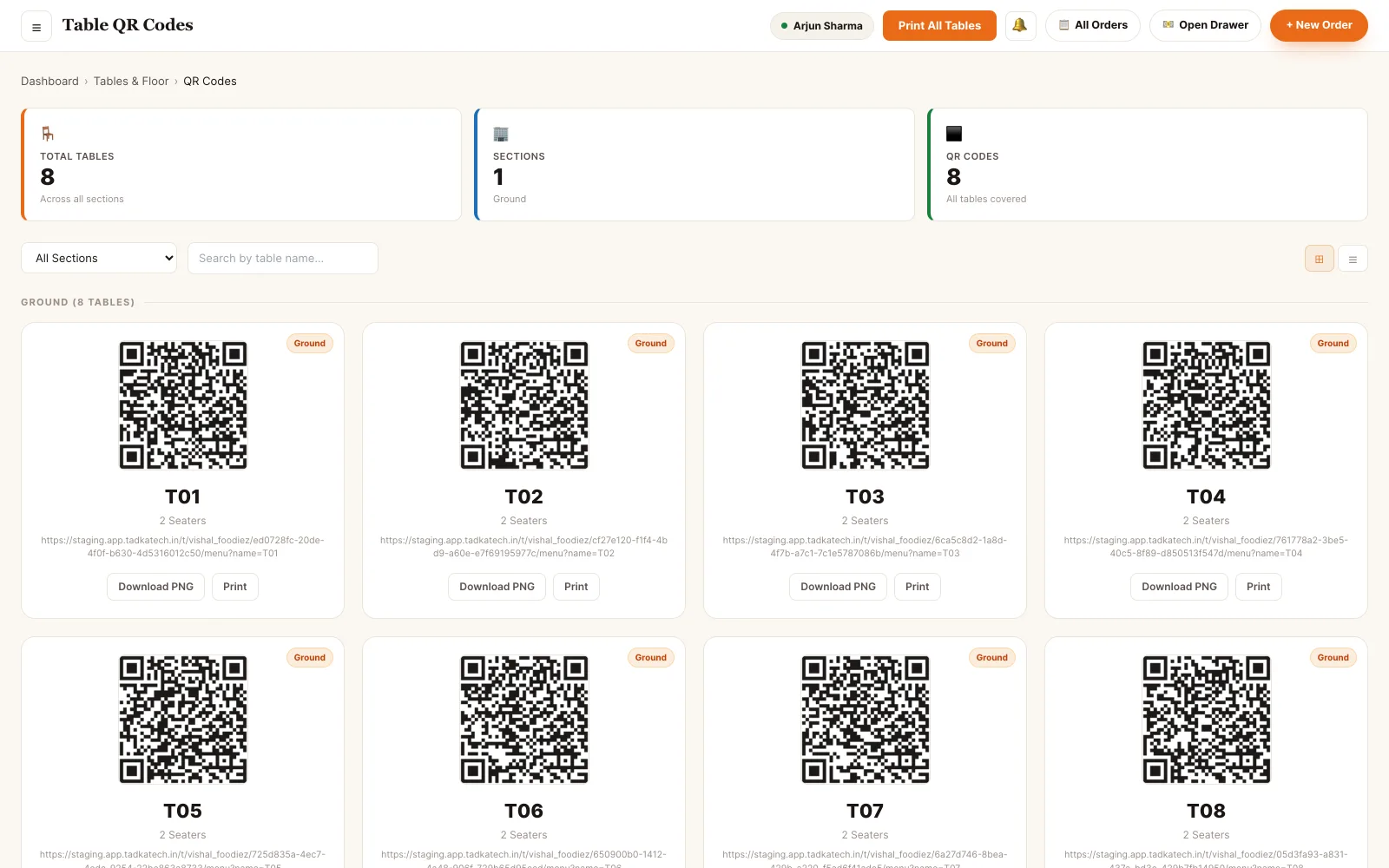
Back office · table QR codes
- 1Open
Tables & Floor → QR Codes
The count at the top shows tables and codes side by side, so you can see every table is covered. New tables get their code as soon as they are drawn.
- 2Pick
Filter by section
Only the rooftop? Choose the section, or search a table's name.
- 3Print
PNG for the print shop, or print here
Download a large PNG named after the table for a standee or sticker, or Print All Tables, three cards to a row.
- 4Place
One on each table's stand
Reprint a single card after a spill without touching the others.
What a QR menu should fix — and what it must not break.
“Table 6 has waved three times. They still haven't ordered.”
TadkaGuests scan the QR on the table and order from their own phone, for that table only, then add more later and pay from the phone or at the counter.
QR Self-Order“The paper menu still says paneer tikka. We ran out at eight.”
TadkaMark the dish out of stock once: it greys out at the counter and disappears from the QR menu by itself.
Menu Management“Less spicy, kids at the table.” Who wrote that down?
TadkaThe guest types it in Special instructions on the dish, and the same note shows on the kitchen ticket under that item, with nobody writing it again.
Kitchen display“Can someone at the next table add things to our bill?”
TadkaNo. Once an order is running on a table, a new scan from another number is told so and can't add items without signing in with the first number.
QR Self-Order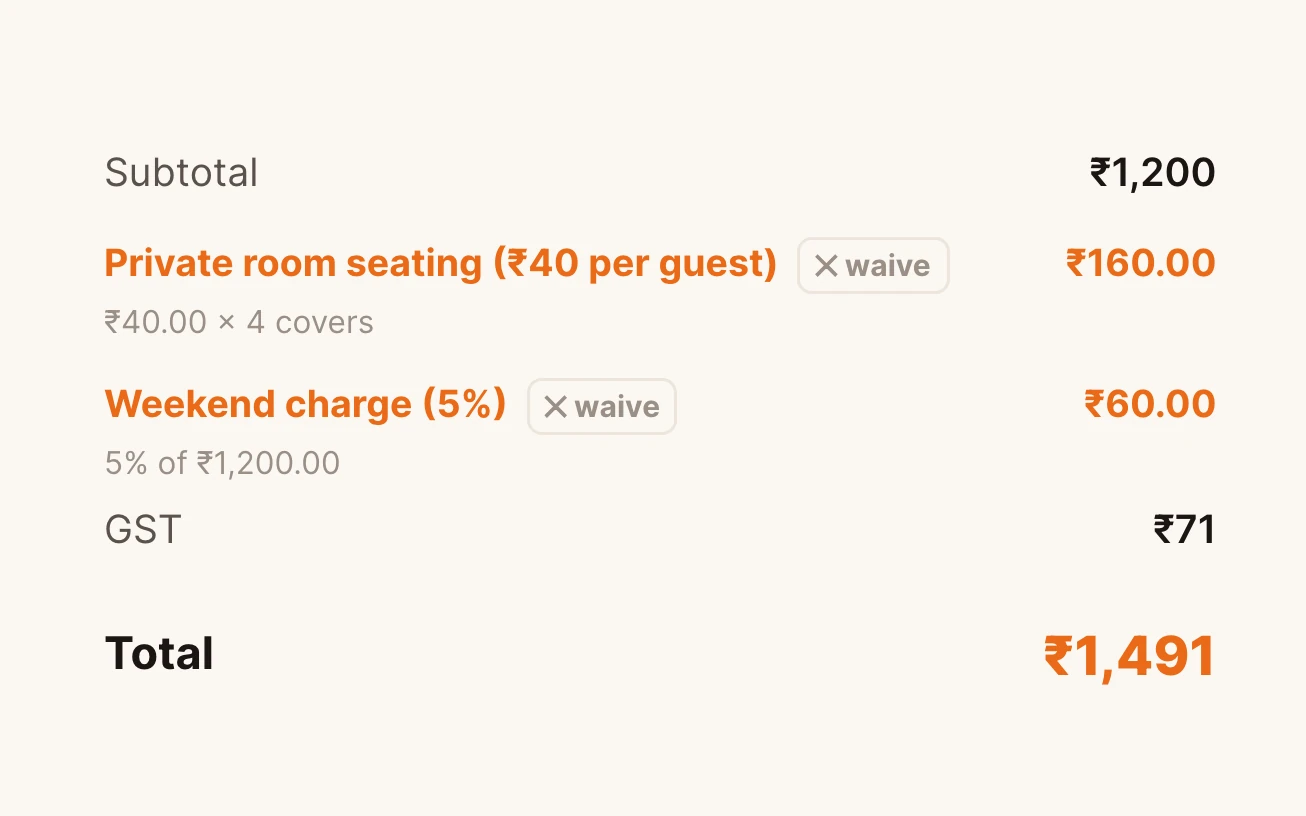
“Nobody told us there was a rooftop charge.”
TadkaSet a charge once for a section or a time. The table's QR menu tells guests before they order, and the bill prints it on its own line with its GST.
Tables & surcharges“A QR order came in, the kitchen cooked it, and nobody paid.”
TadkaWith Pay upfront, a pay-at-counter QR order waits under Needs Approval with a bell, and goes to the kitchen only when the counter collects.
OrdersA new rooftop, four new tables, four new QR codes.
The owner draws the rooftop on the floor plan, prints a QR card for every new table, sets a charge for rooftop seating and checks that the guest's bill comes out exactly right.
What the guest sees after the scan.
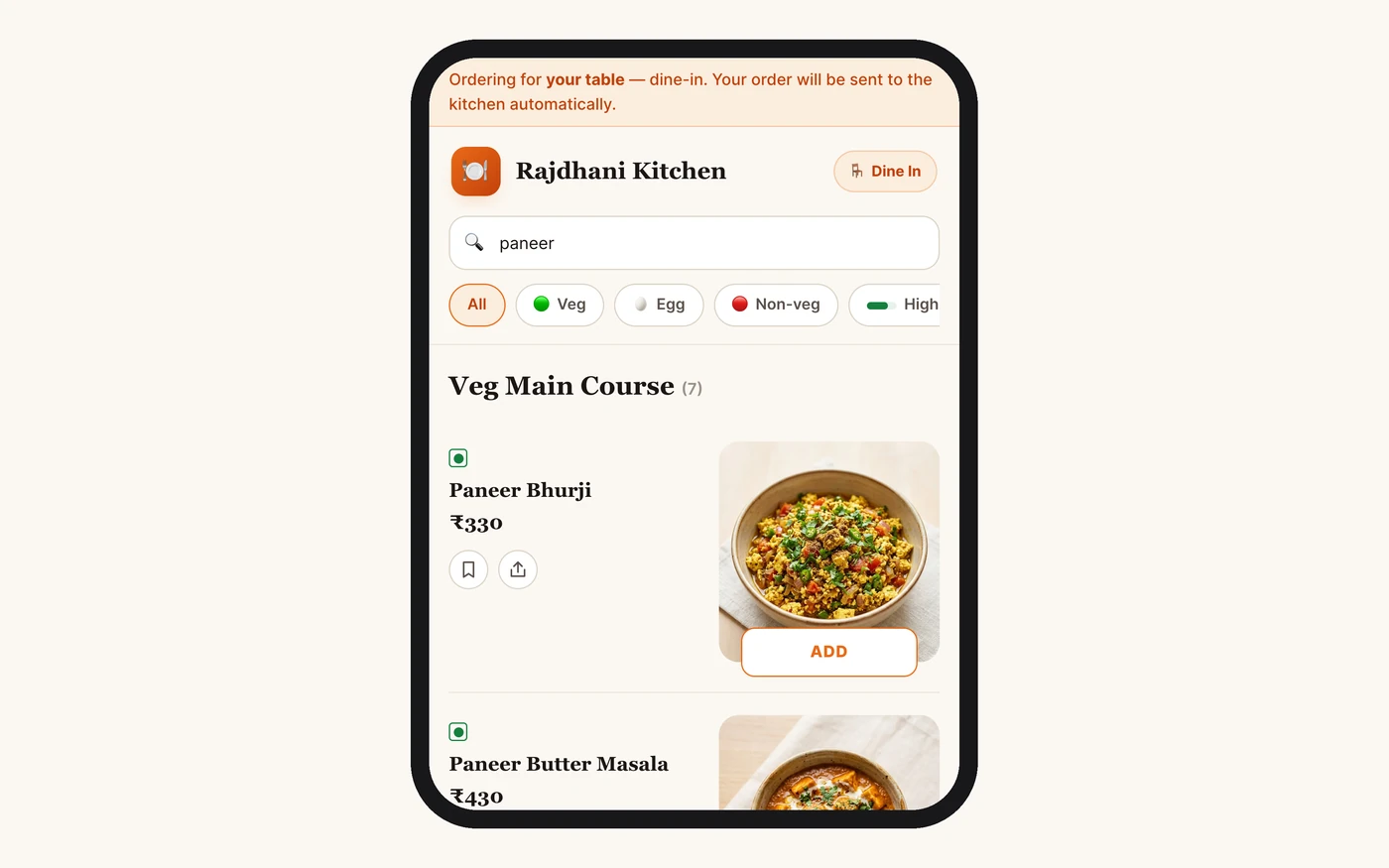
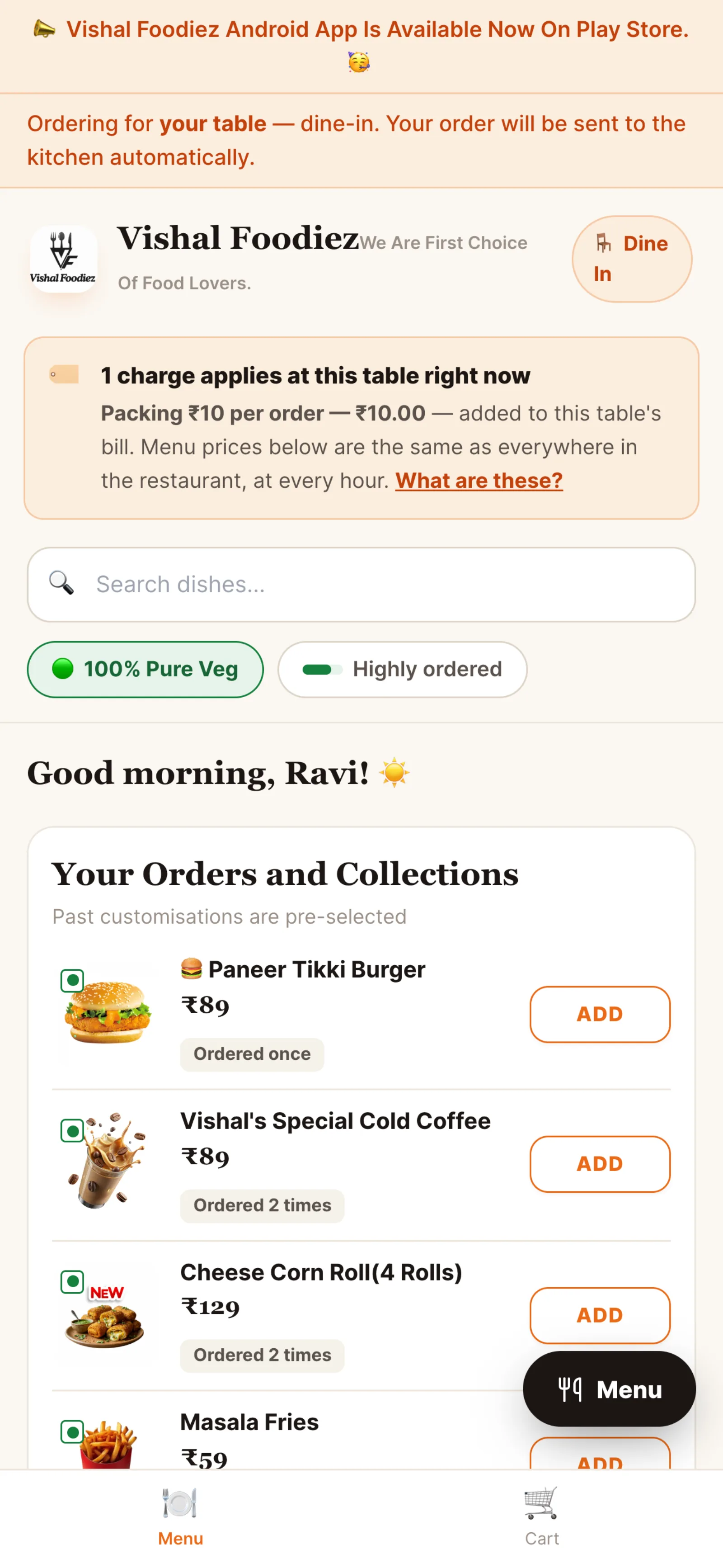
- “Ordering for T05, Dine-in” at the top, so the guest never has to tell anyone the table number
- A Most Loved row you choose, a Highly Ordered filter for first-timers, and a Menu button that jumps to any category
- Your sizes and add-ons asked the way a waiter would: half or full, raita with the biryani
- A bill summary with GST and round-off before they place the order
- Loyalty points or an offer code, one discount per order, and offers you can limit to the QR channel
- An optional tip on its own line; the GST doesn't change
- Live tracking after ordering: Received, Accepted, Preparing, Ready, Served
The menu
The cart
What reaches the kitchen, and when.
Ordering from the table is the easy half. Deciding when the kitchen starts is the part that protects your money, and it is one setting.
Pay upfront
Food courts, crowded cafés, places where people come and go
After the meal
Family restaurants where guests sit and pay when they leave
Adding more
The kids want a shake halfway through
Paying online
UPI from the phone
Only the table QR
Will this change my takeaway or kiosk?
Every QR setting, step by step
QR code menu: questions owners ask.
How do I get a QR code for my restaurant menu?
Do guests need to download an app to order from the QR code?
If I change a price or a dish runs out, do I need new QR codes?
Why does the guest have to enter a phone number?
Can the kitchen wait until the guest has paid?
What if someone at another table scans our table's QR code?
Do QR orders show the GST before the guest orders?
Around the table.
QR ordering from the table
A family orders from the table QR while the counter decides when they pay and what reaches the kitchen.
Read moreCaptain app
For the tables that still want a waiter: the order taken on the waiter's phone.
Read moreCafe billing software
A fast till, a self-order kiosk, and QR ordering for the tables.
Read moreWhatsApp us a photo of your menu. Live in 48 hours.
We move your menu across free, set everything up and train your staff, and you get up to 6 months free. How many months are free depends on the plan you choose; after that, you pay that plan's regular price.