Restaurant billing software · GST · UPI · udhaar · day close
Restaurant billing software that catches the bill nobody chased.
Tadka Tech is restaurant billing software for restaurants, cafés, QSRs and cloud kitchens in India. It makes the GST bill straight from the order, takes cash, card and UPI on one bill, keeps every unpaid bill on a Due list you can chase with one WhatsApp tap, and closes the day against the cash drawer.
What goes wrong at a restaurant billing counter — and what happens instead.
Billing software is not about printing a bill. It is about the money that slips away between the order and the day close. Each card starts with a moment you'll recognise.
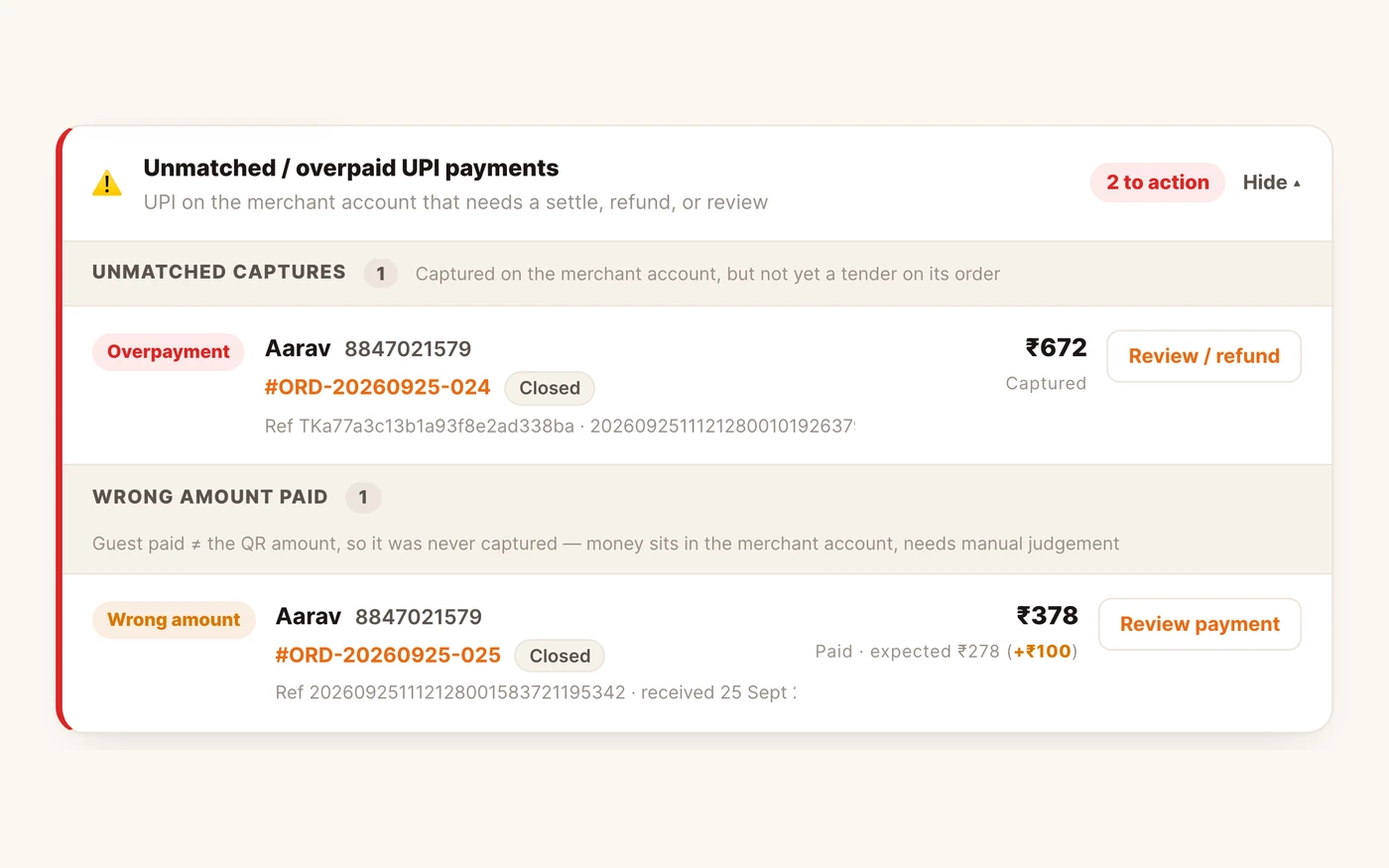
“Payment done, bhaiya.” Did the money actually come in?
TadkaWith UPI auto-confirm on, the order shows a QR and is marked Paid only once the money has really arrived — not from a screenshot. Money that doesn't match an order sits in a red panel on Bills until someone deals with it.
Billing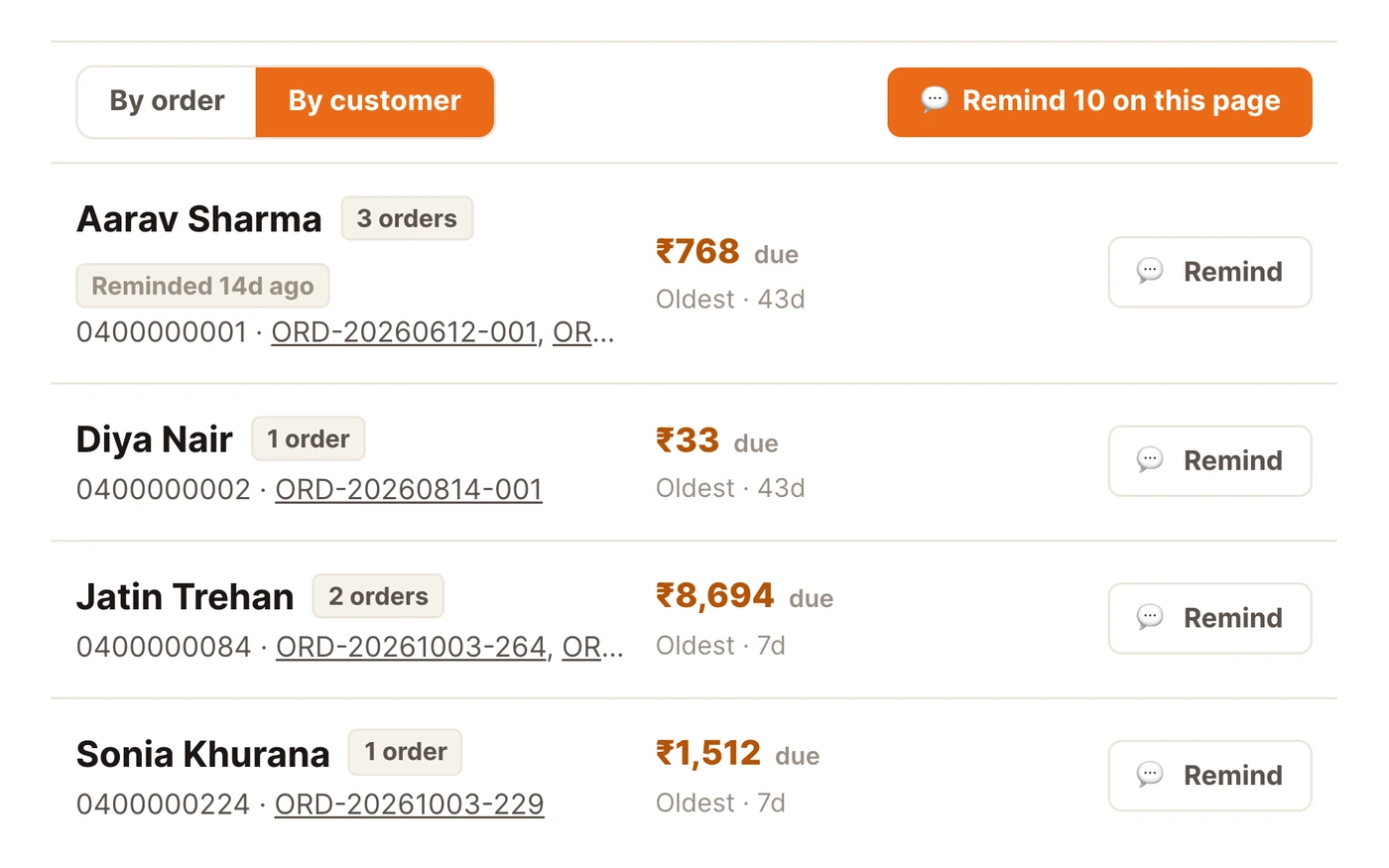
The udhaar is in a diary, and nobody chases it.
TadkaA part-paid bill becomes a due automatically. Orders → Due shows what each customer owes, and one tap sends a polite WhatsApp reminder with a pay link — for one order or the whole khata.
Orders → Due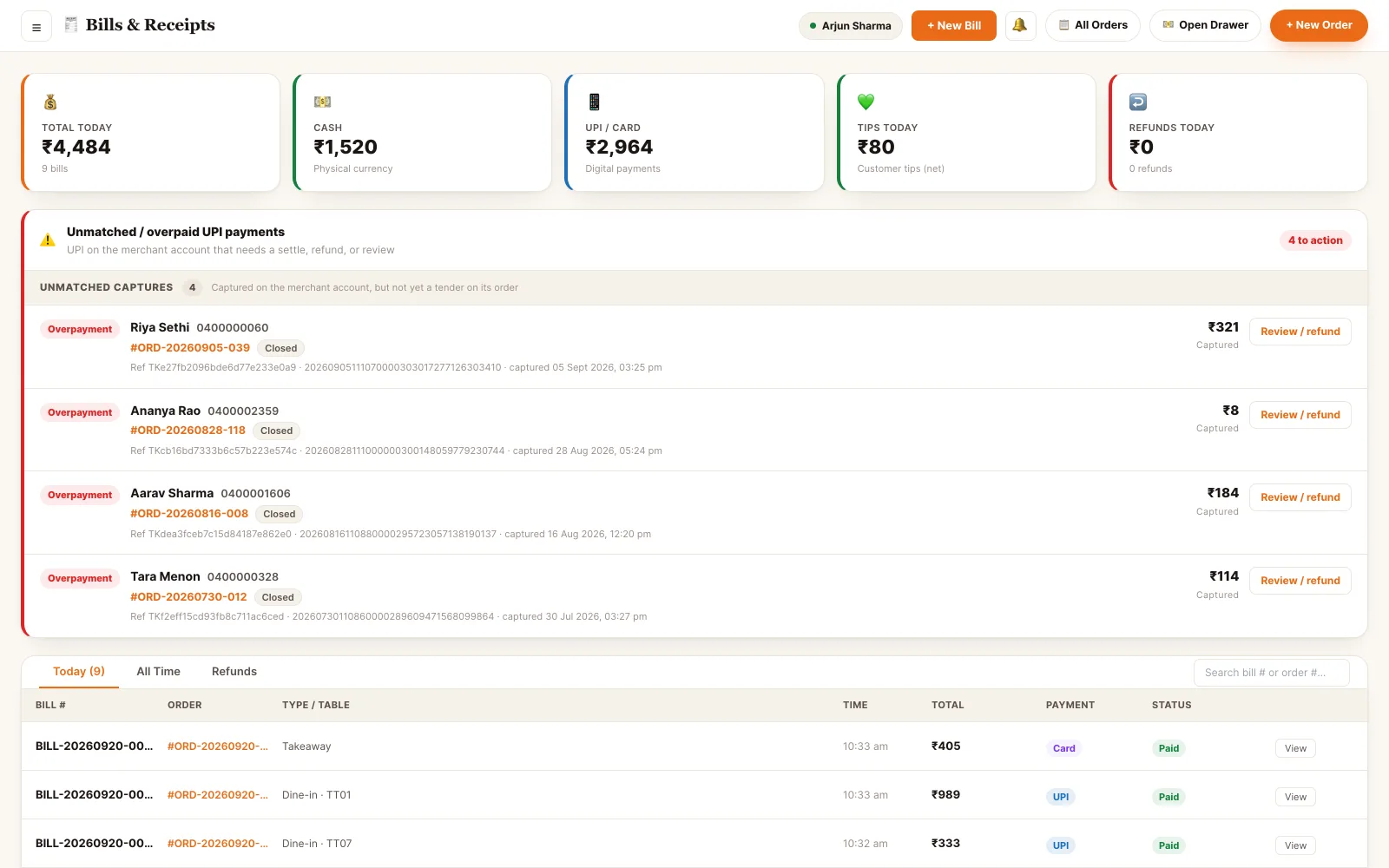
Half cash, half UPI — and at night the drawer is short.
TadkaPress Split, add a method, Fill Rest. The order won't place until the parts add up to the full total — not a rupee less, not a rupee more. Cash shows the change to give back.
Billing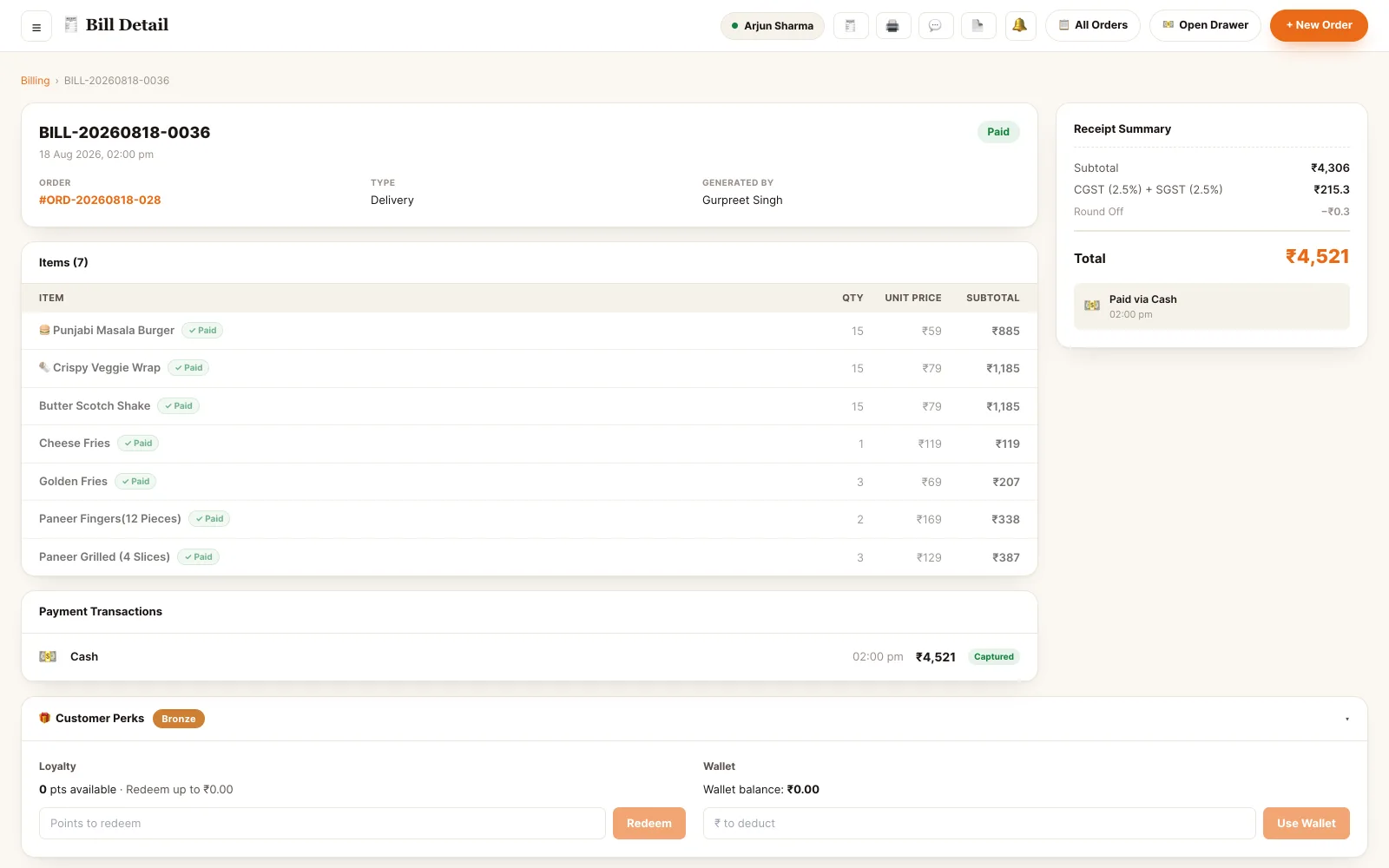
The guest says the GST on his bill is wrong.
TadkaEach dish carries its own tax category from the menu. GST is charged after the discount, split into CGST and SGST, and food at 5% and a packaged item at 18% show as separate lines.
GST billsA free dessert went out. Nobody knows who gave it, or why.
TadkaA comp line carries a reason from your own list — VIP guest, staff meal, quality issue — and shows as waived, not a silent ₹0. Discounts and comps are logged with the staff member who made them, so at month end you see how much went out free, and why.
Orders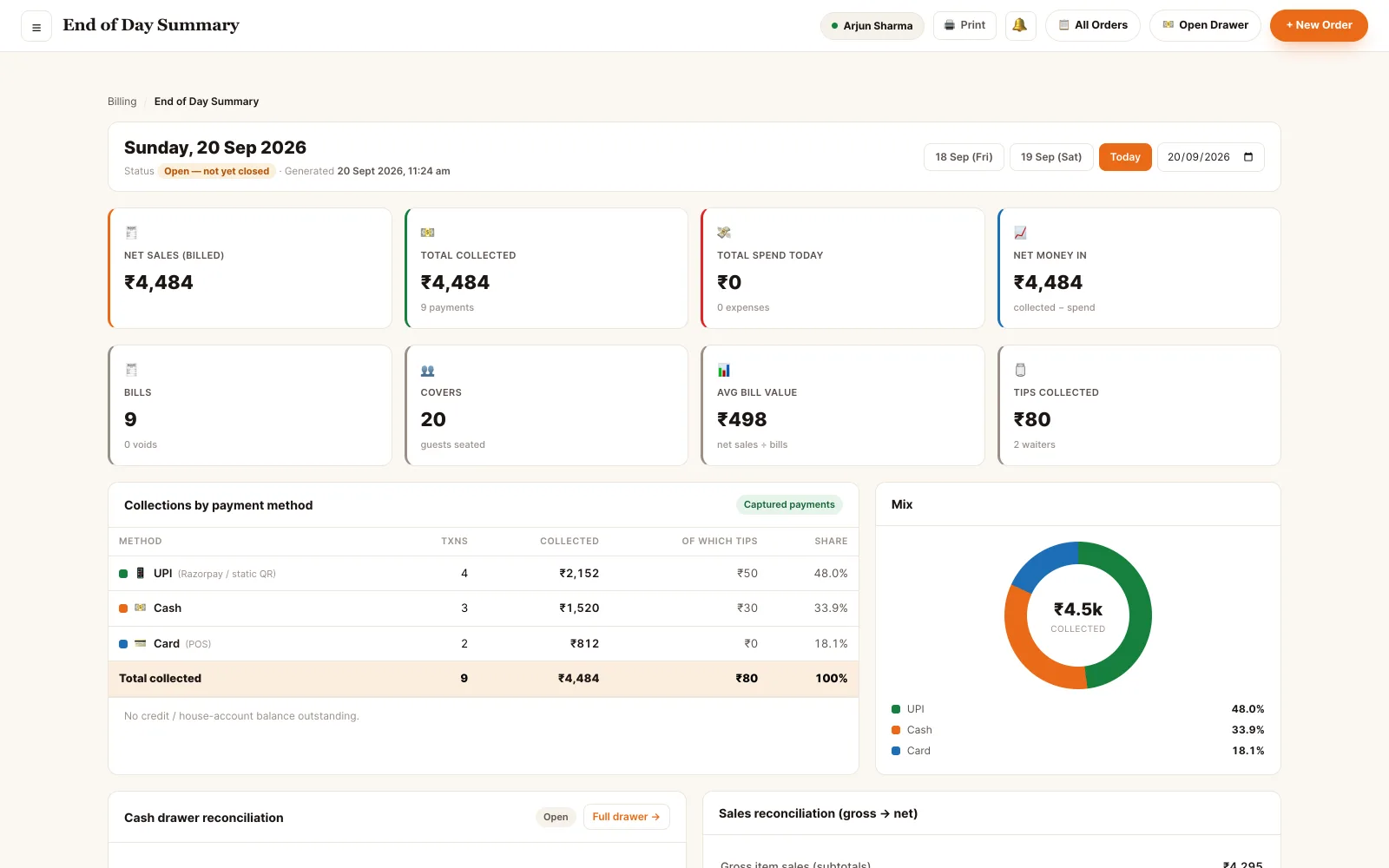
The cash drawer won't match, and nobody knows why.
TadkaDay close counts the drawer against what the system expected and writes the difference down instead of absorbing it. Collections by method, tips by waiter, then a Z-report on the thermal printer.
Day closeWatch a restaurant billing counter, start to finish.
Saturday evening, a family of four. Midway they order one more thing, take one item home packed, get one item free, and at the end pay the bill two different ways. One table, every button, in 21 minutes.
GST billing for restaurants, on the right number.
Pick the right tax category once in the menu and every bill is right from then on. The receipt prints the same figures the screen shows — there is no second calculation.
- GST is charged on the taxable value after the discount, split into CGST and SGST, each on its own line
- Each item has its own tax category: food at 5% and a packaged item at 18% on one bill show as separate lines; a zero-tax item gets no GST
- The round-off is held on the bill, so every screen and receipt shows the same rupee
- Your GST number, FSSAI number or phone in the receipt footer, and your logo on top — on thermal slips too
- Exports for the accountant as CSV, Excel or PDF — and for GST, a zip of all three
- Refunds and voids are recorded as reversals — a sale is never quietly deleted
Cash, card, UPI — or later.
Take the money now or after the meal. With no payment method picked, the button just says Place Order.
- Cash: enter the note the customer handed over and the screen shows the change to give back
- Card: on the card machine your bank gave you — the bill records it was paid by card, so the day-end tally matches
- UPI: a static restaurant QR or a Razorpay session; with auto-confirm on, the bill settles when the money lands
- Split: one bill, several tenders, and it must add up exactly
- Later: Collect Later sends the order to the kitchen and keeps only the payment pending; part-pay leaves a balance due that a later payment tops up
- Customer display: a second screen facing the guest shows every item and the running total, then how much was given and how much comes back
Restaurant billing software for Android, PC and tablet.
Six of the seven Tadka Tech screens are web pages on whatever device is already there. The kitchen display also has an Android TV build.
- Counter · officeA laptop at the desk or a tablet on the pass. The full portal — orders, bills, menu, reports — behind one login.
- WaiterTheir own phone, in the apron. Take the order at the table and settle in cash, card or UPI — the QR carries the exact amount.
- KitchenA wall screen or a TV. Runs on a browser, a TV or the Android TV build — no terminal at the pass.
- KioskA touchscreen at the counter. The guest orders and checks out, with no login at all.
- GuestsAny phone with a camera. The table QR opens the live menu in the phone's browser — nothing to install.
- Second screenAny spare screen. The customer display is a browser page, not a device.
Printing KOTs and bills on a thermal printer
On a Windows, Mac or Linux counter computer, open the portal in Chrome or Edge and install the free print agent once. Each slip then goes straight to your thermal printer — no print dialog, no choosing a printer every time. Tick a printer for KOTs, for bills, or both: the KOT prints in the kitchen and the bill at the counter, on 80 mm or 58 mm paper. A cash drawer cabled into the counter printer opens by itself on a cash payment, not for card or UPI.
On an Android tablet, the kiosk or the kitchen TV, the Tadka Tech apps handle their own printer and don't need the agent.
Working without internet
Tadka Tech runs online: the counter, waiter phones and kitchen screen all work from the same live data, so billing needs an internet connection. A mobile hotspot is enough as a backup.
Restaurant billing software price — and what's free.
What you pay depends on what your restaurant actually uses: the billing counter on its own, or the kitchen screen, waiter phones, QR menu and kiosk as well. Tell us how you run and we'll tell you which plan covers it — including when that's the cheapest one.
Looking for free restaurant billing software?
When you switch to Tadka Tech:
How many months are free depends on the plan you choose. After that, you pay that plan's regular price.
Hotel, dhaba, café or cloud kitchen.
In much of India the eatery itself is called a hotel. Tadka Tech is built for that kind of place — restaurants, cafés, QSRs and cloud kitchens — and the billing screen follows how yours runs. A cloud kitchen that only delivers doesn't see dine-in at its counter; a place that serves people in their cars gets a Drive-in order type that asks for the vehicle number.
The menu is yours too: dal, roti and sabzi at a dhaba, dosa and idli at a South Indian place, coffee and sandwiches at a café. Sizes can be half and full, small, regular and large, or half a kilo and one kilo at a sweet shop — each with its own price, and an item with sizes won't go into the cart until a size is picked.
Tadka Tech covers the food side of the business. It does not do room or lodging billing for hotels with rooms. Hotel billing software, in detail
Send us a photo of your menu. Live in 48 hours.
Worried about switching? We do it for you — your menu moved across, everything set up, your staff trained — while you keep running the restaurant.
- 1You · 2 minutes
WhatsApp us a photo of your menu
One clear phone photo of each page is enough to start.
- 2We build
We build your whole menu
Dish photos, table QR codes and your own website.
- 3You go live
We train your staff. You go live.
Counter, kitchen and waiters trained — then real orders.
Restaurant billing software: questions owners ask.
Is Tadka Tech GST-ready?
Does it work on Android, a PC or a Mac?
Can I print KOTs and bills on a thermal printer?
Can I take UPI and know the money really arrived?
Can I keep udhaar (khata) in the billing software?
What does it cost? Is there free restaurant billing software?
Does it work offline, without internet?
Is this hotel billing software?
See each part up close.
 21:14
21:14The counter
The billing counter, followed through one real table from start to finish.
Open the guide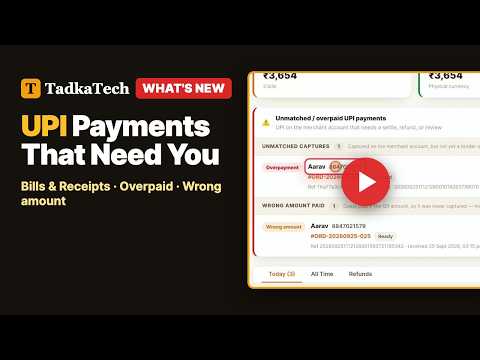 5:57
5:57Bills and the UPI payments that need you
A bill is made the moment you settle an order, and one panel on Bills & Receipts shows every UPI payment that needs a decision, now with a Hide button.
Open the guide 17:05
17:05Printers & the print agent
Install the print agent, connect your thermal printers so KOTs print in the kitchen and bills at the counter, set up the cash drawer, and fix what goes wrong.
Open the guideSee your own menu billed in a free demo.
We take an order end to end — table to kitchen screen to GST bill — on your menu, and you ask whatever you like.