Tadka Academy · restaurant POS video guides
Restaurant POS software tutorials: Tadka Academy video guides.
Tadka Academy is the video library of Tadka Tech, restaurant software for restaurants, cafés, QSRs and cloud kitchens in India. Each guide is a Hindi video with every step written out in English, chapter by chapter — from the billing counter and the kitchen screen to printers, the waiter's phone, QR ordering and the kiosk.
Every answer, one search away.
A new cashier asks how to put a bill on udhar in the middle of a rush. Instead of calling you, they search in their own words and the part that answers it comes straight up, written out and as video from that exact moment.
Already on Tadka Tech? The same guides are inside the portal: Support → My Tickets → Guides. Read this video as a guide.
Deep Dive: the whole system, one story per part
Each part follows one real story and stops at every button. Anything that doesn't click the first time is explained again with a second example.
 21:14
21:14The counter
The billing counter, followed through one real table from start to finish.
Open the guide 25:47
25:47Every order
The orders board and the order page, followed through one real lunch rush.
Open the guide 21:41
21:41Tables, floor plan, QR & surcharges
Draw a new floor on the floor plan, get a QR code for every table, set surcharges by area, day and time, and check the guest's bill comes out right.
Open the guide 21:29
21:29The kitchen screen (KDS)
One family's order through the kitchen screen: read aloud to the chef, item slips on every tick, add-on KOTs, aging colours, voice control and kitchen stations.
Open the guide 18:40
18:40Your menu & add-ons
Set up categories, items, sizes, GST and photos, and edit an add-on group once so the change reaches every item that uses it.
Open the guide 17:05
17:05Printers & the print agent
Install the print agent, connect your thermal printers so KOTs print in the kitchen and bills at the counter, set up the cash drawer, and fix what goes wrong.
Open the guide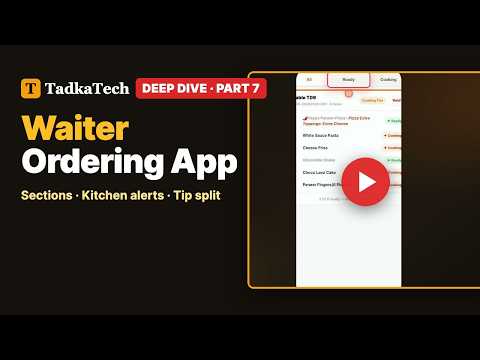 18:36
18:36The waiter's phone
One busy dinner shift on the waiter's phone: sections, ordering at the table, the kitchen's ready bell, moving and transferring tables, and tips split by your rule.
Open the guide 17:32
17:32QR ordering from the table
A family orders from the table QR on their own phone, while the counter decides when they pay and what reaches the kitchen. Ends with the QR Ordering settings.
Open the guide 17:49
17:49The self-order kiosk
Pair a kiosk screen with a one-time code, let guests build their own meal and pay by UPI or at the counter, and control every kiosk setting from one page.
Coming 6 Oct 2026What's New: a video for every new feature
Short walkthroughs of each new feature, newest first.
 4:57
4:57Tadka Academy: search, read and watch any guide
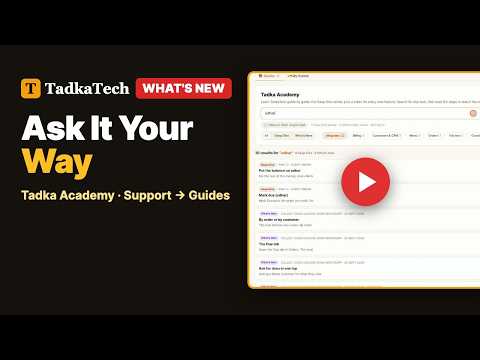
Search the product in your own words from Support → Guides, open the exact passage with its video playing from that moment, and raise a ticket from a guide if you still need help.
Open the guide 3:07
3:07Dine-in now, seat guests later
Take a dine-in order before a table is free: skip the table on New Order, assign a free table later from the Orders page, or complete the order with no table at all.
Open the guide 2:32
2:32Know your regulars on every order
A small badge on each order tells staff whether the customer is new, returning, a regular or back after a long gap, with lifetime orders, last visit and average bill.
Open the guide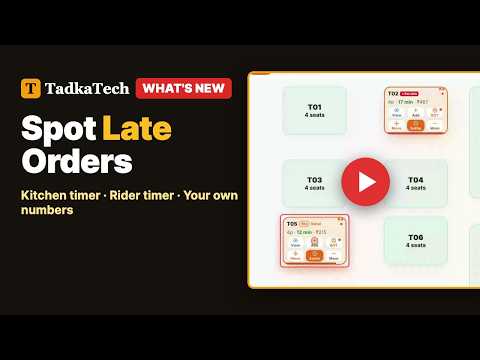 6:44
6:44Kitchen and rider timers on every order
Set kitchen and rider time limits once in Settings → Order Timers, from your own 30-day numbers, and every order shows a strip that turns red when it runs late.
Open the guide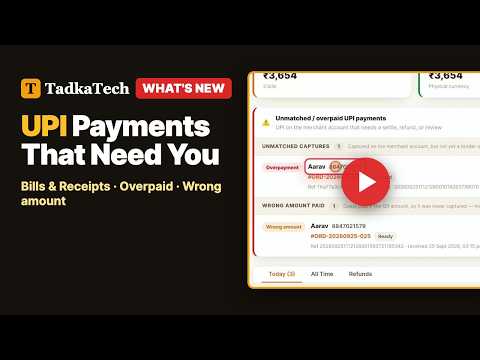 5:57
5:57Bills and the UPI payments that need you
A bill is made the moment you settle an order, and one panel on Bills & Receipts shows every UPI payment that needs a decision, now with a Hide button.
Open the guide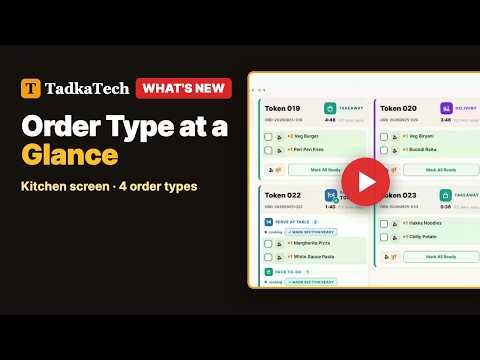 6:42
6:42Order type at a glance on the kitchen screen
Every kitchen-screen card now carries an icon chip for dine-in, takeaway, delivery or drive-in, readable from across the kitchen. Nothing to switch on.
Open the guide 8:00
8:00Surcharges that print on the receipt
Set up seating and time surcharges, check them with the simulator, and see every charge print on its own line with GST that adds up. Plus three floor-plan and QR fixes.
Open the guide 10:27
10:27Swiggy & Zomato orders in Tadka Tech
Bring Zomato and Swiggy orders onto your Tadka Tech Orders board with KOT printing, using a Chrome extension on the counter PC. The full setup, step by step.
Open the guide 2:19
2:19Kiosk payments: UPI or Pay at Counter
Choose what your self-order kiosk accepts: UPI, Pay at Counter or both, and keep taking orders when UPI or the payment gateway is down.
Open the guide 0:45
0:45Highly ordered labels, bigger photos and bookmarks
Your website and QR menu now label popular dishes Highly ordered, show bigger photos on phones, and let customers bookmark dishes and reorder in one tap.
Open the guide 12:16
12:16Customer segments and WhatsApp campaigns
Group your customers into segments, then send each group a WhatsApp campaign now, on a schedule or as a draft, and see what it delivered.
Open the guide 0:50
0:50Put your best sellers first: reorder dishes
Move dishes up and down inside a category in Menu Management, and the new order shows at once on the POS, website, QR menu and kiosk.
Open the guide 0:48
0:48Track expenses and see your real profit
Record rent, bills and small cash spends under your own categories, with approvals, recurring reminders, and a Profit and Loss that includes costs.
Open the guide 0:47
0:47Collect dues (udhar) over WhatsApp
Send a khata customer a WhatsApp reminder with a payment link from the Due tab; with UPI auto-confirm on, the bill closes itself once they pay.
Open the guide 0:43
0:43A faster customer list: pages, sorting and filters
The customer list now loads page by page, sorts by any column, and filters by number of orders so you can find your regulars or first-timers.
Open the guide 0:42
0:42Find any dish by typing its initials
Type the first letter of each word in a dish name and menu search finds it, on the counter, in the waiter app, on your website and in the QR menu.
Open the guideNo guide matches this filter yet. Show all guides
Restaurant POS video guides: questions owners ask.
Are the Tadka Academy videos in Hindi or English?
What is the difference between Deep Dive and What's New?
Where are these guides inside the Tadka Tech portal?
Can I search in Hindi words like udhar or khata?
Can the video start at the exact answer?
What if a guide does not answer my question?
Can I see what a module does before upgrading?
Seen enough? Try it on your menu.
WhatsApp us a photo of your menu. We move it across free, train your staff, and you're live in 48 hours — with up to 6 months free.