Cloud kitchen software · delivery board · riders · packing
Cloud kitchen software for a kitchen that sees riders, not guests.
Tadka Tech is cloud kitchen software for delivery-first kitchens in India. Every delivery sits on one board with a kitchen clock and a rider clock, riders work from their own phones with the exact amount to collect, packing slips keep each box with its order, and, if you ask us to switch it on, Swiggy and Zomato orders show in their own lane with an auto-printed KOT.
How a cloud kitchen works, from order to doorstep.
With no dining room, the whole business is four handovers: the order to the kitchen, the kitchen to the packer, the packer to the rider, the rider to the door. Each one is where a delivery goes late or goes wrong.
- 1Order in
From your website, the phone or the counter
A delivery won't start without an address and a number: autocomplete biased to your area, a landmark line and a map pin.
- 2Kitchen
The card says where it is going
A delivery card is marked as one from across the kitchen, and each packed unit can print its own slip.
- 3Rider
Assigned while it is still cooking
Pick a rider from the ones on duty; the board shows who is out and who is at the kitchen.
- 4Doorstep
One amount, settled on the bill
Cash on delivery settles the real bill; prepaid runs are labelled prepaid, so nobody asks for money twice.
The delivery problems that cost a cloud kitchen its ratings.
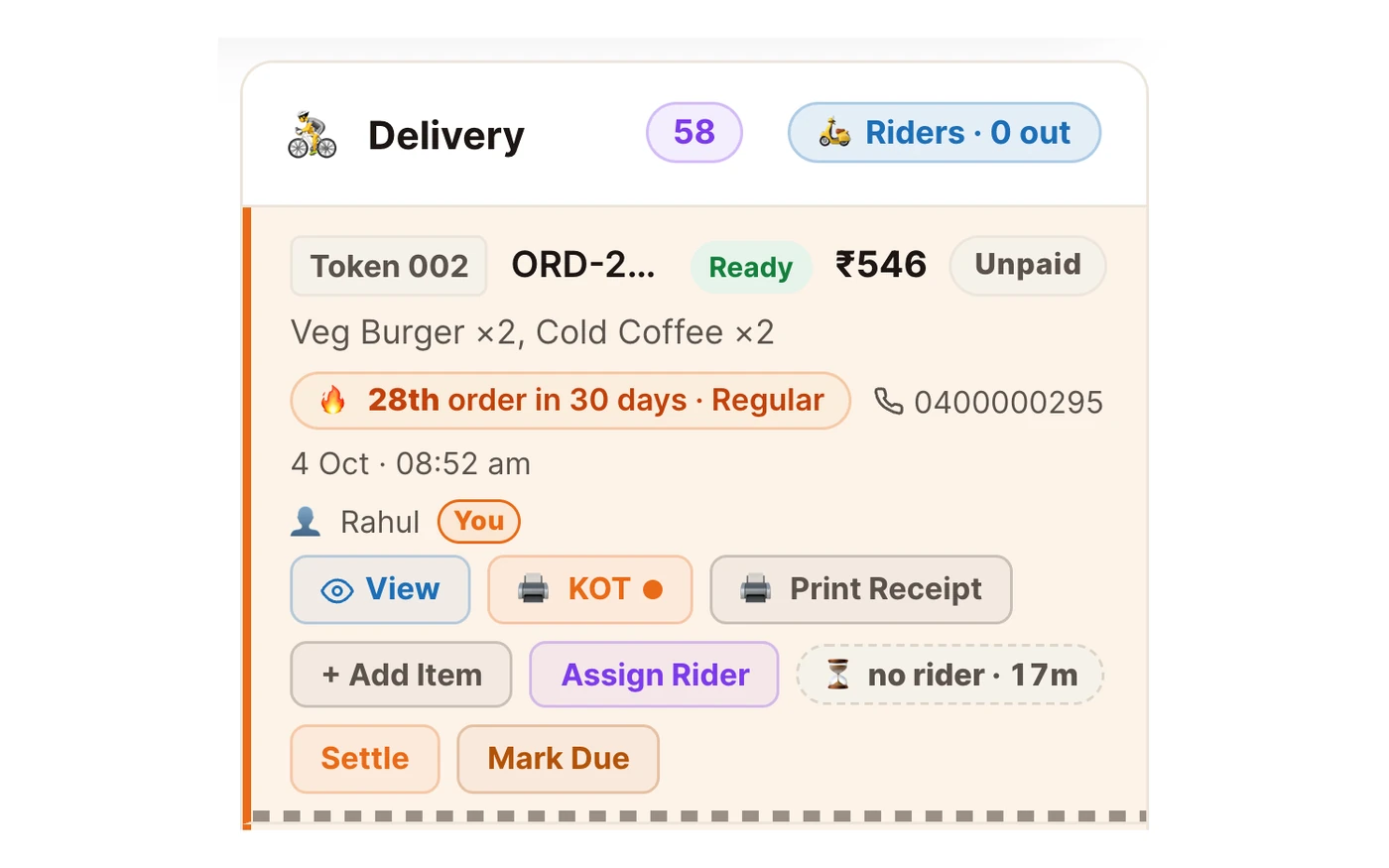
“The food is packed and the rider is still 15 minutes away.”
TadkaAssign a rider while the food is still cooking. Each delivery shows “no rider · 2m” until someone takes it, then the rider's name and how long they've been out.
Delivery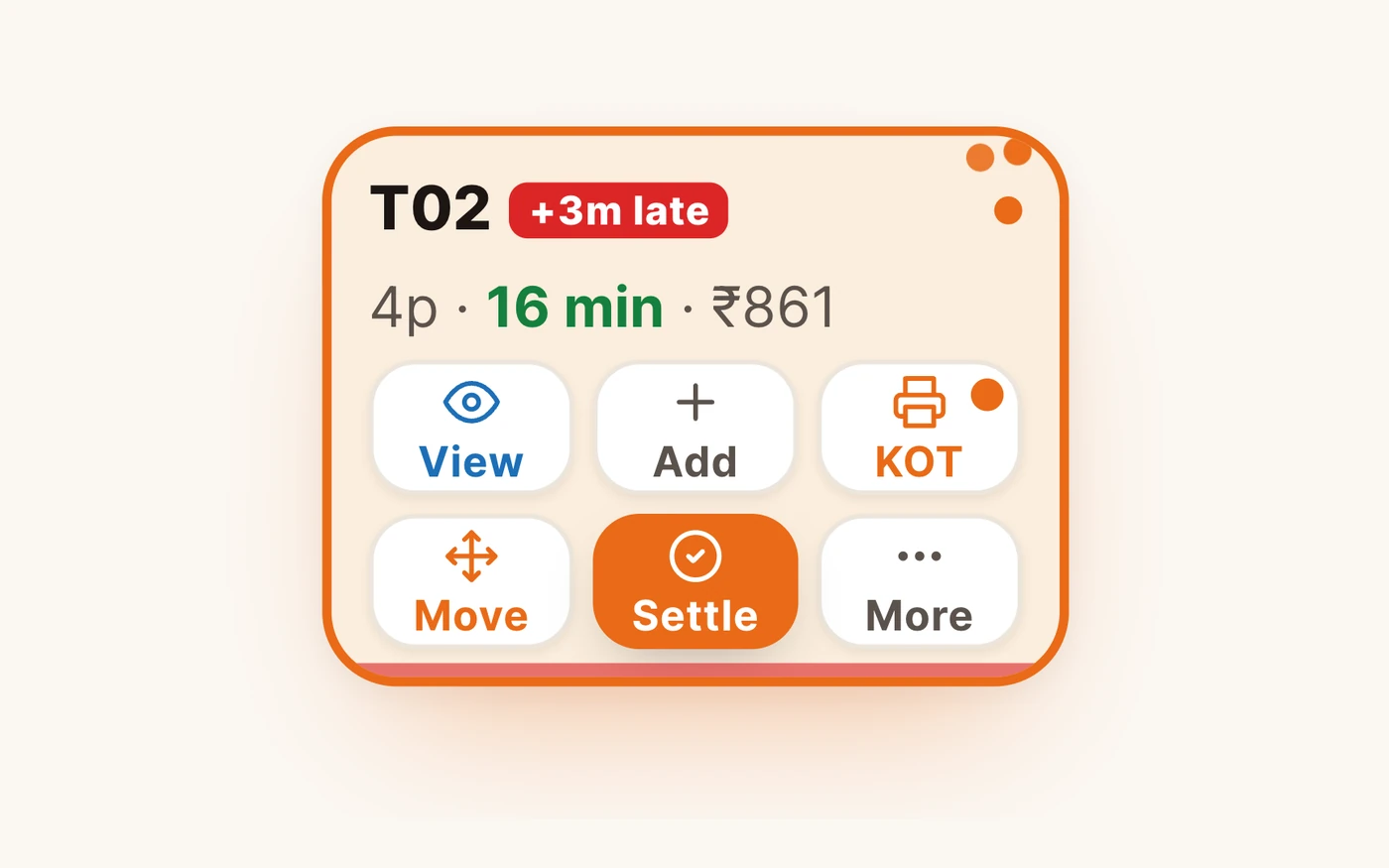
“Which of these twenty orders is actually late?”
TadkaEach order has a strip that fills toward your limit and turns red with a late badge. Tap the late count on the top cards and every on-time order fades.
Orders & timers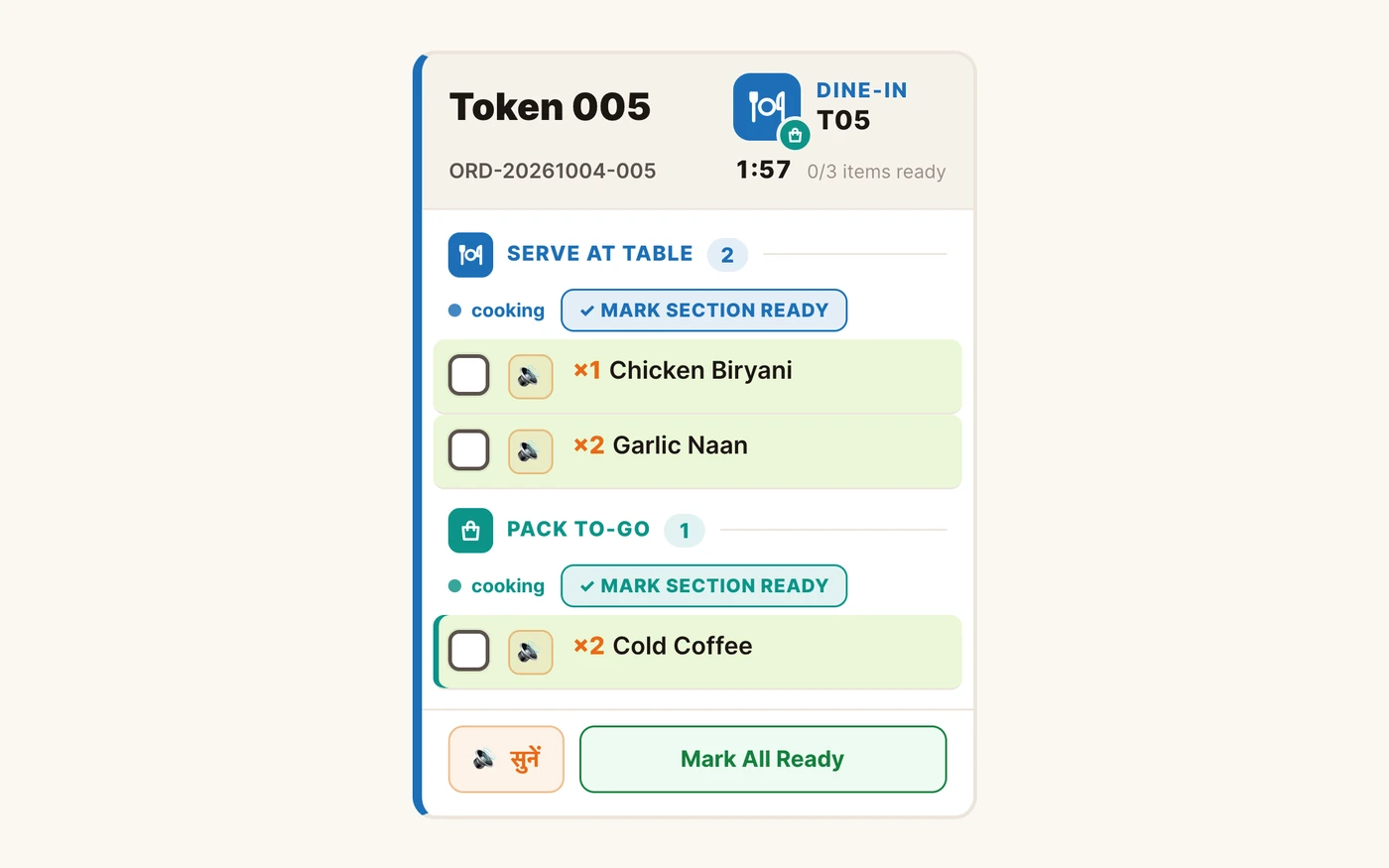
“Two shakes, two boxes, and one went in the wrong bag.”
TadkaWith item slips on, each packed unit prints its own slip, Unit 1 of 2 and Unit 2 of 2, marked PACK TO-GO, or a sticker on a label printer.
Kitchen display“The rider collected ₹20 less. He says that's what the customer paid.”
TadkaThe rider sees the exact amount to collect, with the delivery fee and any tip already in it, and it is the same figure as the bill.
Delivery“The rider has been circling the colony for ten minutes.”
TadkaAddresses come with a landmark line and a map pin, and the rider has one tap to call the customer and one to open maps.
Delivery“Someone closed the Zomato tab. No orders for an hour.”
TadkaA red banner on the Orders page says the partner's orders are not coming in, and a bell rings every 10 seconds until the tab is open again.
Setup guideA Friday rush, order by order against the clock.
Set the kitchen and rider limits once, from your own last 30 days, and every delivery shows which stage it is in and whether it is late, down to a weekly report of the slowest hour.
Swiggy and Zomato orders on the same board: what it does, and what it doesn’t.
If you keep the partner websites open on the counter PC, this brings their orders onto your Tadka Tech board too. Read the limits before you rely on it.
What it does
The parts you can rely on
- A small Chrome extension in the same browser as the partner websites sends a copy of each order to Tadka Tech. It never sees your Zomato or Swiggy password.
- Orders appear in a Swiggy / Zomato lane on the Orders board with the platform, order number, items, the customer's note and how it was paid.
- With Auto-print KOT on for that PC, the KOT prints by itself the moment the order is accepted, through the print agent on the same PC.
- A closed partner tab raises a red banner and a bell; a platform you don't use can be switched off so it stops alerting.
What it doesn't do
Know these before you switch it on
- Accepting, rejecting and marking ready happen on the partner website. The Accept button in Tadka Tech only brings that tab to the front.
- Orders come in only while the partner tab is open in Chrome or Edge on the counter PC, on Windows, Mac or Linux. Not on a phone yet.
- They are not added to your Tadka Tech bills or the kitchen screen. The slip they print says Order slip, not a tax invoice; the partner issues the invoice.
- It is not on for every account. Ask the Tadka Tech team and we switch it on for your restaurant; then Settings shows an Integrations tab.
The rider's phone is the same system.
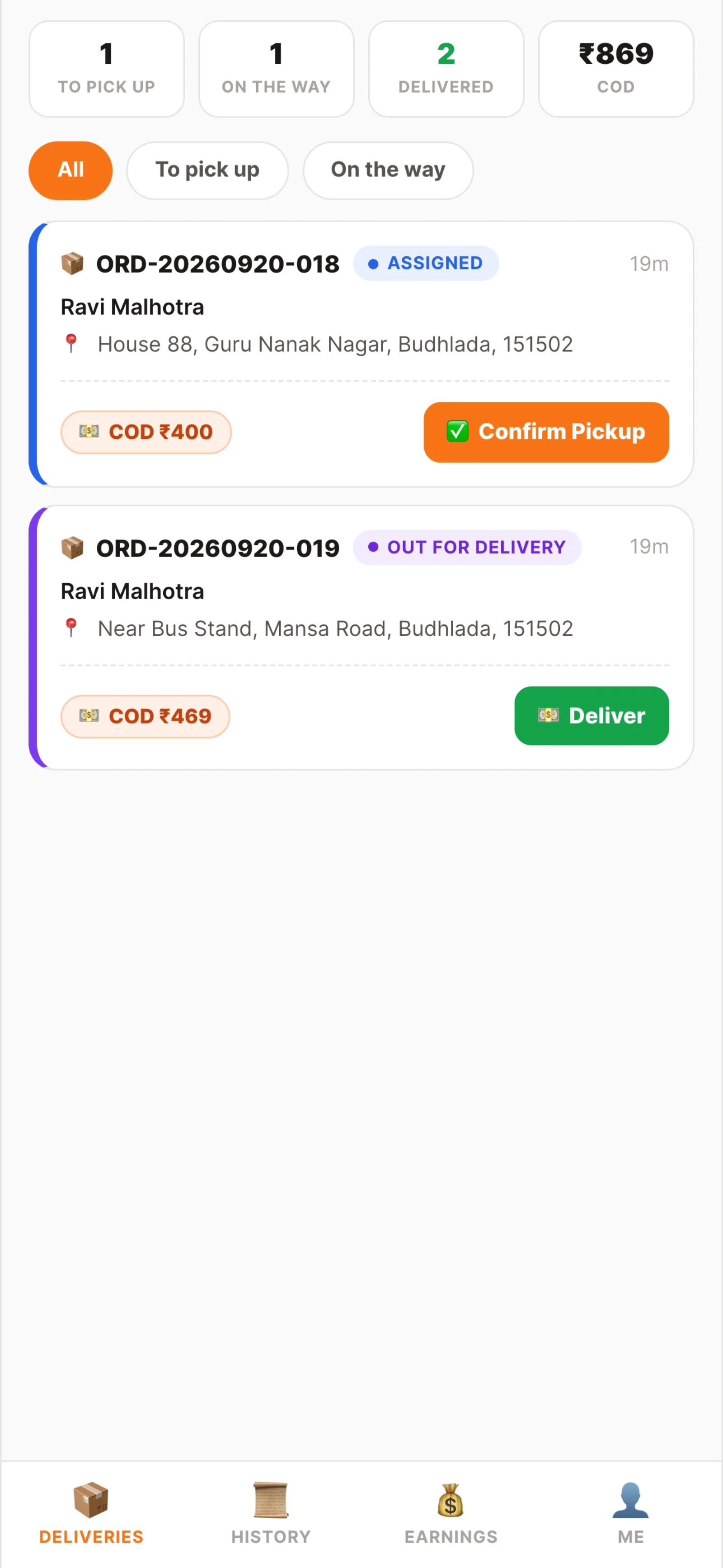
Not an address forwarded on WhatsApp. The rider logs in and sees only their own runs, with the one number that matters on every card.
- Runs grouped by state: to pick up, on the way, delivered
- An item checklist at pickup, so nothing leaves the counter uncounted
- Mark delivered, or record a failed delivery with a reason
- Tips the customer added go to the rider who delivered, prepaid or at the door, and show in the week's earnings
- A maximum delivery distance and a delivery fee: flat, free above a minimum, or by distance zone
My runs
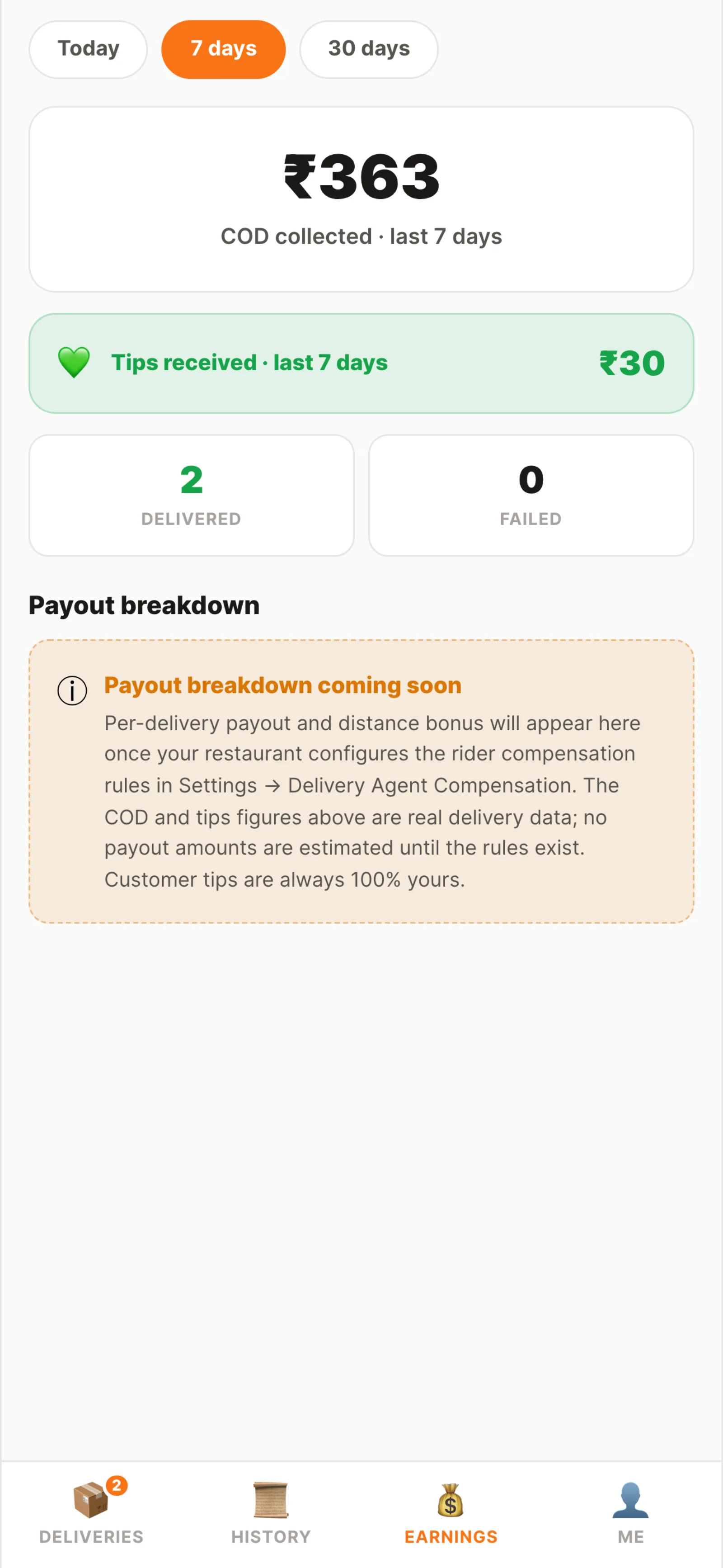
Earnings
Is the kitchen slow, or the riders?
When a customer complains that a delivery took an hour, open the order. Stage Times splits it: how long the kitchen took, how long the food waited for a rider, and how long the rider had it, each against your limit and your usual time.
For the bigger picture, Analytics → Operations → Kitchen & rider speed shows the last 30 days by default: how many orders were counted, the usual time, the slowest 10% and how many ran late, for the kitchen and for riders. Below that are the slowest hour of the day, times by order type, each rider's own figures and the ten slowest orders.
Cloud kitchen software: questions kitchens ask.
How does a cloud kitchen work on Tadka Tech?
Can Swiggy and Zomato orders come into Tadka Tech?
Can I accept or reject Zomato and Swiggy orders from Tadka Tech?
Are Swiggy and Zomato orders added to my Tadka Tech bills or the kitchen screen?
Is there a rider app?
How do I know which delivery is running late?
My kitchen only does delivery. Will the counter still show dine-in?
The rest of a delivery kitchen.
KOT software
Printed KOTs, the kitchen screen, packing slips and stations.
Read more 10:27
10:27Swiggy & Zomato orders in Tadka Tech
The extension, the 6-digit code, confirming outlets and auto-printing the KOT.
Read moreRestaurant management software
Stock by recipe, staff and payroll, expenses and the day close.
Read moreWhatsApp us a photo of your menu. Live in 48 hours.
We move your menu across free, set everything up and train your staff, and you get up to 6 months free. How many months are free depends on the plan you choose; after that, you pay that plan's regular price.